Demi
mrTrueBeliever
Watchface
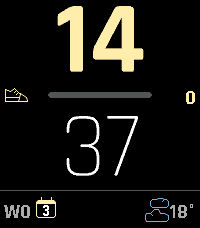
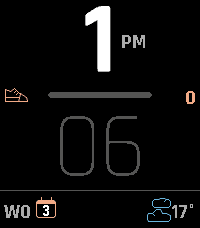
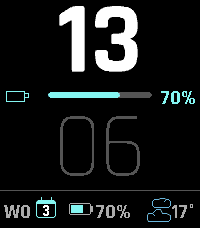
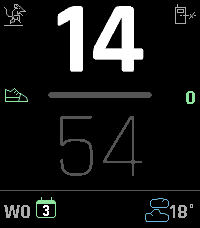
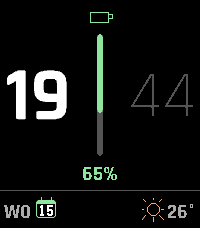
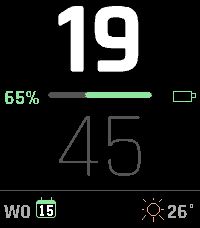
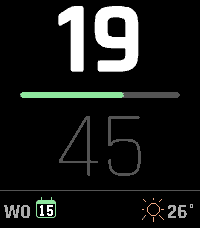
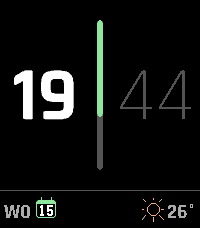
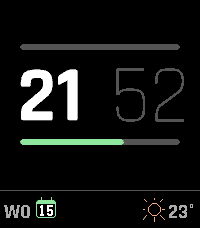
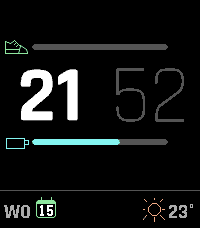
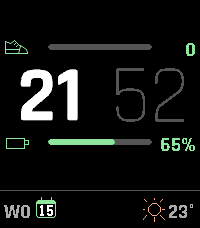
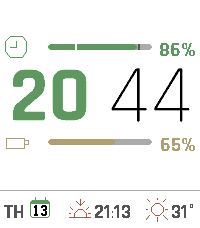
Description
A vector watchface that tracks whatever matters to you.

Bold vector digits with progress bars for steps, daylight, battery or your own JSON stat - plus weather, sunrise/sunset and a light theme.

Demi is a configurable watchface for the Pebble Time 2, built around large
anti-aliased vector digits and progress bars that stay out of the way until you
need them. Track steps, calories, distance, battery, how much daylight is left,
how much of the week has gone, or your own JSON feed. Round out the bottom row
with date, weather, sunrise/sunset, battery or heart rate - pick any three.

Dark or light: the whole face flips between white-on-black and black-on-white,
and a light accent colour is darkened automatically on white so your choice
stays readable either way.

FEATURES
• Large FCTX vector digits (hours/minutes), scaled from the real screen size -
  no fixed layout, so it adapts under the Timeline Quick View peek.
• Dark and light themes. Every colour is chosen per theme, including the
  weather icons; nothing has to be reconfigured when you switch.
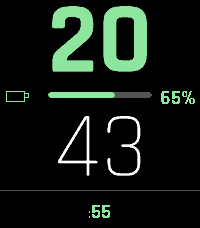
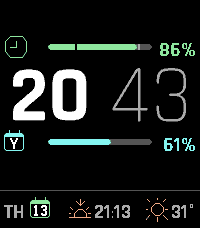
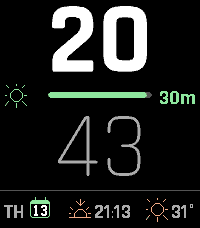
• Three layouts: vertical (hours above minutes), horizontal (hours beside
  minutes, vertical bar), or horizontal with two independent bars, each
  tracking its own metric and optionally its own colour.
• Progress bar sources: steps, battery, calories, distance, daylight
  remaining, day/week/month/year elapsed, or a custom JSON url of your own.
• Your own goals. Set where the steps, calorie and distance bars reach 100%,
  or enter 0 and the watch uses your own daily average from its health
  history. An optional mark shows where you normally stand at this time of
  day, so you can read today against your usual pace.
• Sunrise and sunset, from the same weather request - no extra setup. A widget
  shows whichever comes next, and the day-elapsed bar marks both on its track,
  so you can see at a glance how much daylight is behind you.
• Beside the bar: icon + value, icon only, or nothing (lengthens the track).
  Swap icon and value to reverse the fill direction. A tap on the wrist can
  reveal the hidden details for a few seconds - so a face kept deliberately
  bare still gives up its numbers on demand.
• Tap to see the seconds or the full date, without leaving the watchface.
• Three configurable bottom-row widgets (left/middle/right): date, weather,
  sunrise/sunset, battery (graphical glyph + %), or heart rate.
• 12-colour accent palette, 8 hour/minute contrast schemes including
  accent-tinted variants tuned for e-paper.
• Metric or imperial: distance follows your watch's own measurement setting,
  or pin it to kilometres or miles.
• Automatic status icons: Quiet Time and Bluetooth-disconnected indicators.
• Weather via Open-Meteo - no API key, no account. Persists across launches so
  returning to the face never flashes a placeholder.
• English, Nederlands, Français, Deutsch and Español - for the date and for
  the settings page, or following your watch's own language.

CUSTOM JSON METRIC
Point "Custom 1" or "Custom 2" at a url returning
`{"items":[{"name":"...","value":0-100}]}` (item 0 → Custom 1, item 1 →
Custom 2) to track anything you can turn into a percentage - a self-hosted
stat, a script's output, whatever you track. The url stays on your phone and
is never sent to the watch; only the resulting percentage and a matching
icon (hourglass / burst / generic gauge, picked from the item's name) cross
Bluetooth. Refreshed every few minutes; oversized or malformed responses are
refused rather than parsed.

PRIVACY
Weather and sunrise times are fetched by your phone from Open-Meteo using your
location; nothing else leaves the watch. Health data is read on the watch and
never transmitted. If you configure a custom JSON url, the url itself stays in
your phone's storage - only the fetched percentage reaches the watch.

Works on Pebble Time 2 (Emery).- DevelopermrTrueBeliever
- CategoryFaces
- PlatformsTime 2
- Updated2026-08-13
- Version1.7.0