Dynamic
xefensor
Watchface
Description
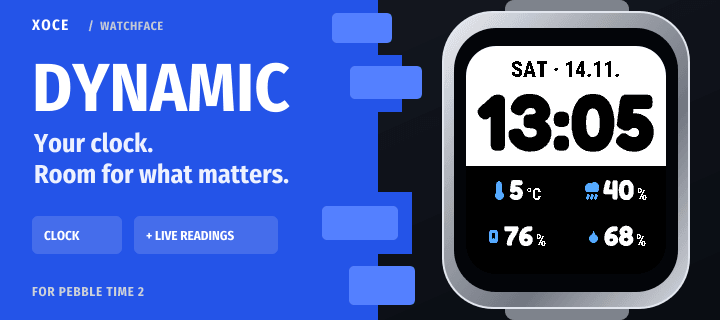
A Pebble watchface that makes room for your day.

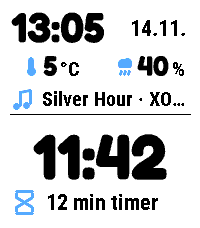
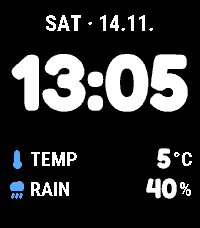
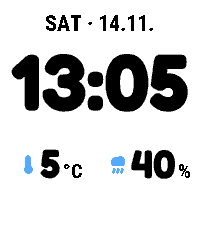
Keep a clear clock above your chosen readings. When music or a countdown is active, Dynamic rearranges the space to show it alongside the time.

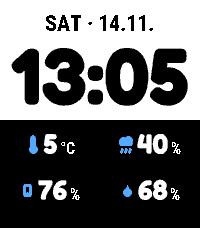
- Choose Columns, Stacked rows or Four when idle. The four-reading grid keeps your selected pair when an activity or Timeline Peek needs room.
- Set separate colours for the clock and details, with day and night palettes.
- Hide reading titles or enable shake to switch your reading pair.
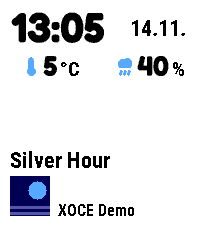
- Show music with its title, artist and available artwork.
- Choose and order your Activities: ongoing updates such as a Timer countdown. A smaller secondary summary appears when space allows.
- Adjust text size and clock format, with animated layout and track transitions.

Start a countdown in Timer, then return to Dynamic to keep it in view. Timer runs the countdown and alarm; open Timer to pause or change it. Open Activity can provide an optional Quick Launch shortcut back.

For Pebble Time 2 and Round 2. Shared readings and Activities require a connected phone, plugin support enabled in the official Pebble phone app, and permissions for the chosen sources. Built-in music and notifications require Android. Notification summaries and message text are separate opt-in settings.

Free. Part of XOCE. No XOCE account, ads or analytics. Selected providers have their own requirements and privacy practices.
- Developerxefensor
- CategoryFaces
- PlatformsTime 2, Round 2
- Permissions
- Updated2026-11-14
- Version1.0.2
- Battery ImpactNot enough data yet