Upcoming Calendar Cards
Sojocha
Watchface
Description
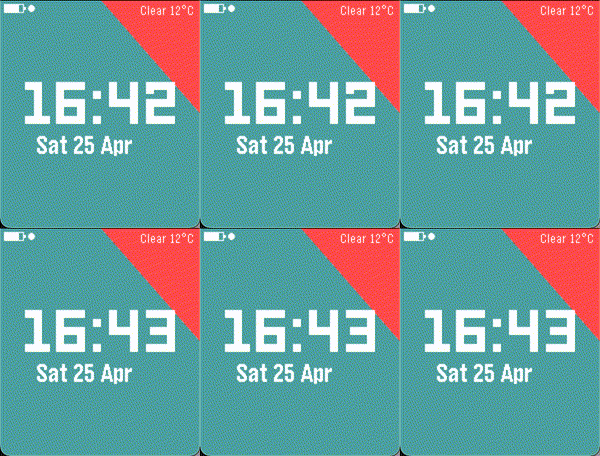
The watchface shows digital time, the next upcoming Google Calendar event as a sliding card, live weather, date, battery, and Bluetooth status.

This watchface was heavily inspired by Ester Sanchez's CalendarCards that's sadly not working anymore.

Never miss your next meeting. Upcoming Calendar Cards shows your next Google Calendar event
 right on your wrist — clean, glanceable, and always up to date.

 A sleek card slides onto your watchface whenever an event is within the next 24 hours, showing
 the event title and a countdown ("In 2 hours", "In 15 min"). When your schedule is clear, the
 card disappears and your watch stays minimal.

 Features:

 - Live Google Calendar sync — paste your private iCal URL once; the watch refreshes every
 30 minutes automatically. No API keys or third-party accounts required.
 - Full recurring event support — daily, weekly, monthly, and yearly repeats are all handled
 correctly, including timezone-aware events from other cities.
 - Current weather — temperature and conditions in the top corner, powered by Open-Meteo
 (free, no sign-up needed). Works from your watch's GPS location.
 - Fully customizable — choose your background color, accent color, text color, date format,
 temperature unit (°C / °F), and whether to show weather, battery, and Bluetooth indicators.
 - Works on every Pebble — optimized layouts for Basalt, Chalk, Diorite, Emery, Flint,
 and Gabbro. High-resolution displays (Emery, Gabbro) get extra-large clock digits.

 Setup (takes ~2 minutes):

 1. Open Google Calendar on the web → Settings → select your calendar → scroll to
 "Secret address in iCal format" → copy the URL.
 2. Open the Pebble app → tap the watchface settings → paste the URL.
3. Done. Your next event will appear automatically.- DeveloperSojocha
- CategoryFaces
- PlatformsTime/Time Steel, Time Round, 2, 2 Duo, Time 2, Round 2
- Updated2026-04-28
- Version1.4.0