Glanceable Forecast
Kevin Rickard
Watchface
Description
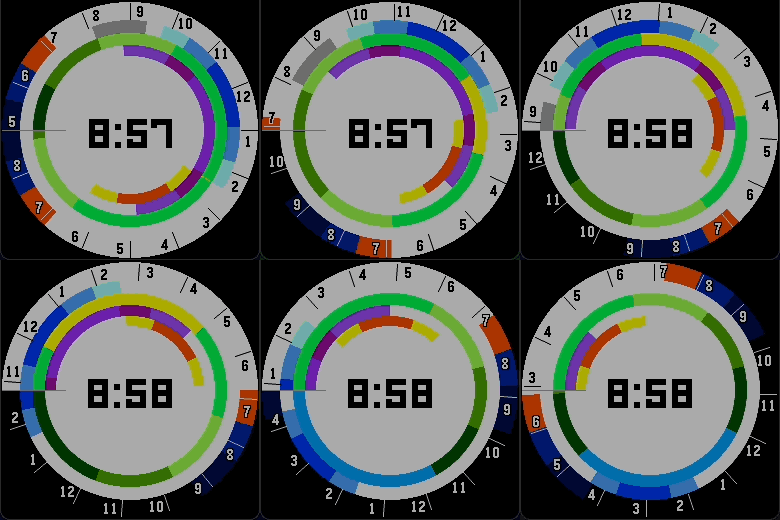
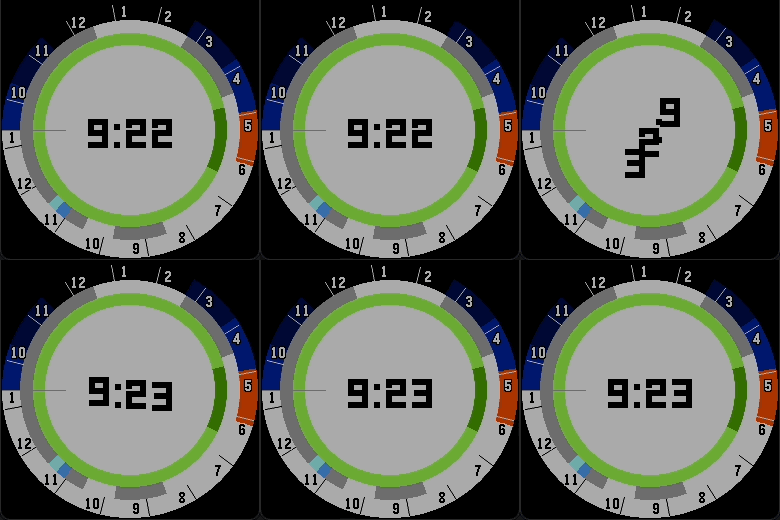
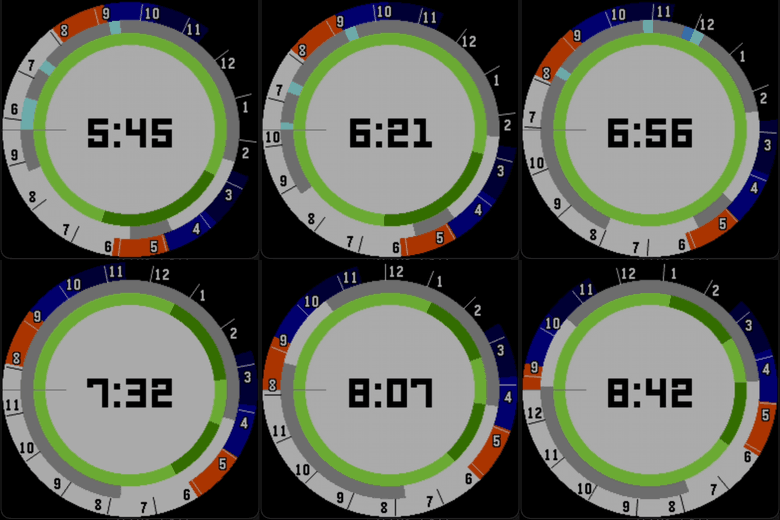
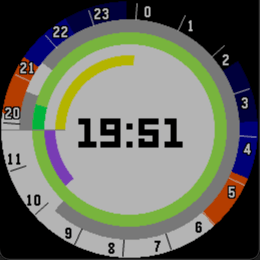
Forecast at a glance. Shows weather, temperature, UV index, air quality, day-night cycle, sunrise/sunset, golden hour, and twilight timings.

Five rings surround the digital clock in the center. Each ring shows a different aspect of the forecast. From outermost to innermost:

1. Time ring – So you know what time of day it is. Shows hour boundaries with labels and markers. Color indicates the phase of the day:
    - White: Daytime
    - Orange: Golden Hour / Sunrise or Sunset
    - Blue: Twilight
    - Dark Blue: Astronomical Twilight
    - Black: Night
2. Weather ring – So you know to bring an umbrella. Shows the weather forecast with 15-minute precision.
    - White: Clear sky
    - Grey: Cloudy
    - Light Blue: Light rain
    - Dark Blue: Heavy rain
3. Temperature ring – So you know what to wear. Shows Open-Meteo's "apparent temperature" with 15-minute precision. This measure accounts for solar radiation, humidity, wind speed, and other factors to represent what it actually feels like outside. Values are grouped and mapped to colors:
    - Dark Blue: Too cold (<15°F)
    - Light Blue: Freezing (15–25°F)
    - Dark Green: 4 layers needed (25–34°F)
    - Medium Green: 3 layers needed (35–45°F)
    - Pale Green: 2 layers needed (45–58°F)
    - Lime Green: 1 layer needed (58–71°F)
    - Yellow: Nice (71–77°F)
    - Orange: Hot, need shorts (77–88°F)
    - Red: Too hot (≥88°F)
4. UV ring – So you know to wear sunscreen. Shows the UV index:
    - White: No sunscreen needed (0–2)
    - Light Purple: May need sunscreen (3–5)
    - Medium Purple: Need sunscreen (6–7)
    - Dark Purple: Definitely need sunscreen (8+)
5. Air quality ring – So you know to wear a mask. Shows the Open-Meteo Air Quality Index (AQI):
    - White: Good (0–49)
    - Yellow: Moderate (50–99)
    - Orange: Unhealthy for sensitive groups (100–149)
    - Red: Unhealthy (150–200)
    - Dark Red: Very unhealthy (200+)

All data from Open-Meteo.

FAQ

> How do I read the watch?

On the left side of the watch face (the traditional 9 o'clock position) there is a thin grey line marking the vanishing point. Above this line is the immediate forecast representing current conditions. Each color on each ring represents a different piece of information (see above). The outermost ring indexes time- it marks the hours as the forecast extends clockwise around the watch. The forecast wraps all the way around until it reaches the vanishing point again, always showing exactly 18 hours into the future. As time progresses, the forecast moves counterclockwise toward the vanishing point. Any given relative time (e.g., one hour from now) is always at the same position on the watch face.

> I have feedback / suggestions / comments, how can I contact you?

Press contact developer :)

> This changed my life, how can I donate as thanks?

Press contact developer and I'll send you a link- DeveloperKevin Rickard
- CategoryFaces
- PlatformsRound 2
- Updated2026-06-04
- Version1.1.0