Likloa
Jonas E
Watchface
Description
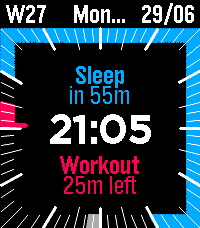
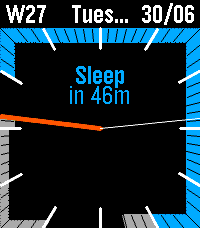
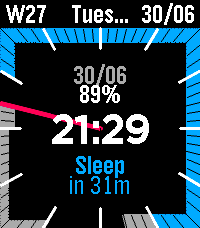
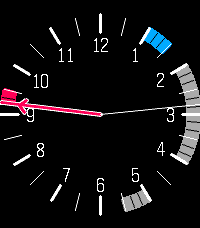
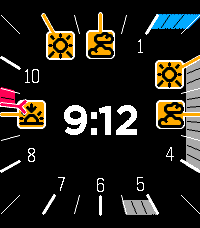
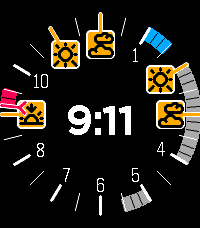
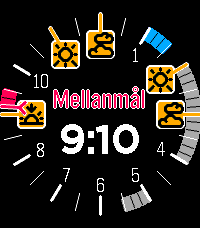
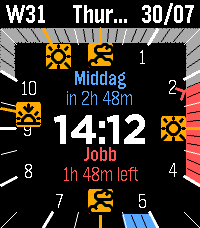
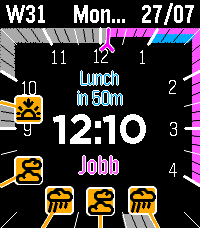
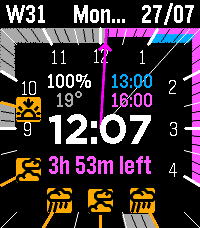
Turn your wrist into a live visual timeline—blending your Google Calendar with your recurring daily habits, beautifully rendered on your Pebble.

Choose from endless layout configurations or design your own perfect color scheme.

Features:
  - Live TimeTrack View (Dynamic 12-hour calendar timeline)
  - Google Calendar Sync (Direct integration via official API)
  - Support .ics calendar links.
  - Recurring Habits (Local repeating routines alongside calendar events)
  - Fully Customizable Layout (Configure Top Bar, and inner display slots)
  - Full Pebble Color Themes (Customize background, ticks, tracks, and highlights)
  - Text Outline Toggle (For maximum readability against any background)
  - Offline Fallback Mode (Displays habits if connection is lost so screen never goes blank)
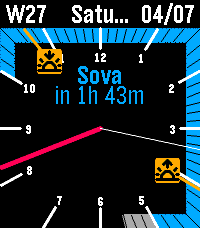
  - Sun Timetrack Pins (Sunrise and sunset times via OpenMeteo)
  - Weather Timetrack Pins
  - Fully Configurable via Phone Settings
  - Circular or Square watchface

Quick Setup: Google Calendar API
    Go to Google Cloud Console → enable the Google Calendar API → create an API key.
    In Google Calendar Settings, check "Make available to public" under Access permissions.
    Copy your Calendar ID from the Integrate Calendar section.
    Paste your API Key and Calendar ID into the watchface settings on your phone, then test the connection!

Please contact me below if you find bugs or want to request a feature.- DeveloperJonas E
- CategoryFaces
- PlatformsOG Pebble, Steel, Time/Time Steel, Time Round, 2, 2 Duo, Time 2, Round 2
- Updated2026-08-12
- Version1.0.8