Nag for Pebble
Comfortably Numb
Watchapp
Description
Once launched and configured, Nag for Pebble exits immediately so you can keep using your watchface and other apps — but it keeps buzzing your Pebble (every hour by default) in the background. Use it to remind yourself to stand up, take a quick walk, drink water, or just to add an hourly buzz if your watchface doesn't have one.

It doesn't take the Activity tracker slot, so you're free to run Misfit or other background apps alongside it.

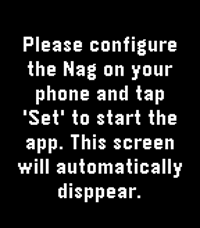
It has no watchface of its own and stays out of your way. When it buzzes, a brief "Nag!" screen with the current time shows for the length of the buzz, then your watchface returns. It just buzzes.

CONFIGURABLE OPTIONS

• Buzz type: Short, Long, or Double — plus themed patterns:
   – Super Mario
   – TMNT
   – Voltron
   – Final Fantasy
   – Star Wars
   – Power Rangers
   – James Bond
   – Mortal Kombat
   (Vibe themes by Gearside: https://gearside.com/custom-vibration-patterns-mobile-devices)

• Buzz interval: 5 to 120 minutes

• When to start: immediately, or on the next hour, half-hour, or 15-minute mark

• Sound mode (watches with a speaker): on Pebble Time 2, Pebble 2 Duo, and Pebble Round 2 you can swap vibration for a melody version of the selected pattern, played out loud with an adjustable volume

• Quiet Time (now free): stay silent whenever your Pebble's built-in Quiet Time is active — for a peaceful night with no manual scheduling (silences both vibration and sound)

OTHER

• The app launcher glance shows your next scheduled buzz (or "Disabled")

• Suspend it any time by setting Buzz type to "Disabled"
- DeveloperComfortably Numb
- CategoryHealth & Fitness
- PlatformsOG Pebble, Steel, Time/Time Steel, Time Round, 2, 2 Duo, Time 2, Round 2
- Updated2026-06-28
- Version1.61.0