OctoPebble
Solar Hand-Setter
Watchapp
Description
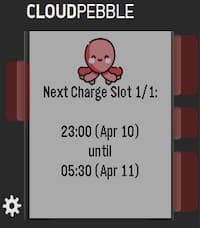
A quick, way to view your FlexPlannedDispatches from the Octopus Energy API. Perfect for Intelligent Octopus Go users who want to know exactly when their EV is scheduled to charge—especially when checking for dynamic smart slots outside the standard 23:30–05:30 window.

Setup Notes:
To use this app, you will need to enter your API Key, Account Number, and Device ID in the Pebble app settings.

    API Key: Can be obtained directly from your account via the https://octopus.energy/help-and-faqs/articles/how-do-i-access-the-octopus-api/.

    Account Number: Found by logging into your Octopus Energy dashboard. It is listed under your username or in the URL of your main account page (e.g., .../accounts/A-A1B1C1D1/...). It is typically formatted as A-########.

    Device ID: This is the unique identifier for your specific EV charger (e.g., a Zappi). Because an account might have multiple smart devices (like a heat pump or solar inverter), you currently need to select this manually. The format looks like this: 00000000-0000-0000-0000-000000000000.

How to get your Device ID: I have provided a simple Python helper script (get_device_id.py) that will fetch this for you. You can find the script here: https://github.com/sunrisesteel/octopebble_script . You will need to enter your API key and Account Number to fetch the device IDs on your account.- DeveloperSolar Hand-Setter
- CategoryTools & Utilities
- PlatformsTime 2, Round 2
- Updated2026-04-10
- Version1.0