PebbleDoist
mrTrueBeliever
Watchapp
Description
Your Todoist tasks on your wrist — add them by voice.

Browse Todoist by list, label or Today, read details and subtasks, tick tasks off, and dictate new ones. Touch on PT2. 5 languages.

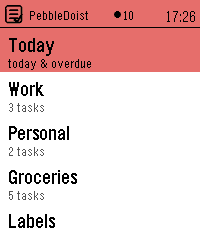
PebbleDoist puts Todoist on your wrist. The overview opens on a Today row, the
lists you picked (each with its open-task count) and your labels. Open a list to
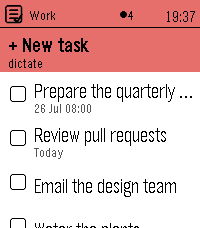
see its tasks with their due dates, select one to read its description, labels
and subtasks, and tick things off as you go — instantly, with a short undo
window before anything reaches Todoist. Adding a task takes one press and your
voice: dictate it, and natural-language dates like "friday" land as a real due
date.

FEATURES
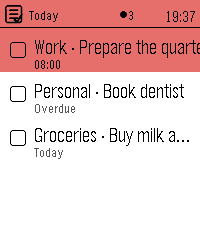
• Today — everything due today or overdue, each row prefixed with the list it
  belongs to and its due date underneath.
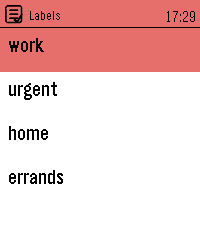
• Labels — browse your Todoist labels and see every task carrying one, across
  all your lists.
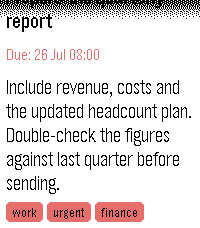
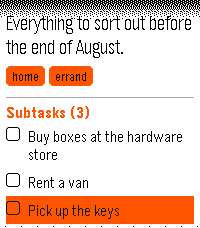
• Details — a task's full title, deadline, description and labels as coloured
  badges, with its open subtasks listed underneath, each with a checkbox.
• Add by voice — dictate a new task, or a new subtask straight into the task you
  are looking at. Bound to Quick Launch, one press starts the dictation.
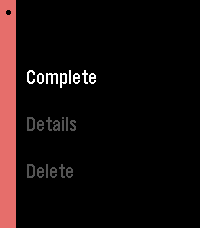
• Complete or delete — a task's menu completes it in Todoist right away, or
  deletes it after a confirmation. Optional quick-complete turns a single press
  into a tick, with an undo window.
• Touchscreen on Pebble Time 2: tap a row to open it or tick it off, drag to
  scroll, swipe right to go back. One tap is enough everywhere. The buttons keep
  working exactly as they did.
• Timeline pins (optional) — tasks due in the next few days appear on the Pebble
  timeline with a reminder that buzzes at the deadline, and completing or
  rescheduling a task clears or moves its pin.
• Text size — small, medium or large task rows, set from the phone.
• Available in English, Nederlands, Français, Deutsch and Español — on the watch
  and in the settings — following your watch language or set manually.
• Privacy: your Todoist API token stays on the phone and is never sent to the
  watch.

SETUP
1. In Todoist, copy your API token (Settings → Integrations → Developer).
2. On the phone, open PebbleDoist's settings, paste the token and save. Reopen
   the settings to tick the lists you want on the watch, choose the start
   screen, and optionally turn on timeline pins.
3. Optional: bind PebbleDoist to Quick Launch for a one-press "speak a task".

Requires a Pebble Time 2. Touch needs firmware 4.33.2 or newer; on older
firmware the buttons do everything the touchscreen does.
- DevelopermrTrueBeliever
- CategoryTools & Utilities
- PlatformsTime 2
- Updated2026-08-18
- Version1.6.0