PebbleKuma
mrTrueBeliever
Watchapp
Description
PebbleKuma brings your Uptime Kuma status pages to your Pebble Time 2.

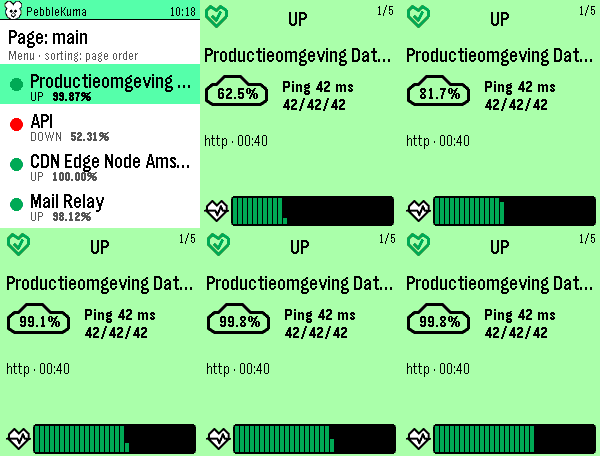
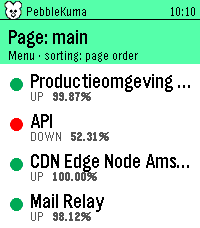
Browse a clean list of your monitors at a glance, a colored dot tells you what's up, down, in maintenance, or pending, with the 24-hour uptime right beside it.

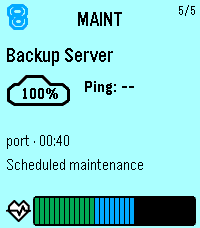
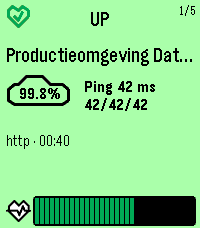
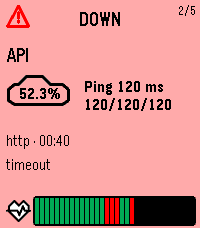
Tap a monitor for a full card, color-coded by its status, showing the uptime percentage, current ping (with min/avg/max), monitor type, last check time, the latest status message when something's wrong, and a heartbeat history graph.

Page up and down to flip through monitors; the numbers count up and the heartbeats sweep in as you go.

Sort by page order, name, or "problems first" (down → pending → maintenance → up, worst uptime leading). Pick a default in settings and switch instantly from the watch.

Setup is quick: enter your Uptime Kuma base URL and the status-page slugs you want in the phone settings. Everything is fetched on the phone and streamed to the watch, so it stays light and responsive.

Note: your Uptime Kuma server must be reachable from your phone (use your VPN if it's internal).
- DevelopermrTrueBeliever
- CategoryTools & Utilities
- PlatformsTime 2
- Updated2026-08-13
- Version1.2.0