Pome
Organik Apps
Watchapp

Description
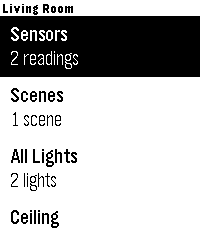
Pome puts Apple Home controls on a Pebble Time or Pebble Time 2.

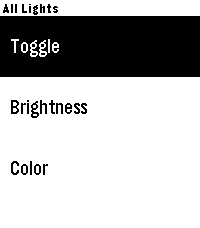
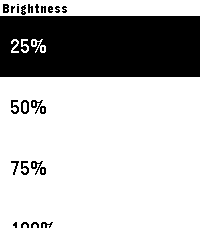
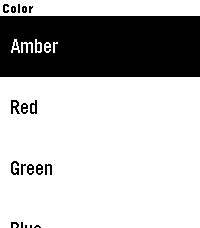
Browse favorites, scenes, rooms, devices, and read-only sensors from your wrist. Lights include toggle, 25/50/75/100% brightness presets, and six colors chosen with the iPhone color wheel. Blinds include open, close, and 1%, 5%, or 10% up/down steps. Each room has an All Lights control with paced commands and retries. Other compatible accessories can be toggled. Devices are grouped by type and alphabetized within each group, with redundant room prefixes hidden, while sensitive scene names require confirmation.

Pome uses PebbleKit JS on the paired phone to contact Itsyhome running on your Mac. Itsyhome bridges Apple Home/HomeKit to an HTTP webhook server. Pome has no account, analytics, hosted backend, or cloud relay; it talks only to the URL you configure.

Required setup:
1. Install Itsyhome for macOS: https://itsyhome.app/macos
2. In Itsyhome, open Settings > Webhooks/CLI and enable the server (port 8423 by default).
3. Open Pome's settings in the Pebble phone app and enter a reachable Itsyhome URL.

For LAN-only use, enter a local HTTP URL. For private home-and-away access, install Tailscale on the Mac and phone, sign both into the same tailnet, and run `tailscale serve --bg --https=10443 localhost:8423`. Paste the HTTPS URL reported by `tailscale serve status` into Pome.

Never use Tailscale Funnel or router port forwarding for this server. Pome is an independent open-source community project and is not affiliated with Apple, Itsyhome, Tailscale, or Pebble.
- DeveloperOrganik Apps
- CategoryTools & Utilities
- PlatformsTime/Time Steel, Time 2
- Updated2026-09-04
- Version2.7.0