Retro Photo Face
Brian Ouellette
Watchface

Description
== RETRO PHOTO FACE ==

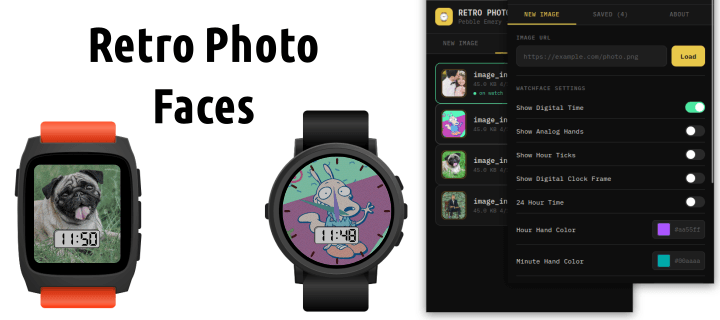
Remember those 90s watches you got as a kid with your favorite cartoon character with the most basic of functions?

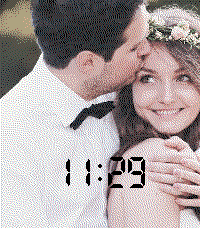
Or how about having a loved person or pet on your wrist? Turn any photo into your Pebble watchface.

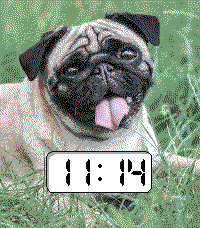
Now you can load an image from any URL, and Retro Photo Face automatically crops, resizes, dithers it, then transfers it directly to your watch over Bluetooth.

────────────────────────────
FEATURES
────────────────────────────

📷 Photo Background
Load any image from a URL. The app handles cropping, resizing, and color conversion automatically for your specific watch model.

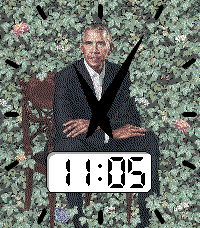
🕐 Analog Hands
Vector analog clock hands with customizable colors for the hour and minute hands independently.

🔢 Digital Time
LCD-style digital time display with a decorative clock frame. Tap to toggle between time, date, and battery percentage.

⚡ Hour Ticks
12 hour tick marks drawn precisely around the watch frame, circular on round displays, following the rectangle edge on square displays.

🎨 Color Dithering
Floyd-Steinberg dithering maps your photo to the Pebble palette for the best possible image quality for both B&W and 64 color Pebbles.

⚙️ Configurable
Adjust brightness of your photo. Toggle analog hands, digital time, hour ticks, and clock frame on or off. Choose custom colors for hands, ticks, and digital text. All settings persist across restarts.

📚 Save Multiple Images
Save multiple photo URLs and switch between them anytime from the settings page

🔋 Shake for Info
Shake the watch to cycle through time, date, and battery percentage on the digital display.

────────────────────────────
COMPATIBLE WITH
────────────────────────────

✓ Pebble Time / Time Steel (Basalt)
✓ Pebble Time Round (Chalk)
✓ Pebble 2 / Pebble 2 HR (Diorite)
✓ Pebble 2 Duo (Flint)
✓ Pebble Time 2 (Emery)
✓ Pebble Round 2 (Gabbro)

────────────────────────────
HOW TO USE
────────────────────────────

1. Open watchface settings
2. Find any image URL on the web
3. Paste the URL and tap Load
4. Preview the dithered result
5. Tap Save & Send to Watch
6. Done, your photo is now your watchface!

────────────────────────────
NOTES
────────────────────────────

• Requires an internet connection to load and transfer new images
• Images are saved locally on your phone for quick re-transfer after watch restarts
• A list of URLs are saved on your phone settings to quickly recreate a photo
• Black and white watches (Diorite, Flint) display in 2-color dithered mode
• Transfer time depends on image size and Bluetooth connection quality

────────────────────────────

If you enjoy this watchface, consider supporting development:
https://www.paypal.com/ncp/payment/BCBSKYKC3UEYE
- DeveloperBrian Ouellette
- CategoryFaces
- PlatformsTime/Time Steel, Time Round, 2, 2 Duo, Time 2, Round 2
- Updated2026-05-02
- Version1.2
- Battery ImpactNot enough data yet