SG Bus Lai Liao
Himitsu
Watchapp

Description
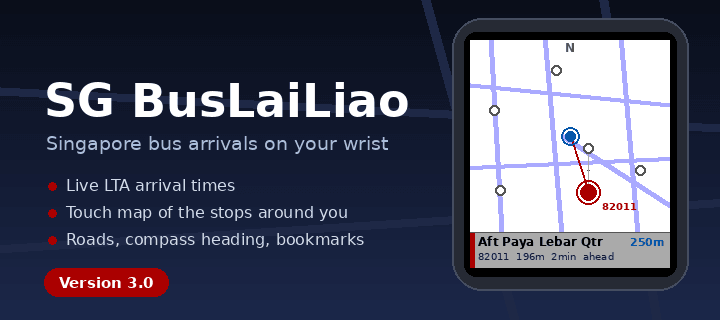
SG Bus Lai Liao — Real-time Singapore bus arrivals on your wrist. Now with a map.

Powered by LTA DataMall, get live arrival times for any bus stop in Singapore
directly on your Pebble watch.

NEW IN 3.0 — MAP VIEW
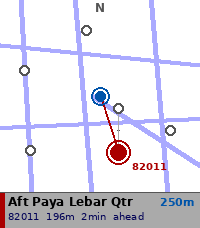
- Nearby Stops can now show a map instead of a list: the stops around you,
  plotted over Singapore's road network
- The map turns with you — compass heading keeps the way you're facing at the
  top of the screen
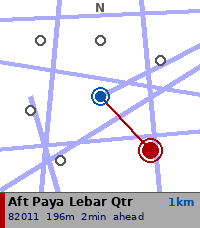
- Zoom 100m / 250m / 500m / 1km with UP and DOWN
- Stops across the road from each other fan apart when you select them, so you
  can tell which side you actually want
- Tap a stop to select, hold SELECT to open its arrivals
- Walking time shown alongside distance
- Nearby Stops now finds 12 stops instead of 5
- Choose list or map in the app settings on your phone

ALSO NEW — KEYPAD
- Enter a stop code in five taps on a full 12-key touch keypad
- Auto-submits on the fifth digit

FIXES
- Arrivals list no longer jumps to the top when it refreshes, and keeps your
  selected bus even when others drop off the list
- Auto-refresh no longer stalls if the phone stops responding
- Errors such as "Timeout" now display correctly
- Long stop names no longer cause Nearby Stops to come up empty
- Fixed memory leaks when leaving Nearby, Bookmarks and Search

FEATURES
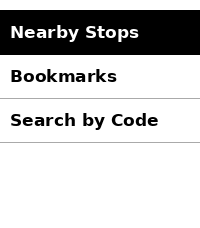
- Nearby Stops — GPS-based detection of the 12 closest bus stops, as a list or
  a map
- Search by Code — 12-key touch keypad, or the button-driven digit picker
- Bookmarks — save your favourite stops for quick access
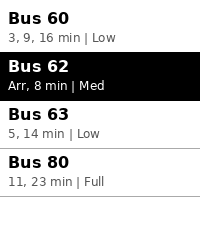
- Grouped arrivals — buses grouped by service number, up to 3 incoming shown
- Load indicator — Low / Med / Full crowd level per bus
- Auto-refresh — arrivals update every 60 seconds, or swipe left for now
- Offline stop names — descriptions cached locally, refreshed monthly
- Offline road map — Singapore's road network ships with the app, no data
  needed to draw it

REQUIREMENTS
- Free LTA DataMall API key
  (datamall.lta.gov.sg/content/datamall/en/request-for-api.html)
- Configure your key via the app settings in the Pebble phone app

SUPPORTED WATCHES
- Pebble Time 2 (Emery) — optimised
- Map and keypad need the touchscreen; other models use the list and the
  digit picker, and everything else works the same

HOW TO USE
1. Open app settings in the Pebble phone app
2. Enter your LTA DataMall API key
3. Choose whether Nearby Stops opens as a list or a map
4. Select Nearby Stops, search by code, or pick a bookmark
5. Swipe left to refresh, long press SELECT to bookmark a stop

Tested with Pebble Time 2 only.

Bus and road data © Land Transport Authority of Singapore, used under the
Singapore Open Data Licence (data.gov.sg/open-data-licence).

Built with ❤️ in Singapore.
- DeveloperHimitsu
- CategoryDaily
- PlatformsTime 2
- Updated2026-09-13
- Version3.2