Time 2 All-Arounder
Ryan Glovinsky
Watchface
Description
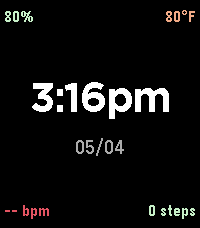
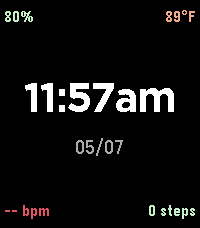
A clean, color-coded watchface for the Pebble Time 2 that puts everything
on one screen at a glance.
Time and date sit dead-center as the focal point. Battery and current
temperature live in the top corners; heart rate and steps are paired at
the bottom. Stats are color-coded so you can read the watch without
reading any numbers: battery shifts green to yellow to red as it drains,
temperature flows cerulean (cold) through mint (mild) to red (hot), heart
rate is red, steps are green.
12-hour time, mm/dd date. Toggle Fahrenheit/Celsius from the settings
gear in the Pebble app. Temperature is fetched from your phone's GPS
every 30 minutes via the Open-Meteo API (free, no API key, no signup).
Requires the Pebble companion app on your phone with location permission
granted for the temperature reading.
- DeveloperRyan Glovinsky
- CategoryFaces
- PlatformsTime 2
- Updated2026-05-07
- Version1.1.0