TinySci
Yitz
Watchapp
Description
TinySci is a scientific calculator built for the Pebble Time 2 touch screen.

MATH THAT LOOKS LIKE MATH
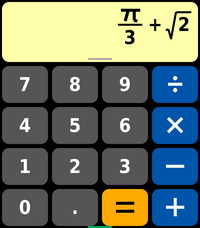
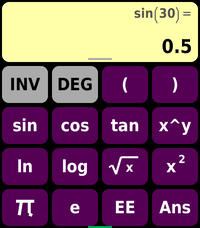
What you type shows as real math as you go: fractions stack, powers rise, and the square root, pi and times signs are drawn properly. Hold on the display for a cursor to edit anywhere. Pull down from the top for a full-screen formula view.

EXACT ANSWERS
Answers come out exact when they can: 1/3 + 1/4 = 7/12, sqrt 12 = 2 sqrt 3, sin 60 = sqrt 3 / 2. The S<>D key switches between the exact form and the decimal.

SOLVE WITH THE = KEY
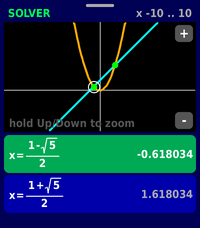
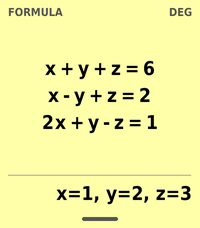
Type an equation in x, like x^3 - 2x = 1, and press =. No starting guess needed: it finds the roots in view and widens the search when there are none. Polynomials also get exact answers, like (1 - sqrt 5)/2, and the equation simplified. Put a y in it and it asks for a second equation, then solves the pair, curves included (a circle and a line). Three linear equations in x, y and z work too. Turn on the graph to see both sides plotted with the roots marked.

CALCULUS, AS NUMBERS OR FORMULAS
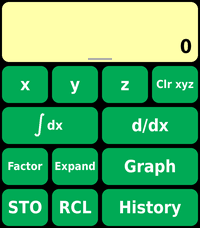
Definite integrals and derivatives at a point, or leave the limits empty to get the formula: d/dx of x^2 sin x is 2x sin x + x^2 cos x, and the integral of x sin x is sin x - x cos x + C. Factor and Expand work on polynomials: x^2 - x - 6 = (x + 2)(x - 3). Sums and products over a range too.

GRAPHING
Graph y = f(x), both sides of an equation, or curves in x and y like x^2 + y^2 = 25. Drag, zoom, and tap to read off points.

TOOLS
- Statistics: mean, median, standard deviation, min and max, and a straight-line fit with correlation
- Probability: normal distribution (density, P(Z < x) and its inverse), random numbers, prime factors
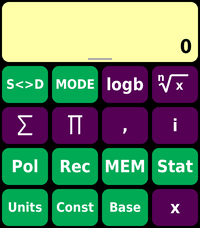
- Complex numbers: i, conjugate, real and imaginary parts, argument; polar and rectangular conversion
- Units: length, area, volume, mass, speed, temperature, pressure, energy, power and more
- Constants: physics, astronomy and math constants
- Bases: hex, octal and binary, with and, or, xor, not and shifts
- Memories A to F, plus x, y and z
- Number formats: normal, FIX, SCI and ENG

HISTORY
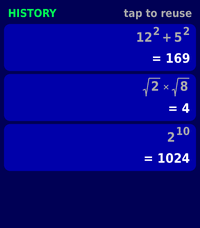
Your last 8 answers are saved. Tap one to bring it back and keep calculating with it.

YOUR WAY
In the app's settings on your phone, choose what each button does (pressed and held), turn the solver graph on or off, and set the number format, key buzz and backlight.

ALSO
sin, cos, tan, sinh, cosh, tanh and their inverses in degrees or radians, nCr, nPr, mod, gcd, lcm, round, floor, ln, log, log base b, e^x, 10^x, square, cube and nth roots, x^2, x^3, x^y, n!, |x|, %, 1/x, EE and Ans.

HOW TO USE IT
Swipe left or right to switch between the number and function keys, and swipe up for the solver keys. Select is =, Back deletes, Down clears and Up changes the page. Hold Up for History. Pull down from the display, or hold Down, for the formula view.

Nothing leaves your watch: no account, no internet, no tracking.
- DeveloperYitz
- CategoryTools & Utilities
- PlatformsTime 2
- Updated2026-11-09
- Version1.2.0