WISP -Wrist Intelligence & Speech Portal
Eric McCormick
Watchapp
Description
Your AI assistant. Your voice. Your Pebble.

WISP transforms your Pebble smartwatch into a voice-powered AI assistant, letting you interact with your favorite artificial intelligence services directly from your wrist.

Originally developed as Gemini with Voice, WISP has expanded beyond a single AI provider into a flexible, plugin-powered platform supporting multiple AI assistants and text-to-speech services.

Ask a question using your watch's microphone, receive a response on the screen, and hear it spoken aloud on supported Pebble devices.

## Features

### Universal AI Assistant Support
WISP works with compatible AI agent plugins installed in the Pebble phone app.

Supported integrations include:
- Google Gemini
- OpenAI ChatGPT
- Anthropic Claude
- Grok
- Muse
- Other compatible agents using the Pebble plugin interface

Only installed and compatible AI agents appear in the selection list.

Some agents support complete conversational responses, while others support sending messages and returning a delivery confirmation. Available functionality depends on the selected plugin.

WISP automatically recognizes supported providers and displays the corresponding name and icon on your watch.

### Voice Interaction

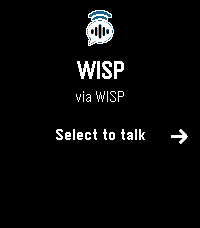
Press Select to begin speaking.
WISP captures your speech using Pebble's built-in dictation capabilities and sends the transcribed request to your selected AI assistant.
Responses are displayed directly on your watch and can be read without audio or spoken aloud using text-to-speech.

### Universal Text-to-Speech
WISP integrates with the Universal TTS plugin, allowing you to select from multiple speech synthesis services independently of your AI provider.
Universal TTS supports services such as Google Cloud TTS, ElevenLabs, Microsoft Azure Speech, Gemini TTS, Deepgram, and others.
Your selected TTS provider, credentials, and voice preferences are configured through the Universal TTS plugin.
This means you can use one AI service for conversation and a completely different provider for spoken responses.

Improved Audio Streaming
WISP incorporates a Bluetooth audio streaming system designed specifically for Pebble's hardware limitations.

Features include:
- Compressed IMA-ADPCM audio transmission
- Adaptive audio buffering
- Bluetooth packet acknowledgment and retransmission
- Buffer management to reduce playback interruptions
- Continuous playback across multiple sentences
- Improved handling of temporary connection delays
- Adjustable playback volume

Audio is transmitted progressively, helping reduce the need to download an entire spoken response before beginning playback.

Legacy Gemini with Voice Support
Already using Gemini with Voice?

WISP retains support for existing configurations, including:
- Direct Google Gemini API access without an AI plugin
- Direct Google Cloud Text-to-Speech
- Saved API credentials and voice selections
- Existing appearance and personalization settings

You can continue using the original direct integrations or transition to the newer plugin-based system whenever you prefer.

Customizable Experience

Personalize WISP to match your preferences:
- Custom AI instructions: Define how the assistant should respond.
- Font size: Adjust text readability on your watch.
- Appearance: Choose light, dark, or automatic day/night mode.
- Volume: Control spoken response playback.
- Speech options: Choose Universal TTS, legacy Direct Google TTS, or text-only responses.
- AI provider selection: Switch between installed compatible agents.

Smart Provider Recognition
WISP automatically identifies supported AI providers and displays their corresponding logos.
Before a provider is identified, WISP displays its own branding.

Requirements
- A supported Pebble smartwatch with a microphone
- A compatible Pebble phone application
- An internet connection for cloud-based AI and speech services
- An installed and configured AI agent plugin, or a direct Gemini API key
- Universal TTS plugin or a direct Google Cloud TTS configuration for spoken responses
- A speaker-capable watch for audio playback

Text responses remain available on compatible watches without a speaker.

Getting Started
1. Install WISP on your Pebble smartwatch.
2. Open WISP settings in the Pebble phone app.
3. Select an installed AI agent or configure the legacy Direct Gemini API.
4. Configure Universal TTS if you want spoken responses, or select Direct Google TTS if you already use it.
5. Open WISP on your watch and press Select to start talking.

WISP handles the interaction between your selected AI assistant, speech provider, and Pebble watch.

## Open Source
WISP is an open-source project developed for the Pebble community.
Source code, documentation, and updates: https://github.com/ericlmccormick/Pebble-WISP

Related plugins:
AI Conversation: https://github.com/ericlmccormick/Pebble-AI-Conversation
Universal TTS: https://github.com/ericlmccormick/Pebble-Universal-TTS

## Support Development

WISP is independently developed and maintained.
If you enjoy the app and would like to support continued development, new features, and compatibility
- DeveloperEric McCormick
- CategoryTools & Utilities
- PlatformsTime/Time Steel, Time Round, 2, 2 Duo, Time 2, Round 2
- Permissions
- Updated2026-11-09
- Version2.0.0