Wrist AI Evo
Asterwyn
Watchapp
Description
Wrist AI Evo — Turn wonder into words.

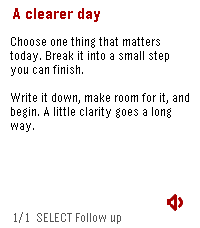
A clearer page for your next thought. Wrist AI Evo brings a Paper-inspired interface to Wrist AI, with full-screen reading, quiet typography, colour accents, voice conversations, tasks and notes on your Pebble.

TALK, READ, CONTINUE
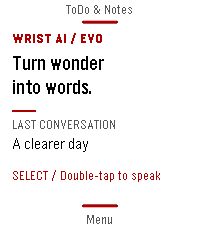
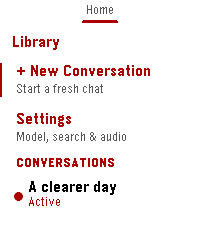
Speak a question, review the transcript and read the reply on your wrist. Keep separate conversations, switch between up to five configured models and continue with follow-up questions. On supported touch watches, double-tap the Home content to speak, pull down for ToDo & Notes and pull up for Menu. Each page returns in the direction it came from. Physical buttons remain available.

CHOOSE YOUR AI
Connect OpenRouter, AIHubMix or your own OpenAI-compatible chat completions endpoint. Bring your own API key and choose models offered by your provider. No proprietary AI relay server is required. Optional web search is available in OpenRouter mode.

KEEP IDEAS CLOSE
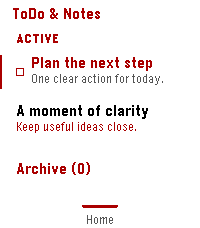
Create tasks and notes, read a note in full, manage completed items in Archive and return to the conversation behind an item. Optional Todoist two-way sync links your tasks across devices. The Home label shows Syncing during synchronization and OK after a successful sync with no queued changes remaining.

MAKE IT YOURS
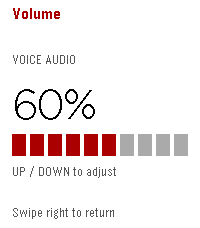
Choose a fixed or random accent, adjust reply text and discover 20 rotating Home headlines. Optional Memory.md keeps useful long-term preferences. Timeline, reminders, location and health context can be enabled separately. Spoken replies use Google Cloud TTS on supported speaker watches; the dedicated volume page applies changes immediately.

SET UP ONE STEP AT A TIME
Open Settings in the Pebble companion app and use the large Guide button. Follow the settings in order, review required and optional choices, then save. Skip the entire Guide without clearing your edits. It opens on first use and after seven days unless automatic opening is disabled; the manual entry remains available. Guide reminders are stored in the current settings WebView.

REQUIREMENTS AND PRIVACY
Requires a compatible Pebble companion app, an internet-connected phone and your own AI-provider key. Provider charges may apply. TTS needs a separate Google Cloud TTS key. Pebble 2 Duo TTS is experimental and has not been validated on physical Duo hardware. Timeline requires compatible companion-app support.

Chats, notes, memory and integration records are stored in the companion environment. AI requests go through your phone to the services you select. Location and health sharing are optional. Anonymous daily activity counting can be disabled in Settings > Privacy; its payload does not contain chats, prompts, notes, health, location or API keys.

Builds are provided for Pebble Time, Pebble 2, Pebble Time 2, Pebble 2 Duo and Pebble Time Round. Features vary by model.

Source and support: https://github.com/deusaw/Pebble-Wrist-AI
Support development: https://www.paypal.com/paypalme/Asterwyn
- DeveloperAsterwyn
- CategoryTools & Utilities
- PlatformsTime/Time Steel, Time Round, 2, 2 Duo, Time 2, Round 2 (scaled)
- Updated2026-10-22
- Version1.6.1.5