 25
25Pomodoro
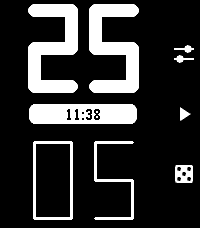
Daily• Auto-flow: Switches between work and rest timers automatically with a vibration. • Roll the dice: Randomly set your work and rest durations. • One more minute: Quickly add a minute to your current timer when you need just a little more time. • At a glance: Runs in the background and shows a live countdown in the app menu (on supported devices). • Custom durations: Set the default work and rest durations. • Distraction-free: A minimal interface that stays out of your way.
 43
43Mario Core
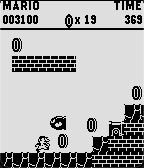
GamesA spiritual successor to the mario runner tech demo from 2015! fully expanded into a playful adaption of Super Mario Bros for the NES. jam packed full of features sure to keep you entertained, with more planned in the future! currently includes flagpoles, underground levels, bonus rooms, power ups, enemies, procedural generation, etc
 20
20World Clock
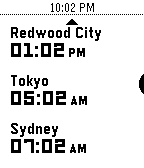
Tools & UtilitiesWhat's the current time in Helsinki, Boise, and Redwood City? When it's 4 PM in Amsterdam, what time will it be Brisbane? Instantly answer questions like these right on your wrist with World Clock! With World Clock, you can choose up to 8 timezones to display at your wrist. You can also use Time Travel to scrub forward and backwards in 30-minute increments, so you can compare different timezones. To use it, open the Settings app on your phone and select cities to add to the list. World Clock will automatically populate the name field with the name of the city, but you can change it to whatever you like. You can also quickly enable and disable timezones, too. Time offsets are calculated by the phone, and synchronized to the watch. The watch caches all of the cities and time offsets, so if your phone isn't nearby, you can still use World Clock. Your phone will check on all of the timezones whenever World Clock starts, just in case something like Daylight Savings Time has happened recently (and you'll see a small "X" if the watch wasn't able to sync with the phone). If you like to switch Pebbles, no problem! The timezone list is saved on the phone, and automatically synchronized to whatever Pebble you are wearing. Proper Pebble Time 2 and Pebble Round 2 support coming soon-ish!
 2.5K
2.5KSleep as Android
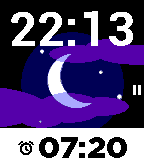
Health & FitnessSleep as Android Alarm clock with sleep cycle tracker now fully integrated with Pebble. Comfortable wrist-tracking though Pebble's build-in accelerometer. Wakes you in optimal sleep phase with a silent vibe-alarm. Remote pausing, snoozing, dismiss. Battery optimized - weeks of battery life with 8h sleep daily.
 13
13Last Corridor
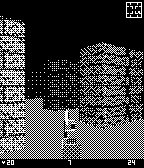
GamesYou're trapped in a hostile facility overrun by alien creatures. Move through the corridors, find and shoot every enemy before they reach you. Survive long enough to clear the level. Controls: up to turn left, down to turn right, middle button to move forward. Press both side buttons at the same time to shoot. Collect medkits to restore health. Your kill count is tracked, try to beat your best score. That's it. No story, no cutscenes, just you and whatever's coming around the corner.
 2
2Player Tapper
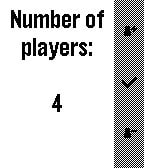
Tools & UtilitiesApp to select the starting player for a board game. Just select the number of players and wait a second or so
 24
24vibe2orient
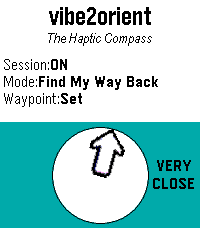
Tools & Utilitiesvibe2orient is an app to help you orient yourself without having to look at a screen, whether watch or phone. Stay in the moment, look around, and let your wrist vibrate when the top edge of your Pebble watch is pointing North ('North Sense' mode), or towards a specific waypoint to help you find your way back to that place ('Find My Way Back' mode). There is no need for a network connection. 'North Sense' mode doesn't even need a phone connection. 'Find My Way Back' mode uses the paired phone for GPS data. To get the best accuracy from the compass, try to keep your watch as close to level as possible (parallel to the ground). Long-press the Select button to get to the Settings menu. 3
3Petanque Scorer
GamesThe Petanque Scorer is a dedicated scoring utility designed specifically for the Pebble Time Round. This app provides a high-contrast, distraction-free interface to keep your focus on the boule. Features High-Visibility Interface: Optimized specifically for the circular Chalk (Pebble Time Round) display. Dual-Team Scoring: Large, easy-to-read counters for NOUS (Yellow) and EUX (Blue). Tactile Controls: * UP / DOWN: Increment scores for either team. LONG PRESS (UP/DOWN): Decrement score (for those rare correction moments). LONG PRESS (SELECT): Reset the match to 0-0. Winner’s Vibration: Haptic feedback triggers when a team reaches the winning score of 13. Score Persistence: Your match score is saved even if you exit the app or the watch restarts—never lose your place in a tournament again.
 24
24Smooth Counter
Tools & UtilitiesA simple counter app with nice animations that lets you highlight every N numbers.
 77
77CityBuddy
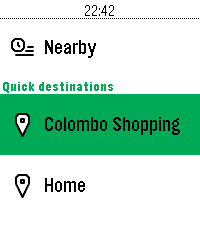
DailyPlan your public transit routes directly from your Pebble with CityBuddy. Quickly choose a destination, select a route, and check detailed stop information, all powered by the Transit API. Whether you're commuting to work or exploring a new city, CityBuddy is your wrist-based transit guide. Features: - Choose destinations from quick access options or by voice/typing. - Get route details and stop information. - Get the times for nearby transit. - Powered by real-time data from Transit. Public transit icons Copyright Jay Michalska <jay@michalska.cc> (CC BY-SA 4.0)
 5.8K
5.8KTimer+
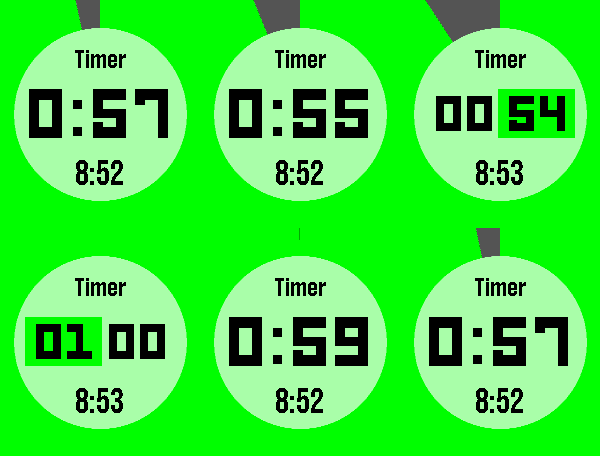
Tools & UtilitiesTimer+ is a beautifully animated, simple timer and stopwatch for your Pebble! It keeps track of your timer even after you close the app and will open the app when the timer has elapsed. Some Features: - Hold "Select" to reset. - Start a 0:00 timer for a stopwatch. - The end time is shown when paused. Like this app? Give it a heart!
 227
227Home Assistant WS
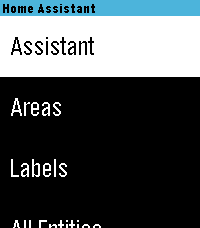
RemotesControl your Home Assistant smart home directly from your Pebble watch — with real-time WebSocket updates and voice control. Browse entities, toggle devices, and talk to your favorite assistant (e.g. ChatGPT, Assist) right from your wrist. - Live status updates & fast control via WebSocket - Voice commands with multiple conversation agents - Browse by area, filter by type, and save favorites - Long press on entity to trigger action (toggle light, switch, etc) - Media controls & detailed entity info - Manage To-Do lists - Optimized UI for Pebble’s small screen iOS Compatibility Note: This app only works using the new Core Device's Pebble app for iOS. The older legacy app uses an outdated JS engine and is incompatible.
 5
5Colectivos
DailyUna aplicación para el sistema urbano de transporte público de Rosario, Argentina. Se muestran las paradas de colectivos cercanas y, tras seleccionar una, pueden verse los próximos arribos. Agradecimientos a cuandollegarosario.com por proporcionar los datos. Esta aplicación fue creada con el código de "Ruter - on the go" de Tommy Gamst Vitikka: https://apps.rebble.io/es_ES/application/5550f54e1113bcd347000052 https://github.com/tlimited/onthego Imagen: https://commons.wikimedia.org/wiki/File:1_L%C3%ADnea_de_la_Costa_Thiebat.jpg?uselang=es FIDELITOFIDELITO, CC BY-SA 4.0 <https://creativecommons.org/licenses/by-sa/4.0>, undefined
 7
7PID departures
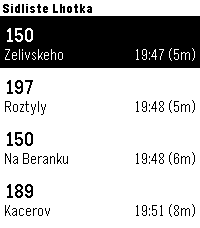
Tools & UtilitiesQuickly check upcoming departures from Prague public transport directly on your Garmin watch. The app allows you to save up to 5 favorite stops and easily switch between them using a long press of the Up button. If you prefer automatic detection, you can enable GPS mode, and the app will automatically display the 5 closest stops near your current location, so you don’t need to configure anything manually.The app uses the Golemio API, the official open data platform for Prague Integrated Transport. To use the app, you need to create your own API key: 1)Sign up to the Golemio api dashboard. 2)Generate your personal API key. 3)Enter the key in the app settings. Create your key here: https://api.golemio.cz/api-keys/auth/sign-in If you find the app useful and would like to support further development, you can buy me a coffee: https://buymeacoffee.com/alex_pavlov
 36
36Transit, that's it
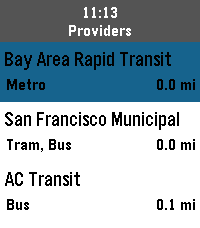
DailyThis it Transit, that's it. It's a simple app for navigating public transit across the globe. with it you can quickly: - find the nearest train, light rail, subway, or bus stations - view an up-to-date departure schedule for those stations - schedule a trip and pin your departure and arrival to your timeline (simple reminders on pebble classic) And thanks to the folks @ Core Devices, it's completely free to use, no API key required.