Time2Paint
Comet Designs
Watchapp
Description
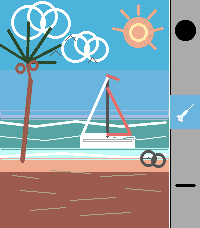
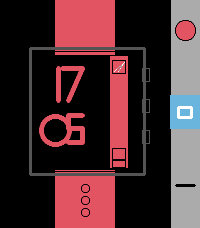
A full-featured drawing app for Pebble Time 2. Paint, sketch, and create directly on your wrist with 6 tools & 30 colors.


Whether you want to doodle on the go, sketch a quick idea, or just see what you can create on a 200×228 pixel screen, Time2Paint gives you the tools to do it. Use the Screenshot button in the Pebble app to save your creations!


Tools

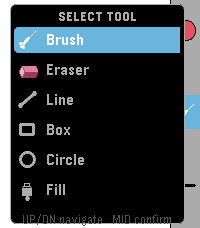
 - Brush — Freehand drawing. Drag your finger across the screen to paint smooth  continuous strokes.
 - Eraser — Erase any part of your drawing by dragging over it. Uses the current brush size.
- Line — Draw a perfectly straight line. Touch where you want it to start, drag to the end point, and lift your finger to commit.
- Box — Draw a rectangle. Touch one corner, drag to the opposite corner, and lift to place it.
- Circle — Draw a circle. Touch the centre point, drag outward to set the radius, and lift to commit.
- Fill — Flood-fill any enclosed area or open space with the current color. Tap anywhere on the canvas to fill from that point outward.

Controls

UP button
- Tap — Cycle Colors
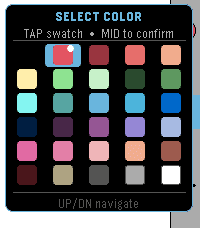
- Hold — Open the Color Picker
MIDDLE button
- Tap — Toggle the Eraser on/off.
- Hold — Open the Tool Menu
DOWN button
- Tap — Cycle brush sizes
BACK button
- Undo last stroke
Shake
Shake the watch to clear the entire canvas.


About the Developer
- Comet Designs creates fun content for the Pebble platform
- We'd love to see your drawings! Send them to us at cometdesignspebble@gmail.com .
- DeveloperComet Designs
- CategoryTools & Utilities
- PlatformsTime 2
- Updated2026-06-09
- Version1.0