img999
dezign999
Watchface
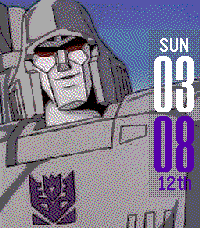
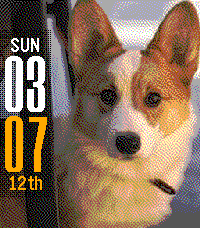
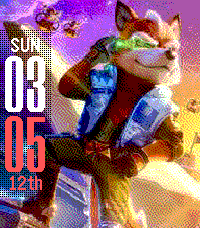
Description
Customizable watch face for Pebble Time, Pebble 2 and Pebble Classic which uses your own images.

This uses resources from:
Gregoiresage's Image Viewer: https://github.com/gregoiresage/pebble-image-viewer/
YGalanter's Color manipulator: https://github.com/ygalanter

Usage
Provide a direct link to an online jpg or png file and it will be displayed on your Pebble. Customize your layout, complications and colors in the settings page.

The current image is stored on your phone until a new image is downloaded, this will prevent any further web requests. The watch face will need to request the cached image from your phone and the pebble app's persistent storage whenever you exit the watch face.

Theme Sharing
Share your theme with others by copying the custom theme code at the bottom of the settings page. Make sure to save your settings first to ensure your theme code is updated correctly.

Applying a Theme
Copy a theme code and ensure it ends in "999" to work correctly. Paste it into the URL box in the img999 settings page and save the changes to see the results. Complications are not shared as they are set to a user's personal preference. Therefore, your complications will persist and only the colors, layout and image will change.

Try this Fox McCloud Theme (Color):
https://i.postimg.cc/Hkgb2NZP/IMG_5358.jpg*16777215*16733525*3*0*0*999

Fox McCloud Theme (Black & White):
https://i.postimg.cc/Hkgb2NZP/IMG_5358.jpg*0*0*4*0*0*999

Image Hosting
It's recommended that you create a free user account at http://postimages.org to host your images. Creating an account allows you to manage image libraries that you can copy direct links to directly from the Pebble settings page.

When uploading images to Postimages.org, make sure to set the option to enable image resizing to 320x240. This will scale the image and make it more suitable for downloading to the Pebble. Images should be less than 500px by 500px.

Image Formatting
Setting up your image is easy to do right from your phone. Use the default editing app and crop your image to a 4:5 ratio to fit your Pebble. You may also want to adjust your contrast to darken the image slightly for the Pebble display.
- Developerdezign999
- CategoryFaces
- PlatformsOG Pebble, Steel, Time/Time Steel, 2, 2 Duo, Time 2
- Updated2026-04-12
- Version2.0