Section 9
uaparit
Watchface
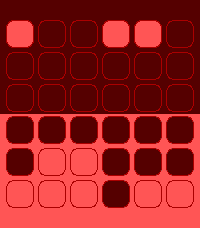
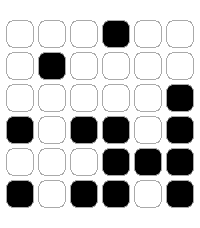
Description
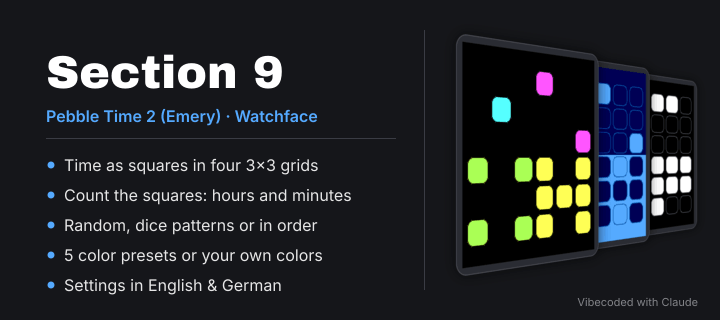
Section 9 is a watchface for Pebble Time 2 (Emery) that shows the time not
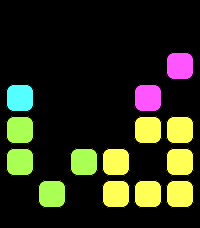
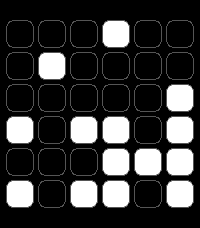
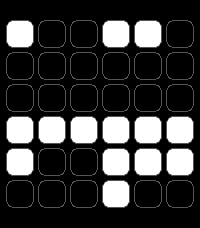
with digits but with colored squares. Four areas with 3×3 squares each,
count the lit squares and you have the time.

HOW TO READ THE TIME
--------------------
  • Top left: hour tens
  • Top right: hour ones
  • Bottom left: minute tens
  • Bottom right: minute ones

Example 12:47 –> top left shows 1 square, top right 2, bottom left 4,
bottom right 7.
The 12/24-hour format follows your watch setting.

ARRANGEMENT OF THE SQUARES
--------------------------
  • Random: a new arrangement every minute
  • Dice patterns: 1–6 like a die, 7 = six + center,
    8 = all but the center, 9 = all
  • In order: row by row from top left to bottom right

COLORS
------
Five color presets to start with:
  • Dark – white squares on black
  • Bright – black squares on white
  • Ocean – shades of blue, dark at the top, light at the bottom
  • Ember – shades of red, dark at the top, light at the bottom
  • Colorful – each area in its own bright color on black

Then change any color you like: top and bottom bar as well as background,
outline and squares, for all areas together or for each area on its own.
Your own colors are kept, even if you try out a preset in between.

SETTINGS (in the phone app)
---------------------------
  • Arrangement: random, dice patterns or in order
  • Color preset or your own colors
  • English or German

NOTE
----
Easy on the battery: the watchface redraws only once per minute.
Pebble Time 2 (Emery) only.

Vibecoded with Claude- Developeruaparit
- CategoryFaces
- PlatformsTime 2
- Updated2026-10-20
- Version1.0.0