 9
Energy Tariffs
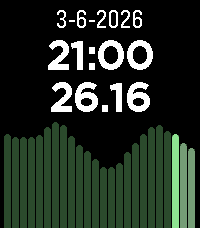
Displays dynamic energy tariffs on the Pebble watch. Currently, only Dutch tariffs are supported (like Zonneplan and Tibber) and only in hourly rates (I think the quarterly rates are only useful for usage in automations).
The tariffs are obtained from the website public.api.energyzero.nl. You can configure the "inkoopvergoeding" and inclusion of VAT and energy taxes, if you want to include any of them is the displayed tariffs.
 23
FlashRead News
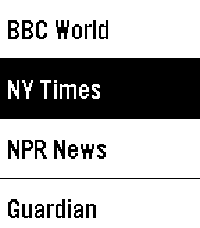
FlashRead News brings RSS feeds to your Pebble using RSVP (Rapid Serial Visual Presentation), a proven speed-reading technique that displays words one at a time, centered on the optimal recognition point.

Features:

6 pre-configured news sources (BBC, NY Times, NPR, Guardian, Le Monde, Reuters)
Add unlimited custom RSS feeds via phone configuration
Adjustable reading speed from 100 to 600 WPM
Read headlines, then dive into full article descriptions
Optional backlight during reading
Navigate between articles with physical buttons
Perfect for the small Pebble screen. Free and open source.
 31
Baby Watch app reborn
A revival of the Pebby (Baby watch) app - Baby tracking for Pebble smartwatches.

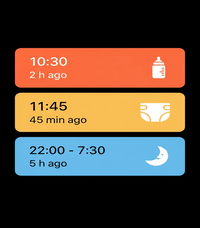
Track bottle feedings, diaper changes, and sleep sessions right from your wrist!
Each event will also be logged on your timeline for later consultation.
Colors have been added to the app to mirror the coloring option from the Huckleberry app.

The original Baby watch app has been my MVP app on my pebble for the past 3 months since becoming a parent.
I decided to add my twist on it as well.
 7
Sports Simplified
A simple Pebble watchapp that pushes NHL game timeline pins for the Vancouver Canucks and Montreal Canadiens.
 34
Instant Gram
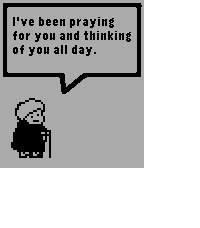
Instant Gram provides you with a small dose of heartwarming encouragement every time you open it!
 35
mcbroken
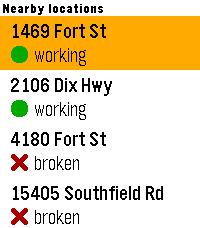
A mcbroken client for Pebble smartwatches. Now you can check if the ice cream machine is down on your wrist!

Nearby shows up to 5 McDonald's locations within a 5-mile (8.04 km) radius from your current location, sorted from closest to farthest, and Saved shows all of your saved locations (duh) that you've added in the app settings. You can save up to 5 locations.
 35
Kagi News
App Name: Kagi News
—
Category: Daily
—
Description:

About the App:
Unofficial Pebble front end for Kagi News.

Daily press review from Kagi News with support for all features practical on the Pebble Watch.

Select a news category and go through the list of news stories available for that day. Click through to see additional details (Historical Background, Highlights, Quick Questions, etc). Each section has sources cited, each with a QR code you can scan with your phone to read the full source articles.

!NEW! In addition to News, the Kagi Small Web feed has been included in configuration under the new "Additional Feeds" section. Learn more about Kagi Small Web here: https://blog.kagi.com/small-web

Please submit any issues on GitHub:
https://github.com/CometDog/pebble-kite

About Kagi News (excerpt of description from official Kagi News listing):
Kagi News uses AI to read thousands of community-curated RSS feeds from publications worldwide and distills them into a single, thoughtful press review.

Every review cites the sources it pulled from, so you can diver deeper with one tap.

Community Contributions:
Contribute sources to broaden perspectives
Open source platform with community-curated feeds

https://help.kagi.com/kagi/news/
 11
Flipcards
Flashcards front-end to access Flipcards server.
 216
Claude
Talk to Claude AI directly from your Pebble smartwatch.

Use your watch's built-in dictation to ask questions and get streaming responses from Claude. Good for quick queries when your phone isn't handy, or when you just want to use your Pebble for something it was never meant to do.

What it does:
- Voice input using Pebble's dictation
- Your conversation stays in memory during the session
- Built-in web search tool support
- Remote MCPs
- Configure system prompts to change how Claude responds
- Advanced users can point it at custom API endpoints

You'll need a Claude API key from Anthropic. Configure it once in the app settings using your Pebble app.

This app is an independent third-party client and is not affiliated with, endorsed by, or officially connected to Anthropic. Claude is a trademark of Anthropic. You use this app with your own Anthropic API key and are responsible for any associated costs and usage.
 10
Commuter
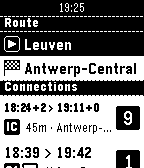
Quickly check SNCB/NMBS (Belgian Railways) train schedules from your wrist. Save favourite stations from your phone to quickly plot routes on your watch. Create "scheduled routes" to immediately see relevant trains whenever you open the app.

Not affiliated with SNCB/NMBS, powered by iRail. Made by Werknaam in Leuven
 16
Weather Text US
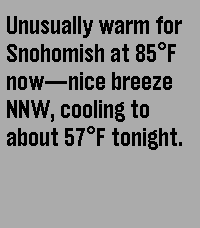
Weather Text is a Pebble watch app that uses AI-generated natural language to describe current weather conditions from the NOAA* directly on your wrist, delivering simple, readable forecasts without icons or clutter.

*United States only
 29
Storefront
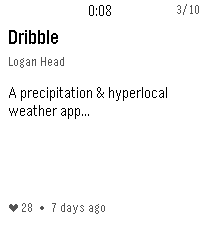
See recently added apps at the Rebble Store.
 44
Trein
A Pebble smartwatch app that shows live train information from Nederlandse Spoorwegen (Dutch Railways), including countdown to your next train, departure times, and platform information.
 273
Dribble
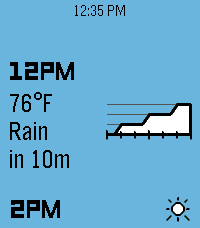
A precipitation & hyperlocal weather app for Pebble. Location access is required for the app to work.

When data is loaded, press the up or down buttons to scroll backwards or forwards through the forecast timeline. Hold either one to scroll quickly.

There are three main information pages, which can be cycled by pressing the select button:

Conditions: Displays the current weather conditions and temperature, along with a graph of next-hour precipitation intensity if applicable.

Airflow: Displays wind speed & gust speed, wind direction, and atmospheric pressure.

Experiential: Displays the perceived temperature, UV index, and visibility, along with an emoji accessorized with contextual indicators (sunglasses for high UV, umbrella for precipitation, hat & scarf for freezing weather, etc.)
 56
Helios
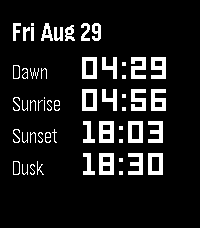
Helios puts the sun’s daily milestones on your wrist: Dawn, Sunrise, Sunset, and Dusk. Navigate forward and backwards in time with the up and down buttons, then return to present day with the select button.

Helios processes everything on the phone using the SunCalc Javascript library. No external servers required!