 29
29Ghibli Time
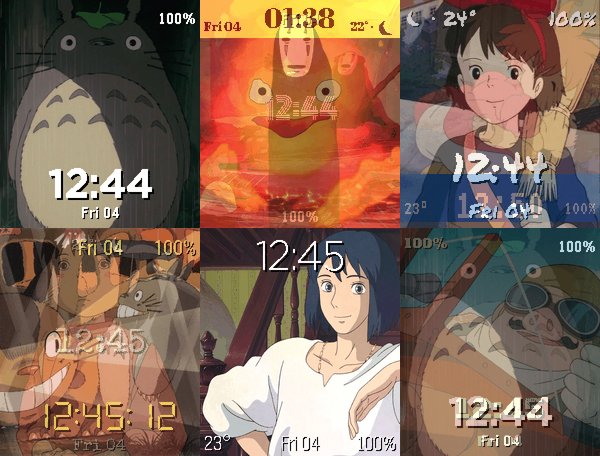
FacesStudio Ghibli's friends, films and paintings drift past your wrist. The collection: - 67 images: 44 characters, film posters, official key art - Choose what rotates on the settings page; a new image on a timer, a wrist shake, or both - Eight images live on the watch and show even without your phone; the rest drift over from your phone Data points, placed anywhere on a 3x3 grid: - Date, battery, steps, heart rate - Temperature and a weather icon (sun, or moon after dark) - Phone status and the loading spinner Looks: - Ten clock styles, from bold and pixel to typewriter, neon and LCD - Any of the watch's 64 colors for the text and the backdrop bar - 12h or 24h, optional seconds - Per-image overrides: single images can have their own clock position and colors The storybook settings page previews everything before you save. Ghibli Time is an unofficial fan project, not affiliated with or endorsed by Studio Ghibli. All characters, artwork and film imagery remain the property of Studio Ghibli and their respective rights holders.
 57
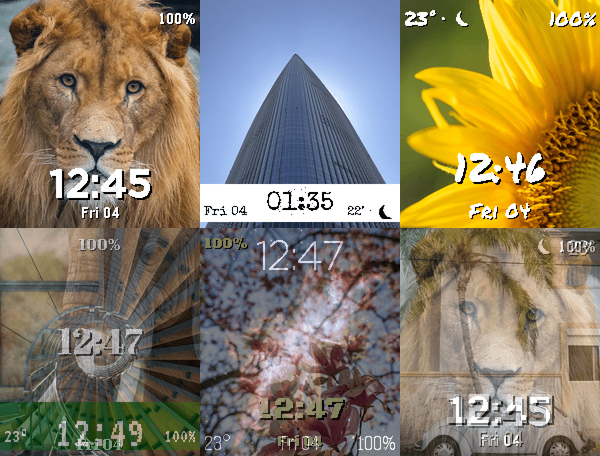
57Photo Face
FacesPhoto Face turns your Pebble Time 2 into a photo frame with a clock, filled with your own photos. Your photos: - Add as many as you like from the settings page and arrange them into galleries you create - Crop and zoom each one with a live preview of how it will look on the watch, and re-crop any photo later - Photos never leave your devices: converted on your phone, sent straight to the watch - 23 example photos included to start from Playback: - Flick your wrist for the next photo, or let a timer change it - Your selection is stored on the watch, so it keeps rotating without your phone Data points, placed anywhere on a 3x3 grid: - Date, battery, steps, heart rate - Temperature and a weather icon (sun, or moon after dark) - Phone status and the loading spinner Looks: - Ten clock styles, from bold and pixel to typewriter, neon and LCD - Any of the watch's 64 colors for the text and the backdrop bar - 12h or 24h, optional seconds - Per-photo overrides: single photos can have their own clock position and colors The settings page previews everything before you save.