 60
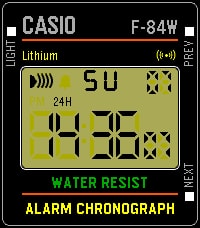
60F-84W
FacesA (mostly) faithful recreation of the Casio F-84W, the Japan-exclusive, and much better looking, older brother of the classic F-91W. Just like the real watch, it can chime at the top of every hour, and supports a single alarm. Unlike the real watch, it can also vibrate in addition to, or instead of, chiming. Also unlike the real watch, you can adjust the volume of the chime.
 15
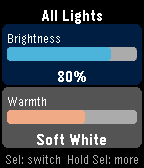
15LIFX Client
RemotesControl your LIFX smart lights from your Pebble. LIFX Client lets you adjust brightness and color temperature on the fly, or pick from a palette of colors. Features: - Adjust brightness in 5% steps - Tune warmth from daylight (6500K) to candlelight (2500K) - Choose a color from 8 presets - Target any individual light or group from your LIFX account - Works on every Pebble: round watches get a purpose-built arc UI, larger screens scale up automatically Controls: - UP / DOWN: adjust the active slider - SELECT: switch between Brightness and Warmth - HOLD SELECT: open the action menu In Color Mode, the Warmth slider shows your chosen color. Press UP or DOWN on Warmth to return to white light. Setup: 1. Go to cloud.lifx.com/settings and generate a Personal Access Token 2. Open the Pebble app on your phone and find LIFX Client 3. Open Settings, paste your token, and save 4. Launch the app -> HOLD SELECT -> Select Target to pick a light
 32
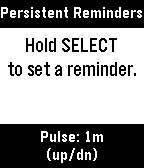
32Persistent Reminders
Tools & UtilitiesA reminders app for people who need reminders for their reminders. Dictate the thing you need to be reminded of and when (i.e. "Do the dishes in 1 hour 30 minutes"), and Persistent Reminders will remind you to do the thing, then keep reminding you to do the thing at an interval you set, from every 30 seconds to every 30 minutes. Opening Persistent Reminders from Quick Launch skips the main menu and goes straight into creating a new reminder; handy when you're in a rush.
 16
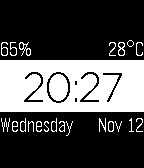
16A Little More
FacesA full remake of my face A Little Less, with more features and much cleaner code. Complications in each corner can be customized to be any of the following: - Battery - Temperature - Day of week - Date - Weather conditions - Steps taken - Distance covered - Time active - Heart rate (where supported) - Seconds or even - Nothing