 3
HA Quick Text
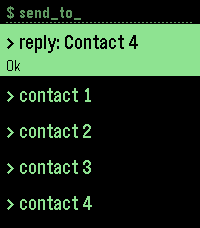
NotificationsSend a text from your wrist through your own Home Assistant server. Pick a contact, pick a message (or dictate one), and your iPhone sends it. No email accounts, no cloud service. When a message arrives, a "reply" row appears at the top of the contact list with who it's from and what they said, so you can answer in two presses.
 1
HA Ping my iPhone
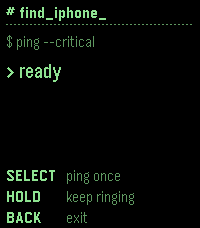
Tools & UtilitiesUses Home Assistant's notify service to send a critical alert ringing an iPhone even in Silent Mode to locate it instead of using Apple's Find My service.
 6
HA TV Remote
RemotesA remote for all Home Assistant TVs. It works with Apple TV, Android TV (through the Android TV Remote integration) and VIDAA TVs (through the Vidaa TV integration). Button Select: sends an OK command Hold Select: Switches mode: left/right, then up/down, then volume. Hold Up or Down: Opens the watch app menu Back: Sends a Back command to the TV Double-tap Back or Long press Back: Exits the app Modes left/right (default): Up moves left, Down moves right. up/down: Up and Down move up and down. volume: Up and Down change the volume. Menu Hold Up or Down to open it. Up and Down scroll and wrap around, and Select chooses. select tv: opens the list of TVs. Pick one to control it. power on / power off home and home (hold)