 8
8Fresco
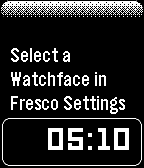
FacesSettings Tests
 8
8BattMan
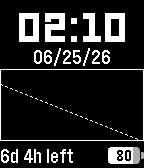
FacesSimple watchface that predicts battery life and charge time, and shows battery charge history. Charge and Discharge rate estimates are saved to persistent storage, and are re-calculated based on actual battery usage. This is done passively as the watchface is in focus: no background workers or wake events. The graph shows historical discharge data in thin lines, the current discharge curve in a thick line (starting at the left with the most recent charge), and an estimated battery charge projection to the bottom-right. Battery percentage is sampled every 6 hours, or whenever the battery drops at least 10%. 59 samples are stored on-watch, allowing for over 5 complete charge cycles to be used when calculating the estimated rate. While charging and the watchface is active, it will give an estimated time until the battery is full. This is updated as the battery charges to give a better estimation, and the charge rate is also stored on-watch. Please allow at least 1 day with the watchface active to calibrate the estimated rates. You can use other watchfaces between samples, just remember to open BattMan at least every 24 hours (or 2 times per day), or when you charge your watch. Screen updates once per minute, or when battery percentage changes.
 14
14Sweeep
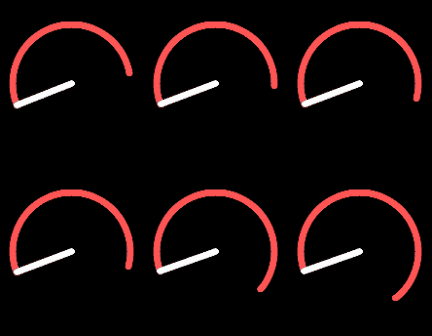
FacesHand shows hour, arc shows minutes. For the first half hour, the arc fills up, starting at the tip of the hand and going clockwise. At half-past, the arc is a full circle. For the last half of the hour, the arc recedes clockwise, ending at the hand. At the top of the hour, just the hand exists. Time in the animated (black) screenshot is approximately 8:16-8:20. Time in the still (white/teal) screenshot is 5:45. Colors are configurable. Go wild. (human coded)
 291
291Rombra
FacesRoman Umbra, where sundial meets clockface. **No AI was used to develop this watchface** How to read the time: The umbra (shadow) direction is the minute, with Roman numerals for the hour. Display updates once per minute, and re-sizes for Timeline Quick View. Create a daily color changing schedule! Set the backlight to go red at 9pm**, or the numeral and shadow to be Green at high noon. Color schedule is optional and stored on the watch. Up to 10 scheduled theme changes per day. Configuration: - Colors of the numeral (hour), umbra (minute), background*, and backlight**. - Size of numeral, and thickness of optional 5-min ticks. - Toggle vibration at the top of the hour +-5mins (adjustable). - Toggle vibration when bluetooth disconnects. - 12hr/24hr mode (I-XII / 0-XXIII) - Arabic Numerals (if you really want them) * On monochrome displays, the background and umbra can be set to white, black, or gray. The hour numeral can only be white or black. ** Backlight color adjustment only available on Pebble Time 2 on supported firmware versions. Source and Issues at https://github.com/KiserDesigns/Pebble_RomanShadow
 21
21JustTheTime
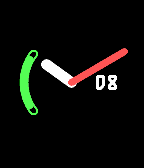
FacesAn analog clock with day-of-month window and battery meter arc. **No AI was used to develop this watchface** Hands show hours and minutes, updating once per minute. Battery meter and date window can be drawn in front or behind hands and are individually toggleable. Colors and sizes of all elements are configurable. Uses graphics arcs and lines: no bitmaps or fonts.