 1
Large In Charge
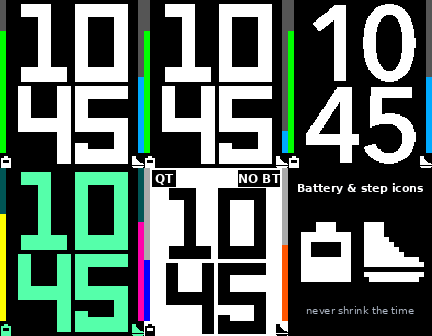
FacesLarge In Charge puts the time in giant stacked digits, hours over minutes, so you can read it at a glance. • Battery bar on the left. It is color-coded green, yellow or red, or you can pick one color. • Steps bar on the right. The goal defaults to 10,000 and you can change it. • Small battery and shoe icons under the bars, drawn so they never shrink the time. • Weather page. Shake your wrist to see the temperature and conditions for 6 seconds. It uses Open-Meteo, so there is no account or key. You can set the sensitivity, choose °F or °C, or turn it off completely so the accelerometer isn't used. • QT badge when Quiet Time is on. • NO BT badge with inverted colors and two long pulses when Bluetooth disconnects. It stays silent during Quiet Time. • Quick View aware. The layout re-fits above the timeline peek. • Settings: three digit styles, a 64-color palette for every color, and a switch to turn off each feature. Works on all Pebble models. Steps need a health-capable watch, and colors need a color screen.
 1
How Are You?
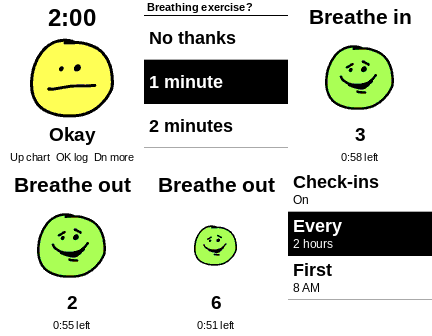
DailyHow Are You? Mood Manager for Pebble A check-in on your wrist, with hand-drawn faces that show how you're doing. Every couple of hours, your watch gently asks how you are. Pick from five moods, from Awful to Great, and the face on your screen changes to match. - Timed check-ins: choose how often and which hours - Add a reason: say it out loud or pick a quick tag - Running chart: see every answer and your average - History: look back at your moods and reasons - Guided breathing: 1 to 5 minutes, with your face growing and shrinking as you breathe in and out - Send to phone: view your results, then copy or share them Your moods stay on your watch unless you choose to send them. Spoken reasons need your phone connected and are transcribed by an online service. This app is for personal reflection and isn't medical advice or a substitute for professional care.
 5
Ghostly Graveyard
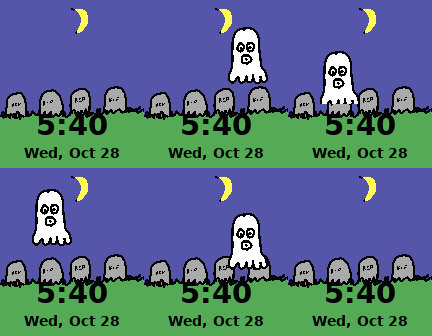
FacesA hand-drawn Halloween graveyard where a ghost floats out when you shake your wrist or when the hour strikes. Full description: Ghostly Graveyard is a hand-drawn Halloween watch face for the Pebble Time Steel. A moonlit graveyard sits on your wrist, with the time and date in the grass. The ghost Shake your wrist, or wait for the top of the hour, and a ghost rises out of the ground, floats around the graveyard past the moon, and sinks back into the grass. The backlight stays on for the whole flight. Bluetooth disconnect alert (optional) If your phone disconnects, the watch gives two long vibrations and inverts the screen colors until it reconnects. The vibration stays silent during Quiet Time. Quiet Time badge (optional) A small "QT" appears in the top-left corner while Quiet Time is on. Settings Turn the disconnect alert and the QT badge on or off from the watch face's settings page in the Pebble phone app. Details • Shows 12- or 24-hour time to match your watch settings • Day and date shown below the time • Made for ALL Pebbles
 7
Break Time
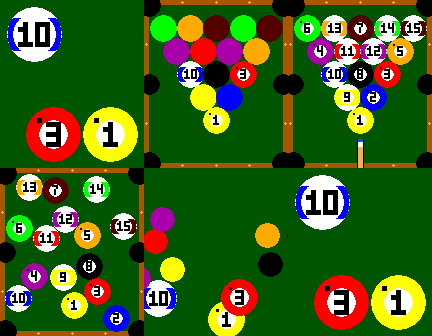
FacesYour watch is a pool table, and the time is made of pool balls. **Description:** Break Time turns your Pebble Time Steel into a billiards table. A rack of 15 numbered balls fills the screen, a cue stick rises from the bottom, and the break scatters the balls across the felt. Then they settle into the current time: - The **hour ball** rolls to the upper-left. - The **minute balls** gather in the lower-right. - At 10:31 you see the 10 ball up top and the 3 and 1 balls side by side in the corner. A minute digit of zero uses the cue ball. - The rest of the balls drop into the pockets until the next break. **Built to save battery.** The watch doesn't animate on its own. Give it an extremely aggressive wrist flick and it plays the full break. The face also breaks the rack at the top of every hour, and you can turn that off. Between flicks, nothing runs. **Smart extras** - Shows a **QT** badge in the upper-left corner when Quiet Time is on - Inverts all colors and gives **two long pulses** when Bluetooth disconnects - Supports **Timeline Quick View**: the table and balls shrink to fit when a timeline peek appears, then grow back - Settings page for each feature, including how hard the flick has to be **Settings:** Quiet Time badge and inverted colors, Bluetooth-loss pulses and inverted colors, flick-only animation, flick strength (1–3), and the hourly break. **Notes:** 12-hour display only, since each hour gets its own ball. For Pebble Time Steel & Pebble Time (Basalt), Classic & Steel (Aplite), Time Round (Chalk), Pebble 2 (Diorite), and Time (Emery)
 0
Short Stacks
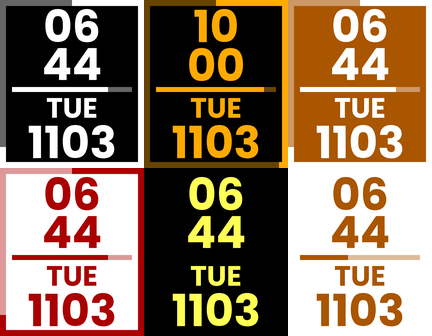
FacesBig stacked time, a live battery line, and a step ring you can set to your own goal. * * * * * Short Stacks is a bold, easy-to-read minimalist Watchfaces with the hour stacked over the minutes, and the day and date underneath. Large, high-contrast digits make it easy to read at a glance, and you can pick from a menu of pancake-themed color schemes. **What's on it** - **Battery gauge:** the line across the middle is a live battery meter. It's a full line at 100% and shrinks as the charge drops. - **Step goal ring:** a line around the edge of the screen fills clockwise from 12 o'clock as you walk, and one full lap means you've hit your goal. The goal is 10,000 steps by default, and you can set it to any number in settings. - **Quiet Time indicator:** a small "QT" appears in the upper left while Quiet Time is on, and goes away when you turn it off. - **Bluetooth disconnect alert:** if your phone connection drops, the colors invert and the watch gives two long vibrations. The colors flip back when it reconnects. **Pick your stack** Choose a color scheme in settings (with option to choose opposite color layout): - Buttermilk (white on black) - Blueberry (white on blue) - Maple Syrup (amber on black) - Chocolate Chip (cream on dark brown) - Strawberry (white on red) - Matcha (white on green) - Banana Foster (yellow on black) - Cinnamon Roll (white on amber) - Lemon Poppyseed (black on yellow) On black-and-white watches, the colors show as black or white. **Built to save battery** Steps are checked only every 30 minutes, and only the parts of the screen that changed are redrawn. In settings you can switch the battery gauge or the step ring off completely, and they stop running altogether. **Good to know** - Step tracking uses your watch's built-in health sensor. - The Quiet Time indicator can take up to a minute to appear or disappear. **Works with:** Pebble Time, Pebble Time Steel and Pebble 2.
 3
Say Words
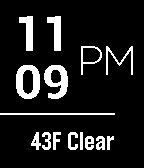
FacesType your own message. Double wrist flick for time and date. Inverts colors upon BT disconnection.
 1
Weatherman
FacesHuge readable time at a glance. Current weather (updated every 3 hours to conserve battery). Inverted colors upon BT disconnection. Battery gauge. Shake for seconds. Customizable colors.
 6
Twin Peaks Black Lodge
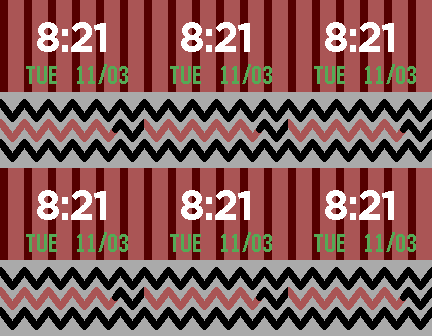
FacesStep into the Black Lodge. Red curtains, a chevron floor, and a zigzag line that doubles as your battery gauge. Flick your wrist to reveal a random Twin Peaks quote, or a visit from Bob. Adjust the flick sensitivity or turn it off in settings. The Lodge turns blue when Bluetooth disconnects.
 1
BT Alert
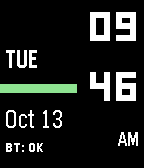
FacesColors invert when Bluetooth is disconnected. Battery gauge. Large time stacked on side for quick-access while wearing sleeves
 2
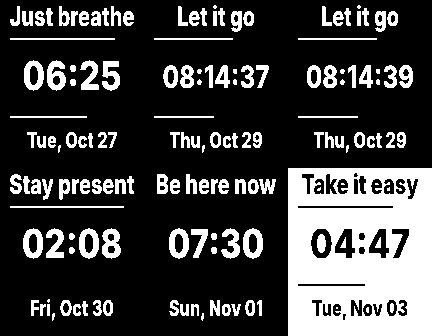
Calm Face
FacesNeed some SERENITY NOW?!? Calm Face is a clean black-and-white watchface that picks a fresh mindful phrase at random at the top of every hour. Between phrases, it stays out of your way. **What you get** - **A new calm phrase every hour:** random, never the same one twice in a row, and it stays put until the next hour. - **Big, easy time and date:** nothing to squint at. - **Battery line (top) and steps line (bottom):** know your battery and your 10,000-step progress at a glance, with no clutter. - **Double wrist flick for seconds:** flick twice to see seconds for 15 seconds. The gesture is intentionally strict, so it won't trigger when you reach for your coffee. - **Quiet Time tag:** a small "QT" appears whenever Quiet Time is on. - **Bluetooth drop alert:** if your phone disconnects, the whole screen inverts and the watch gives two long buzzes. It flips back when you reconnect, so you never leave your phone behind without noticing. - **Quick View ready:** when a notification pops up, the face tidies itself so nothing is hidden behind it. **Make it yours** The settings page lets you pick a color for every part of the face: background, phrase, time, date, battery line, steps line and the QT tag. You can also switch off the battery line, the steps line, or the wrist-flick seconds. Turning off the flick switches off the accelerometer listening completely. **Easy on your battery** It redraws only when something changes and checks your steps every 15 minutes. It has no animations and no constant background work. *Take a breath. It's just a watchface.* **Compatibility:** Pebble Time family (color displays). The settings page needs the Pebble/Rebble mobile app.