 4
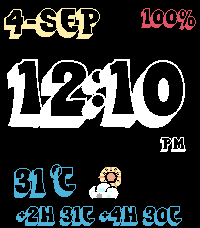
4Blanko
FacesBlanco — since it doesn’t include a background image, the display appears cleaner and more minimal. You can customize virtually every aspect — the color, size, and placement of each element — with support for multiple date formats, weather data, heart rate, step count, world time, and more.
 3
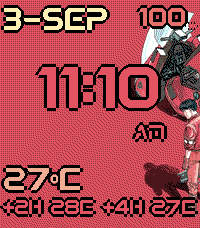
3Akira
FacesIt was too difficult for Tetsuo... of course, too difficult for us. And for Akira.
 2
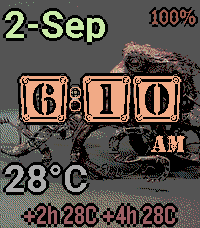
2Steampunk
FacesKeep your gears greased and your boiler primed.
 3
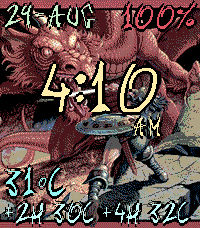
3Dragons
FacesIf the sky could dream, it would dream of dragons.
 6
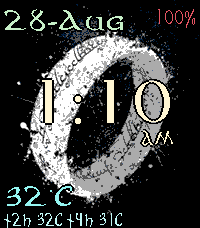
6Lord of the Rings
FacesOne Watchface to rule them all, One Watchface to find them, One Watchface to bring them all and in the darkness bind them
 1
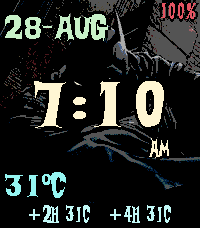
1Batman
FacesAs a man, I'm flesh and blood; I can be ignored, I can be destroyed. But as a Watchface... as a Watchface, I can be incorruptible.
 3
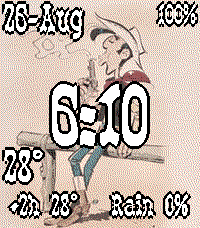
3Lucky Luke
FacesLucky Luke - the man who shoots faster than his shadow.
 5
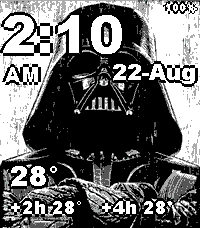
5StarWars
FacesIt’s a Star Wars watch face — that pretty much says it all.
 7
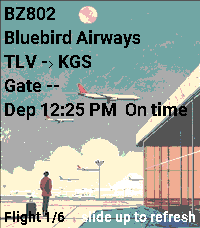
7Track your Flight
Tools & UtilitiesYou can track your flight by entering your flight code in the settings. To access full flight‑related data, register at https://aviationstack.com/dashboard and obtain a free API key (includes 100 requests per month). Copy that key into the app’s settings to enable all features. Press Select to view your boarding pass. To access it, open the pass in Apple Wallet, Google Wallet, or as a PDF. Retrieve the raw barcode text (it begins with M1). You can do this by: Using a barcode‑scanner app that displays the raw text, not just the image. Some airline apps let you copy or export pass data. Decoding the PDF417 or Aztec barcode from a PDF version of your boarding pass. Paste the full string into the Boarding Pass Barcode (BCBP) field in Settings. Example : M1DOE/JOHN EABC123 TLVJFKAA 0123 001A012B0001 100
 36
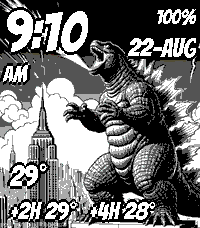
36Godzilla and other Kaiju
FacesWith the Godzilla watchface, you can tweak the text color, size, and placement, plus add future weather forecasts, humidity, rain probability, UV index, world time, and health stats such as steps and heart rate.