 9
Sound Meter
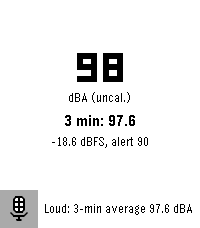
Health & FitnessIs it too loud in here? Your watch can tell you. Sound Meter turns your Pebble's microphone into a sound level meter. The big number is the A-weighted sound level around you, updated every second. Below it is the average over the last three minutes, the same measure the Apple Watch Noise app uses. When that average reaches your alert level, the watch vibrates and shows a warning, so a loud concert, workshop or commute doesn't sneak up on your hearing. Features: - Live A-weighted sound level in dBA, updated every second - A rolling 3-minute average that fills in over your first two and a half minutes - A vibrating alert when the average reaches your limit. Press Up or Down to set it anywhere from 80 to 100 dBA; the default is 90 - One buzz per loud stretch: the alert re-arms only after the average drops 3 dB below your limit - A warning when a sound is too loud for the microphone, so you know the reading is low - Picks up where it left off after a notification takes over the screen - Private by design: audio is measured on the watch one second at a time and never recorded or sent anywhere. Sound Meter has no internet access at all Before you install: - Needs a Pebble Time 2, Pebble 2 Duo or Pebble Round 2 on firmware 4.44.3 or later. Older Pebbles don't give apps microphone access. - Needs Pebble app 2.0 or later, with Microphone allowed for Sound Meter. Depending on your permission settings, the app allows it at install or asks you first. You can change it on Sound Meter's page in the Pebble app. - Measures only while it is open on screen. Pebble apps can't listen in the background, so it isn't an all-day monitor. - Readings are estimates. The Pebble 2 Duo uses its microphone's published specifications, and the Pebble Time 2 and Round 2 are not calibrated yet. Sound Meter is not a calibrated sound level meter or a medical device, so treat its warnings as a reminder rather than a measurement.
 7
Guitar Tuner
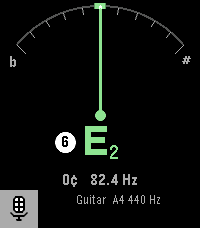
Tools & UtilitiesGuitar Tuner listens through your watch's microphone and shows how far a note is from pitch, like a clip-on tuner. Play a string, read the needle, and turn the peg until the note lights up. - The nearest note in large type, with its octave - A needle from 50 cents flat to 50 cents sharp, green, amber or red by how close you are - Within 3 cents the note lights up: green on Pebble Time 2 and Pebble Round 2, where the backlight turns green too, and boxed on Pebble 2 Duo - The offset in cents and the frequency to a tenth of a hertz - Guitar mode picks the nearest string of standard tuning and shows its number - Chromatic mode names any note from 50 to 1600 Hz - Up and Down set A4 anywhere from 430 to 450 Hz, and Select switches modes. Both are remembered. - The backlight stays on while a note sounds, for dark stages - Listens only while it is open on screen. Audio never leaves the watch and is never recorded. Before you install: - Works on Pebble Time 2, Pebble 2 Duo and Pebble Round 2, on firmware 4.44.3 or later. - Needs the Pebble phone app 2.0 or later. It allows Microphone when you install Guitar Tuner, or asks first if you set it to. To change it later, open Guitar Tuner's page in the app. - A bass's low E, at 41 Hz, is below the tuner's range.
 74
NOAA US Weather Radar
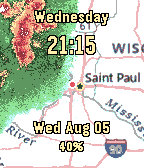
FacesLive NOAA base reflectivity radar on top of a USGS topographic map, centered on your location or a specified location. Customize with time, date, health stats, and/or National Weather Service conditions, forecasts and alerts. Four text lines, three zoom levels, and your choice of colors. United States only. - Full-screen live radar over a topographic basemap, with a marker at your position - Follows you as you move, or pin it to a fixed latitude and longitude - Three zoom levels — City (100 km), State (250 km), or Region (500 km) across the screen - Four configurable text lines: time, date, weekday, steps, distance, calories, sleep, heart rate, battery, Bluetooth, radar age, lat/long and more, each with its own size, including shrink-to-fit - Custom text and outline colors — every line gets a halo so it stays readable over busy map areas - National Weather Service weather: current conditions, today's forecast, high/low, and active alerts, in Fahrenheit or Celsius - Alert-aware lines that show your normal weather until a watch or warning takes over, and clear themselves when the alert expires even if your phone is out of reach - Severe alerts pushed to your Pebble timeline as pins that last as long as the alert does - Translucent, opaque, or radar off entirely — it makes a fine plain topo map face - A Bluetooth badge appears the moment your phone goes out of range, so you know the radar has stopped updating - Frugal by design: imagery is cut to 16 colors before it leaves the phone, an unchanged refresh isn't sent to the watch at all, and weather is only fetched when a weather line is actually configured Radar, basemap, and weather come from NOAA, the USGS National Map, and api.weather.gov — all free, no API keys, no accounts.