Sound Meter
xd1936
Watchapp
Description
Is it too loud in here? Your watch can tell you.

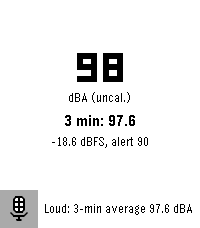
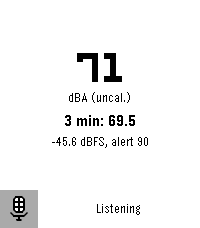
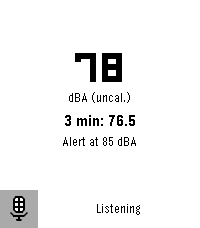
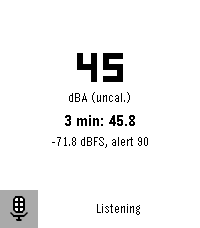
Sound Meter turns your Pebble's microphone into a sound level meter. The big number is the A-weighted sound level around you, updated every second. Below it is the average over the last three minutes, the same measure the Apple Watch Noise app uses. When that average reaches your alert level, the watch vibrates and shows a warning, so a loud concert, workshop or commute doesn't sneak up on your hearing.

Features:

- Live A-weighted sound level in dBA, updated every second
- A rolling 3-minute average that fills in over your first two and a half minutes
- A vibrating alert when the average reaches your limit. Press Up or Down to set it anywhere from 80 to 100 dBA; the default is 90
- One buzz per loud stretch: the alert re-arms only after the average drops 3 dB below your limit
- A warning when a sound is too loud for the microphone, so you know the reading is low
- Picks up where it left off after a notification takes over the screen
- Private by design: audio is measured on the watch one second at a time and never recorded or sent anywhere. Sound Meter has no internet access at all

Before you install:

- Needs a Pebble Time 2, Pebble 2 Duo or Pebble Round 2 on firmware 4.44.3 or later. Older Pebbles don't give apps microphone access.
- Needs Pebble app 2.0 or later, with Microphone allowed for Sound Meter. Depending on your permission settings, the app allows it at install or asks you first. You can change it on Sound Meter's page in the Pebble app.
- Measures only while it is open on screen. Pebble apps can't listen in the background, so it isn't an all-day monitor.
- Readings are estimates. The Pebble 2 Duo uses its microphone's published specifications, and the Pebble Time 2 and Round 2 are not calibrated yet. Sound Meter is not a calibrated sound level meter or a medical device, so treat its warnings as a reminder rather than a measurement.
- Developerxd1936
- CategoryHealth & Fitness
- Platforms2 Duo, Time 2, Round 2
- Permissions
- Updated2026-11-22
- Version1.0