Thin+
Edward
Watchface
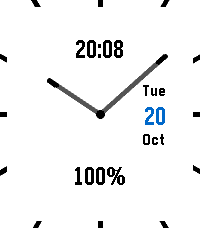
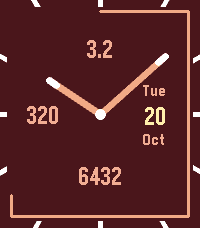
Description
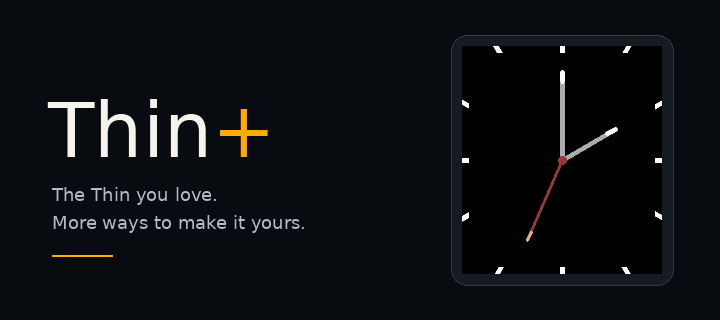
Thin, plus: a clean analog watchface with splashes of color and the information you choose.

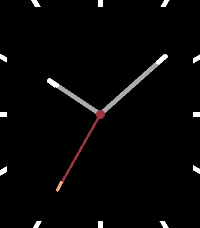
Keep it minimal: hide the date and leave any or all complication slots empty.

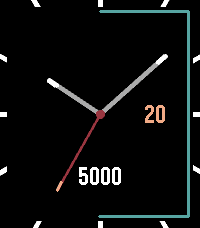
- Three complication slots—top, left and bottom—show steps, heart rate, battery percentage, digital time, distance, active calories, ISO week number, a second time zone, weather or nothing.
- Three date styles: Full (weekday, day and month), Day only, or Weekday and day. The date can also be hidden completely.
- Weather in Celsius or Fahrenheit, using your phone's location only when a Weather slot is selected. It refreshes about every 30 minutes and hides readings older than three hours. Weather by Open-Meteo: https://open-meteo.com/
- A second time zone with named zones and daylight-saving adjustments where supported. Other phone runtimes offer a fixed UTC offset, adjusted manually for daylight saving.
- An optional step-goal ring follows the edge of the face. Automatic uses Pebble Health’s typical daily step count, with a 7,500-step fallback when unavailable or zero. Custom lets you choose a whole-number target from 1,000 to 100,000 and keeps it when you switch modes. Off by default, with a customizable color.
- Smooth, anti-aliased hands with precisely aligned tips. Turn on thicker hour and minute hands for extra weight.
- A second hand appears for 15 seconds after launch or a wrist flick. On Pebble Time 2, you can also enable a screen tap to show it. Tap detection is off by default and may use more battery.
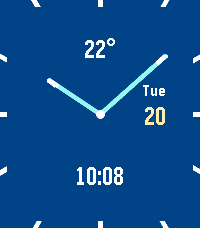
- Seven themes: Classic, Neon, Ocean, Sunset, Lime, Mono and Paper, plus individual color controls.
- Hour markers double as a battery indicator. An optional charging highlight changes the filled markers' color while charging.
- Optional low-battery-only display: show selected battery percentages below 20%, and hide them at 20% or higher. Off by default; independent of the hour-marker battery indicator.
- Optional disconnected indicator, with a choice of the original small indicator or a larger colored center ring. Disconnect vibration can be switched off.
- Timeline Quick View hides the bottom complication during an event peek and restores it afterward on supported rectangular watches.
- Hands open at the current time by default. Enable “Animate hands when the face opens” if you prefer the opening sweep.

Available for all seven Pebble platforms. Settings adapt to your watch's capabilities; health features require Pebble Health, and heart-rate slots stay blank when a sensor is unavailable. Distance follows your km/mi preference. Both time complications follow your 12- or 24-hour preference.

Existing settings are preserved when updating. New complications are optional, the step ring starts off, and Full keeps the original date layout.

Based on Thin by Chris Lewis.
Original Thin: https://apps.repebble.com/thin_550ccb556caaed4e0100006d
- DeveloperEdward
- CategoryFaces
- PlatformsOG Pebble, Steel, Time/Time Steel, Time Round, 2, 2 Duo, Time 2, Round 2
- Updated2026-10-19
- Version1.3.0