Description
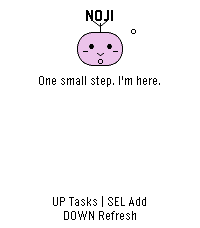
benzaiflow brings Noji, your quiet companion, to your wrist. See your tasks, catch a new thought, and put the phone away.

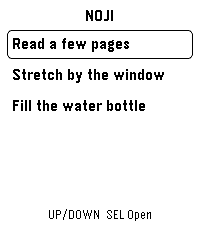
• Browse active tasks, with pinned tasks first, and open a task for its details and estimated minutes.
• Add a task by dictation on supported watches, write with the watch buttons, or choose a small essential. Review before saving.
• Capture while your phone is out of reach: once paired, the app keeps up to three unsent tasks on the watch for retry when you reconnect.
• Bring your Noji’s shape, color and expression with you.

SETUP
A benzaiflow account is required. After installing, open the app’s settings in the Pebble phone app, sign in, and choose “Connect my Pebble.” The Pebble phone app provides the internet connection for syncing. Learn more: https://benzaiflow.com

LANGUAGES & LIMITS
The watch interface is English; pairing is available in English and French. Task text supports UTF-8; button entry uses a Latin ASCII alphabet. Dictation requires a compatible watch and an available phone transcription service. This first release supports browsing and adding tasks; completion, deletion and reminders are not available on the watch.

Support: support@benzaiflow.com
Privacy: https://benzaiflow.com/privacy