 33
33ThemePark Queues
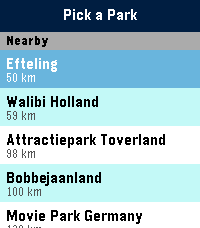
Tools & UtilitiesSkip the guesswork. ThemePark Queues brings live theme-park data straight to your Pebble — covering dozens of parks across four continents. No phone-fumbling, no app-switching, no squinting at a tiny map. Pick a destination: - Walt Disney World, Disneyland Paris, Tokyo Disneyland, Hong Kong Disneyland, Shanghai Disneyland. - Universal Orlando, Universal Studios Hollywood, Universal Studios Japan. - Plus Six Flags, Cedar Fair, Merlin parks, and more — anywhere ThemeParks.wiki covers. What you get: - Live wait times for every attraction in the parks we cover. - Show schedules with the next start time highlighted. - Opening and closing hours for each park, shown right on the park picker so you know at a glance where's still open. - Favourites — pin your must-do rides and shows to the top of the list, kept in sync across park switches. - Sort by wait (ascending or descending) or alphabetically. Built for the watch: - Readable at a glance. Traffic-light colour coding (green / amber / red) means you don't need to read numbers to know if it's a walk-on or a two-hour queue. - Works on both Pebble Time 2 (rectangular) and Pebble Round 2 (circular) — with native layouts for each. - Auto-refreshes every five minutes while open; pull the latest on-demand by switching parks. Location-aware: ThemePark Queues uses your phone's GPS to nudge nearby destinations to the top of the list, so you're one tap from live waits the moment you walk through the gate. Powered by ThemeParks.wiki — the community-maintained open API for theme-park wait times.
 0
0UOR Queues
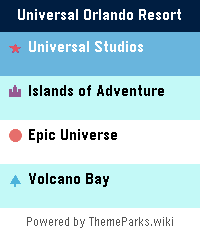
Tools & UtilitiesSkip the guesswork. UOR Queues brings live Universal Orlando Resort data straight to your Pebble — no phone-fumbling, no app-switching, no squinting at a tiny map. What you get: - Live wait times for every attraction across Universal Studios, Islands of Adventure, Epic Universe, and Volcano Bay. - Show schedules for every performance, with the next start time highlighted. - Opening and closing hours for each park, shown right on the park picker so you know at a glance where's still open. - Favourites — long-press any ride to pin it to the top of the list, kept in sync across park switches. - Launcher glance: park hours count down live in your app launcher, up to a week ahead, without even opening the app. - Sort by wait (ascending or descending) or alphabetically. Built for the watch: - Readable at a glance. Traffic-light colour coding (green / amber / red) means you don't need to read numbers to know if it's a walk-on or a two-hour queue. - Times follow your watch's 12/24-hour clock setting. - Works on both Pebble Time 2 (rectangular) and Pebble Round 2 (circular) — with native layouts for each. - Auto-refreshes every five minutes while open, without ever losing your place; pull the latest on demand from settings. Powered by ThemeParks.wiki — the community-maintained open API for theme-park wait times.
 15
15WDW Queues
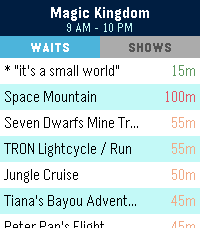
Tools & UtilitiesSkip the guesswork. WDW Queues brings live Walt Disney World data straight to your Pebble — no phone-fumbling, no app-switching, no squinting at a tiny map. What you get: - Live wait times for every attraction across Magic Kingdom, EPCOT, Hollywood Studios, and Animal Kingdom. - Show schedules for every performance, with the next start time highlighted. - Opening and closing hours for each park, shown right on the park picker so you know at a glance where's still open. - Favourites — pin your must-do rides and shows to the top of the list, kept in sync across park switches. - Sort by wait (ascending or descending) or alphabetically. Built for the watch: - Readable at a glance. Traffic-light colour coding (green / amber / red) means you don't need to read numbers to know if it's a walk-on or a two-hour queue. - Works on both Pebble Time 2 (rectangular) and Pebble Round 2 (circular) — with native layouts for each. - Auto-refreshes every five minutes while open; pull the latest on-demand by switching parks. Powered by ThemeParks.wiki — the community-maintained open API for theme-park wait times.
 3
3Queue Times
Tools & UtilitiesPowered by queue-times.com API Please excuse the screenshots, the emulator kept hitting back Have you ever been at a theme park and wanted a quick and easy reference to the wait times of all of its rides? There's a watchapp for that! This WatchApp utilizes the Queue-times.com api to provide up to date wait times for many parks across the world! Do be noted, Chinese and Japanese parks do not function at the moment due to missing fonts, i apologize for the inconvenience in that regard
 3
3Buzz in X Minutes
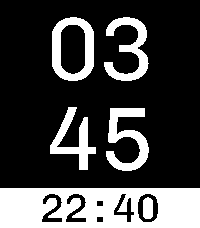
Tools & UtilitiesA practical minimalist timer for Pebble. It's super easy to use! Press up to add 1 minute and down to subtract 1 minute. It automatically starts counting down. When the timer expires, the watch vibrates, then the app automatically closes. Hint: If you bind the timer to the "Tap Up" Quick Launch action, then the first click sets the timer for the first minute. The total number of clicks is the total number of minutes! Thanks to Héctor Gatti for designing the wonderful Chivo font Features: * Big font * Time of day on the bottom * High contrast colors * Up button adds 1 minute * Select button adds 10 minutes * Down button subtracts 1 minute
 92
92A Note
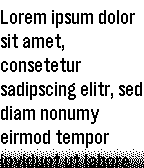
Tools & UtilitiesIt's just A Note on your wrist: The simplest note app I could come up with. Write or paste a note in the settings page, maybe choose a font size and read it on your Pebble. Perfect for shopping lists or similar. Supports UTF-8.
 21
21Nudge
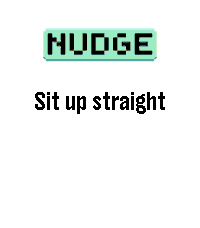
Tools & Utilities## Repeating reminders that actually reach you, even in Quiet Time. Nudge is a configurable interval reminder for your wrist. Set it up once and it buzzes you on a schedule you control: every 25 minutes on weekday afternoons, every 90 minutes all day, or anything in between or longer. Unlike a phone reminder, Nudge keeps working when you have Do Not Disturb on. Its vibrations are explicit app vibrations, so they fire through Quiet Time, using the pattern you picked. # WHAT YOU GET - Up to 6 independent reminders, each switched on and off on its own. - Intervals from 1 minute to 24 hours, set to the second if you want (4 min 20 s). - Variable interval: instead of a fixed gap, roll a new random interval between a minimum and a maximum on every fire, so it never gets predictable. - 5 vibration patterns: short-short, short-long, long-long, triple-short, long-short-long. - An optional short message shown on the watch, and raised as a notification on top of whatever you were looking at. - A daily time window and day-of-week picker per reminder, so nothing buzzes you at 3am or on a Sunday unless you ask it to. - Three buzz modes, so you choose between your pattern, a single buzz, or a silent message only. Everything is configured from the Pebble app's own settings screen. There is no companion app to install and no account to create. Reminders survive closing the app and rebooting the watch: each one schedules the next with the OS wakeup service. # GOOD TO KNOW Nudge surfaces on screen for a second or two when a reminder fires. That foreground moment is what lets the full vibration pattern play, rather than the single truncated pulse a background app is limited to. Each reminder covers one same-day window. For an overnight schedule, use two reminder slots.
 24
24Lighthaul
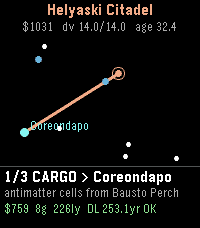
GamesHaul cargo and passengers between the stars at a hair under lightspeed - and let special relativity be the economy. Deadlines run on universe time. You and your passengers age on ship time. The closer to c you cruise, the less of your life each delivery costs - but fuel is delta-v, you pay again to brake, and every load's g-rating caps how hard you may burn. Gentle ramps cost years on both clocks. Pick contracts off the star chart. Outfit your ship: a bigger tank, a leaner drive, inertial dampers, a broker license, redline coils that push your top speed a nine closer to c. The autopilot flies each run optimally - how much fuel you buy is your throttle. Watch decades pass at the docks while you barely age. Retire rich, not old. * Procedural star clusters - replay any map by its seed, shared with the web game * A daily run: everyone flies the same cluster * Dock economy booms, strikes, and clearances * Reputation, ranks, and all-time records across careers * A deep-space license for pilots who touch gamma 25,000 The dilation is real physics - exact time dilation, honest rocketry in rapidity. The twin paradox as a contract clause.
 55
55Timer Core
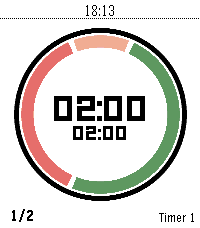
Daily"Your time. Your rules." Timer Core is the personal interval timer for Pebble: clear at a glance, flexible enough for any routine, and always ready on your wrist. A personal interval timer with four flexible segments, custom routines, and clear progress on every Pebble screen. Build your rhythm with Timer Core, a flexible interval timer made for Pebble. Create the routine that fits your day—from HIIT and Tabata workouts to Pomodoro focus, cooking, recovery, and everyday reminders. Configure up to four segments, choose when each one runs, set your rounds, and follow your progress through a clear circular display. Timer Core keeps everything close to your wrist. Start, pause, reset, select, and edit timers directly on the watch. Segment transitions are announced with vibrations, while persistent settings keep your routines ready for the next session. Highlights: - Up to 20 named timer profiles - Up to four configurable segments per timer - Interval, round, and stopwatch modes - Custom colors and backgrounds - Per-segment control for first, repeated, and final rounds - Vibration alerts at every transition - Optional Pebble Health and activity information - Optimized for round, rectangular, color, and monochrome displays Whether you are training, focusing, cooking, or taking a break, Timer Core helps you stay in rhythm without reaching for your phone. Made from "series timer" for core devices
 1
1Dictate to IFTTT
Tools & UtilitiesDictate to IFTTT turns your Pebble into a one-tap voice note button. Open the app and it starts listening immediately - speak your note, and it is sent to a single IFTTT Webhooks trigger you set in the app's settings. No trigger phrase, no menus: one app, one action. In Settings, choose to review each note before sending (press the middle button to confirm) or send instantly when you stop speaking. Point it at any IFTTT applet - create a task, add a note, email yourself, and more. Requires a Rebble subscription for dictation and your IFTTT Webhooks key.
 1
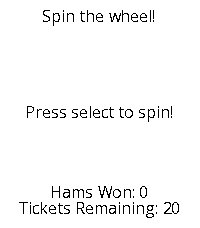
1Ham Raffle Simulator
GamesSpin the wheel. Win some hams!
 446
446Tamagotchi Emulator
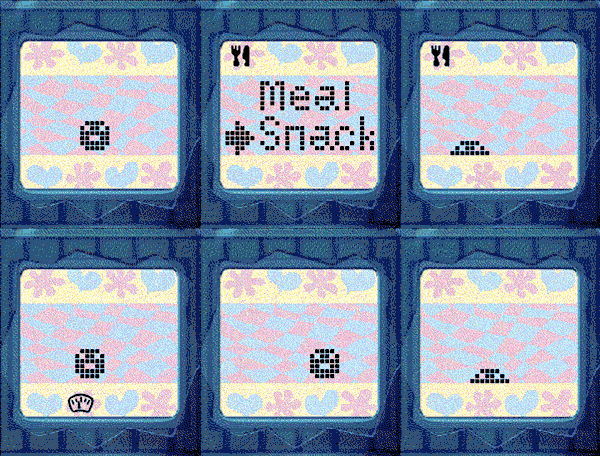
GamesNEW: Now with sound for Pebble watches with speaker! Press A+C to toggle the sound. Tamagotchi Emulator for Pebble! Run the original 1996-1997 Tamagotchi (P1 and P2) on your Pebble. Includes optional support for running your own background service to keep your Tamagotchi running when closed. Tamagotchi is a virtual pet which you need to take care of! Watch it evolve based on your care for it. How long can you keep your pet alive? If you like this project, please drop a heart! Thank you :) (You could help me win a Pebble so every like makes a difference!) See the readme for full instructions on how to get started: https://github.com/StefanBauwens/Tamagotchi-Emulator-Pebble You can also use this app together with the TamaTime watchface! (https://apps.repebble.com/c80224317250460987b9bb68) Never miss a call for attention! Created for the Pebble 2026 Spring Contest. Powered by TamaLIB by jcrona.
 4
4I Ching
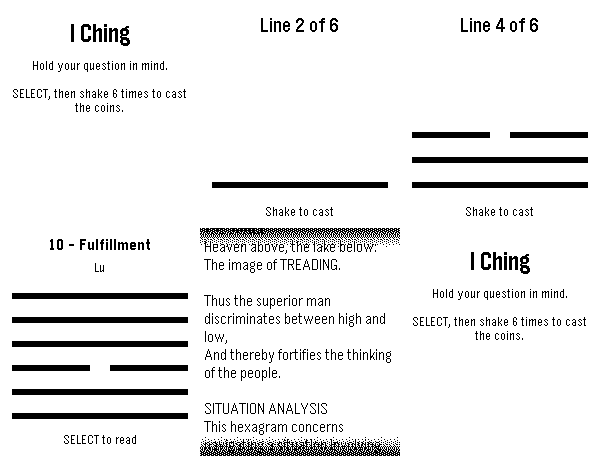
GamesGet I Ching reading on your watch!
 11
11Fixtures
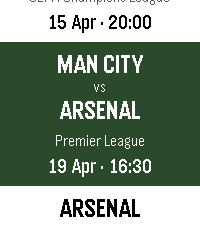
NotificationsStay up to date on all the upcoming football matches of your favourite teams and competitions with Fixtures! In this first release of Fixtures: - Choose your favourite football teams - Track their upcoming fixtures in the app - Receive Timeline pins for upcoming games The app supports the following leagues: - Premier League - Championship - Bundesliga - La Liga - Serie A - Ligue 1 - Champions League How to use: - Select your favourite team via "Manage teams" - All your favourite team's fixtures will be automatically sync'ed to your Timeline - View upcoming fixtures by selecting your team on the main page To receive Timeline pins, ensure "Emulate Timeline Webservice" is on in Settings > Apps. Supported languages: - English - Français (French) - Deutsch (German) - Español (Spanish) - Italiano (Italian) - Português (Portuguese) - 中文(简体)(Chinese Simplified) - 中文(繁體)(Chinese Traditional) Note: The app is currently running on a free server - loading fixtures may occasionally take up to 45 seconds.
 50
50Timers
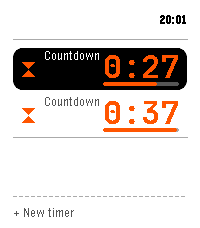
Tools & UtilitiesMulti-timer, stopwatch, single and repeat countdowns for Pebble Time 2. -- Across the app - Run several at once; the home screen keeps each live time visible - Say a timer by voice, English or Spanish ("five minutes", "pasta for eight minutes", "every 20 minutes", "at 6:45"); name it too - Save 12 presets, start one with a press - Fires on time even with the app closed; snooze a fixed amount or a quarter of the set time Countdowns - Big digits with a progress bar, start and end time - Hold to pause, add more time while it runs - Keep counting past the target until dismissed Stopwatch - Latest laps on the main screen; hold Up to add a lap Repeat timers - Repeat on a set interval, with a round tally and quick restart Turn a countdown into a repeat, and back. Controls: hold Select to pause, hold Up for the quick action, Down for the menu. Report bugs or request improvements: https://github.com/Persitz/pebble-timers/issues