 30
30Solitaire
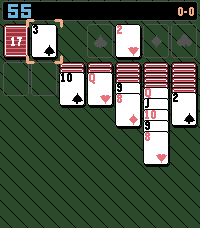
GamesA simple solitaire game with a twist
 18
18Tuned Stone
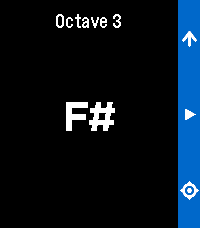
Tools & UtilitiesRefreshed app called Pitch Pipe. A chromatic pitch-pipe on your wrist. Play any note instantly. Cycle through all twelve chromatic tones with the Up button then press and hold Select to sound the note for as long as you need. It runs entirely on your Pebble.
 12
12Whistle
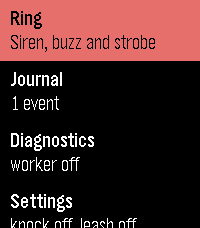
Tools & UtilitiesMake a lost Pebble ring, buzz and flash - and see when it was last in touch with your phone.
 22
22LaunchPad
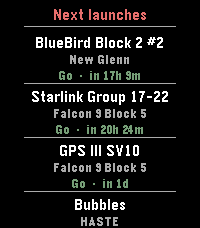
Tools & UtilitiesLaunchPad brings the world's rocket launch schedule to your Pebble. Scroll through the next 10 upcoming orbital launches, each showing: * Mission name — what's flying (BlueBird, Starlink, GPS III ) * Rocket — which launcher (Falcon 9, New Glenn, Electron…) * Status & countdown — color-coded Go / TBC / TBD with a human-readable time like "in 17h 1m" or "25 Apr · 14:00Z" App is pure alloy, data comes live from Launch Library 2 by The Space Devs — the same open database that powers many of the best space-tracking apps. Credit: launch data provided by thespacedevs.com
 7
7Daily 8-Bit Song
DailyPlays a random 8-bit-style song directly on your Pebble Watch Speakers! Songs are from https://vgmusic.com/music/console/nintendo/nes/ Save your favorites, and discover random tracks!
 32
32French Press Buddy
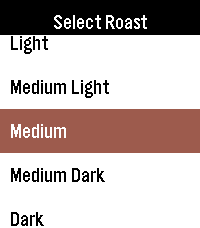
Tools & UtilitiesFrench Press Buddy is a simple, easy to use app to help you create the best French press coffee you can in 3 easy steps! 1. Select the roast of your coffee 2. Enter the amount of water you want to use. The app will automatically calculate the amount of coffee you need, based on your water amount and coffee type 3. Set the timer to how long you want to brew It's never been easier to make a cup of coffee with your pebble!
 3
3Fasting Timer
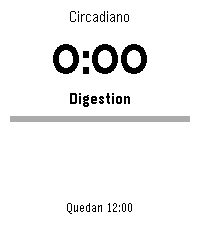
Tools & UtilitiesTrack your intermittent fasting right from your wrist. Fasting Timer is a simple, focused widget that shows your current fasting window at a glance and keeps working quietly in the background. As the hours pass, the watch shows the metabolic stage you're moving through - from digestion and glycogen depletion to ketosis and autophagy - so every hour on the clock means something.
 2
2Interval Timer
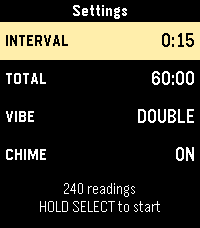
Tools & UtilitiesThis is an interval timer. Initially made for opacity testing it can used for anything else that requires a timer with intervals of 15 seconds.
 6
6Squeeze Lyrion LMS
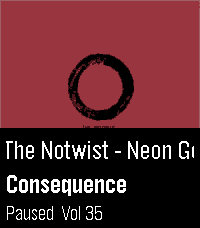
RemotesLeave your phone in your pocket! A native, touch-first remote for Squeezebox, squeezelite, and Lyrion Music Server — the server formerly known as Logitech Media Server (LMS) or SlimServer — tailored for the Pebble Time 2 and Pebble Round 2. Browse your server's entire menu tree, start playback anywhere in your library, and control your Squeeze players right from your wrist without ever needing to unlock or pick up your smartphone. Works with all Squeeze endpoints: original Squeezebox hardware (Classic, Boom, Duet, Radio, Touch), squeezelite, WiiM, piCorePlayer, Max2Play, and LMS software players. ✨ KEY FEATURES: • Now Playing with Cover Art: Album sleeve rendered at full screen width for local files, streaming plugins (Spotify, Deezer, Tidal, Qobuz) and internet radio. • Full Artwork Mode: Hold the SELECT button anytime to view the complete album cover without UI overlays. • Intuitive Player Touch Controls: Tap to Play/Pause, Swipe left/right to skip tracks, Swipe up/down for volume — keeping all 4 physical buttons free for menu navigation! • Complete Server Menu: Browse My Music, Radio, Favourites and Plugins. Paginated so folders with 2,000+ albums stay ultra-fast. • Smart Path Memory: Reopening the menu returns straight to the folder you were browsing instead of resetting to root. • Marquee Scrolling: Long track, artist and folder names scroll smoothly instead of being cut off. • Multi-Player Support: Switch between all your Squeeze players right from the start screen. 🎮 CONTROLS: • Tap screen: Play / Pause • Swipe Left / Right: Previous / Next Track • Swipe Up / Down: Volume ±5 • Up / Down buttons: Volume ±5 (repeating) • Select button: Open Server Menu / Select Item • Hold Select: Full Album Sleeve (or jump back to player from menu) • Back button: Step back / Close ⚙️ SETUP: 1. Open the Pebble app on your phone. 2. Go to the app settings (Clay configuration). 3. Enter your LMS server's Hostname or IP address (e.g. 192.168.1.100) and Port (default: 9000). 4. Tap "Save Settings" — your player list will automatically appear on your watch! ☕ Support on Ko-fi: https://ko-fi.com/pagnotta34838 Open source under the MIT License.
 15
15Big Date
Tools & UtilitiesShows a simple date view. Great for assigning to a Quick Launch action when using faces that don't show the date!
 3
3Five in a row
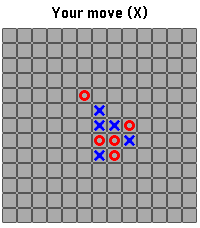
Games"Five in a row" (Gomoku) games with reduced field size 13x13. Features: - zoom and pan field before making move; - autoplay mode option; - move hint option; - last incomplete game saved across launches
 15
15Voice J ↔︎ E
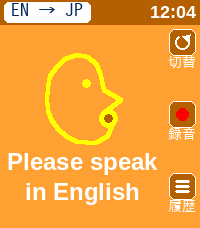
Tools & Utilities英語と日本語相互に対応した翻訳アプリです。 アプリを日本語用と英語用に切り替えて使用します。 翻訳された文字は相手に見せるために180度画面を回転させることができます。 This is a translation app that supports both English and Japanese. You can switch between the Japanese and English modes within the app. You can rotate the screen 180 degrees to show the translated text to the other person.
 13
13MORE-RECOMO
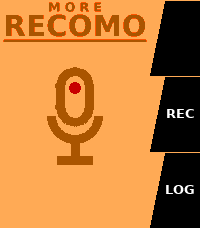
Tools & UtilitiesMORE RECOMO This is an enhanced version of the original RECOMO app. It’s a voice memo and notification app. Jot down, save, and set reminders for thoughts that pop into your head. The app enters recording mode as soon as you launch it. Main Features 1. Voice Recording & Transcription Automatically transcribes audio using Pebble’s speech recognition 2. Log Management Saves transcribed content as logs (up to 20 entries) Use the LOG button to view a list of past logs Unneeded logs can be deleted 3. QR Code Display Converts saved text into a QR code and displays it Can be scanned with a smartphone 4. Notification Scheduling Set up notifications to be received from Pebble at a specified time A countdown is displayed on the home screen while a notification is scheduled Notifications can be canceled using the UP button Voice recognition uses the Pebble free plan, which allows 50 uses per month. Translated with DeepL.com (free version) MORE RECOMO 旧RECOMOアプリの機能強化版です 音声メモ&通知アプリです。 ふと思ったことをメモ、保存、思い出す通知機能。 アプリを起動するとすぐに録音モードになります。 主な機能 1. 音声録音・テキスト化 Pebbleの音声認識で自動的にテキスト化 2. ログ管理 テキスト化した内容をログとして保存(最大20件) LOGボタンで過去のログを一覧表示・閲覧 不要なログは削除可能 3. QRコード表示 保存したテキストをQRコードに変換して表示 スマートフォンで読み取ることができる 4. 通知スケジュール設定 指定した時間後にPebbleから通知を受け取る設定が可能 通知設定中はホーム画面にカウントダウンを表示 UPボタンで通知をキャンセル可能 音声認識は50回/月 のRebble無料プランを利用しています。
 10
10MapNavi JP
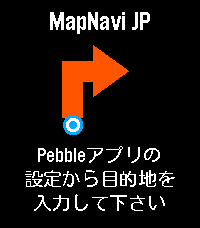
Tools & UtilitiesMapNavi JPは、スマホのMapNavi JP設定画面から住所を入力することで、Pebble Time 2のウォッチ画面に「300m先で右折」といった指示が矢印で表示される、日本向けナビゲーションアプリです。 徒歩・自転車・車の3つの移動手段に対応。 表示縮尺が変わることが目的で、経路は移動手段に最適化はされていないと思います。 カラー画面に周辺地図を表示し、曲がり角では自動的にバイブで通知します。 あくまで参考程度にすることをお勧めします。 ・カラー地図: 周辺の道路・建物・公園・川をリアルタイム表示 ・リアルタイムGPS追跡: スマホのGPSで現在地を自動追跡 ・経路から外れると自動リルート: 80m以上外れると自動で経路を再取得 ・曲がり角でバイブ通知: 指示が変わったことをすぐに知れます ・日本の住所に対応: 駅名・建物名での検索も可能 ・複数の移動手段: 徒歩・自転車・車から選択
 17
17Fart Box
DailyNot the first, but definitely not the least: a sober and elegant fart machine for Pebble. Fart Box is a sober and elegant fart machine, and an affectionate, unofficial tribute to Leslie Nielsen—the master of perfectly timed comedy. Enjoy eight high-quality fart sounds, carefully refined with state-of-the-art AI-assisted audio processing and optimized for the tiny Pebble speaker. Use Fart Box to: - Bring birthdays to life - Add sophistication to meetings - Break the ice on a date - Improve almost any awkward silence Choose your sound manually or let fate decide with Random Mode. Trigger it with Select, a discreet wrist flick, or a double tap on compatible touch-enabled watches. Independent delay and volume settings help you achieve impeccable comic timing. Because dignity is temporary, but timing is everything.