 5
5SG Bus
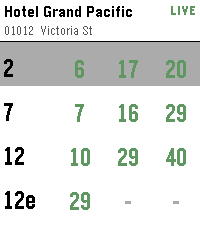
DailySingapore bus arrival times on your wrist. Find bus stops near you using your phone's location, or open a favourite stop to see live arrival times. Tap a bus service for the next few buses, including crowding and vehicle type. Long-press any stop to add or remove it from your favourites.
 31
31SimonTime
GamesClassic pattern memory game with touch and sound. High score. Up button to see/change speaker on/off state. Select button or center tap to start a new game. Designed for Pebble Time 2, looks even better on Pebble Round 2 but without sound.
 30
30Letterfall
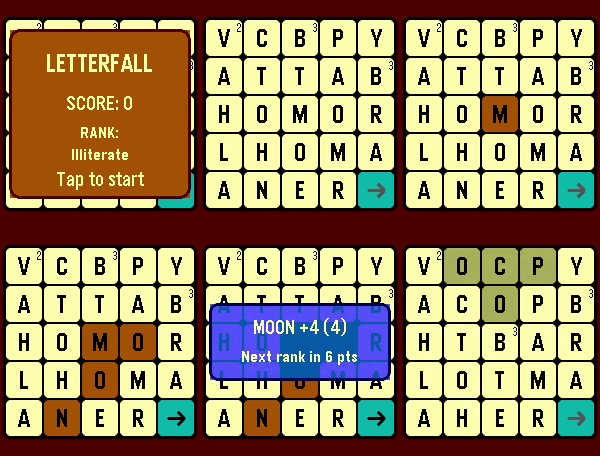
GamesTEST YOUR BOOKWORM SKILLS! 📝 "Letterfall" is a word-building game. The longer word you make the more scoring points you get. As you add points - you advance in ranks. ⛓️ To create a word - tap anywhere on the game field to select first letter and then build a chain of letters by tapping tiles next to previous one - above/below/left/right/diagonal. You can unselect tiles in reverse order. 🅰️ Watch out for red tiles! They appear if you make too many short words (3-4 letters). If red tile burns to bottom row - the game is over! 👑 Use gold tiles multiply the score. They appear if you make enough long words (5+ letters) If you're stuck - use game option "Flick wrist to reset board"
 8
8Quad-Type-Notes
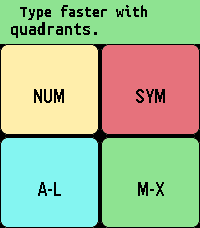
Tools & UtilitiesTake notes locally with a quadrant-based keyboard. Common actions like space, shift, backspace, and backspace word are activated quickly by double tapping the various quadrants. Tapping the top/middle/bottom third of the screen is the same as pressing the up/select/down physical button when navigating, and swiping horizontally through the middle third of the screen is the same as a long press of the select button where it makes sense. Sometimes there's a second function by swiping the reverse direction. For example, reorder a note by swiping right, but close the app by swiping left when in the main note-reading interface. While editing, swipe left/right through the top 2 quadrants to confirm your edit/select a different line. Do the same through the bottom 2 quadrants to turn "sticky" off/on (so the same quadrant stays active). Tap the editing area to cancel. You can tap and drag the active quadrant to a different quadrant to switch quadrants without having to cancel. Long press select to "grab" a note (or line when selecting lines) to move it around and change the order. Long press again to delete the note (or line). Long press select on "Note 0" (new note) to start dictation. Advanced: Create a custom layout by swiping down from the middle of the screen on "Note 0", then editing the configuration note by following the instructions. Error messages will catch common mistakes when you try to save this note. This app is appropriate for all ages and no personal data is shared with the developer. For Texas users: Rated for children under 13, due to having common english words for the interface and instructions. The font is Ubuntu Sans Mono Bold: https://assets.ubuntu.com/v1/81e5605d-ubuntu-font-licence-1.0.txt
 6
6TTC Subway & Bus
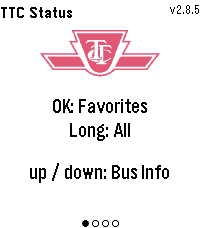
Tools & UtilitiesTTC Subway & Bus — Toronto transit at a glance, right on your wrist. Get real-time bus and streetcar arrivals for up to 5 saved locations (4 routes each), with countdowns that keep ticking between refreshes. Set a per-stop walk time and the watch buzzes the moment you need to leave to catch your bus. Check subway status for Lines 1, 2, 4, 5 and 6. Pick your favourite stations to filter alerts to just the ones that affect your commute, or long-press for all active outages. Features: Live arrival countdowns with "Arriving" and data-freshness indicators "Leave now" vibration based on your walk time to each stop Smart auto-refresh that speeds up as your bus gets closer Subway alerts filtered by your favourite stations Light and dark themes Easy setup from the phone settings page, just enter the route and stop numbers from any TTC bus stop sign
 615
615Calculator
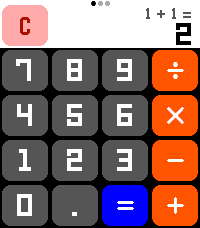
Tools & UtilitiesA calculator! On a watch! No one has ever thought of this before! Now that the Pebble Time 2's touchscreen is enabled, let's CALCULATE! New for summer 2026: Scientific Functions! All the math functionality you could ever want! (Press the center button or swipe on the screen to change pages!) Features: - Add, subtract, multiply, divide! All your favorite basic operations are here! - Behold the power of science! Includes all standard scientific calculator functionality, including trig functions, square roots, logarithms, and more! - Touch targets optimized to be as large as possible for Time 2 screen, including full support for drag-away touch cancellation, ensuring that you are able to press the numbers you want! - Automatically switches numeric display between a large font, a small font, and scientific notation to allow you to do math with unreasonably large numbers! - Smaller secondary numeric display shows last performed calculation (in standard mode) and y-register (in RPN mode) so you can remember what you doing! - Option to always enable the backlight for those grueling late-night calculation sessions **** Featuring RPN mode! **** Have you grown weary of the same old calculator layout? Well then, why not try enabling RPN mode from the settings! RPN, Reverse Polish Notation, is an alternative way of inputting calculations favored by financial professionals and other math enthusiasts for decades! Using RPN mode, you gain precise control over how and when calculations are performed! Never worry about operator precedence again! Let the calculation begin!
 46
46Soundboard
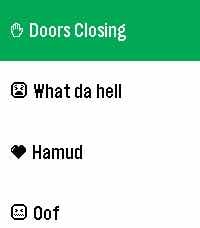
GamesPick sounds from your phone. Play them through your Pebble's speakers. All on-device. It's that simple, folks.
 24
24AirCheck
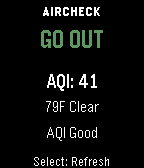
Health & FitnessAirCheck gives you a fast, simple answer to one question: should you go outside right now? Using real-time air quality (AQI) and weather data, AirCheck gives you a simple, instant recommendation: GO OUT CAUTION STAY IN Features - Real-time AQI and weather courtesy of Open-Meteo - Temperature-aware recommendations - Thunderstorm safety override - Clear reason text explaining each recommendation - Simple, easy-to-read interface - Manual refresh on launch and button press - Works across all Pebble watch types No clutter. No confusing settings. Just a clear answer when you need it.
 8
8Touch Grass
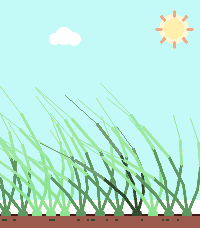
Health & FitnessHello BornHack 2026 This app allows you to touch grass - everywhere! Features: • Touch (the) Grass • Sun follows time of day-ish
 173
173Calendar for Pebble
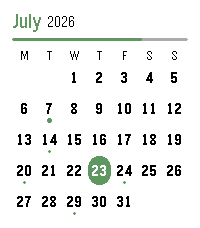
DailyA touch calendar watchapp for Pebble Time 2 and Pebble Round 2. Shows the month with a dot on every day that has events; tap a day for an agenda you can scroll through. Syncs from iCloud and Google Calendar. iCloud calendar link: 1. iPhone: Calendar app → Calendars → tap the ⓘ next to a calendar → enable Public Calendar → Share Link → Copy. 2. Paste the `webcal://…` link into a calendar row in Settings.(Public sharing is read-only and needs no password.) Google calendar link: On a computer at calendar.google.com: 1. Hover the calendar → ⋮ → Settings and sharing. 2. Easiest (public): under "Access permissions", tick "Make available to public", then copy the share link (the `…?cid=…` URL) — the app converts it automatically. 3. Private (keep it unlisted): scroll to "Integrate calendar" → copy "Secret address in iCal format (ends in `.ics`). 4. Paste the link into a calendar row in Settings. Credits App menu icon adapted from [pebble-dev/iconography (https://github.com/pebble-dev/iconography) Watch screenshots for banner created using (https://pebble-render.aru.dev/)
 1
1Pebble Impostor
GamesThe second version of Pebble Impostor
 1
1Liquicity 2026
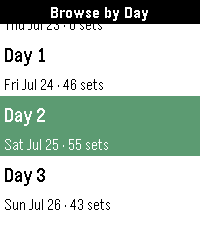
NotificationsUnofficial Timetable watchapp for Liquicity 2026. Browse shows, plan your festival, and get reminders when a show you don't want to miss is coming up. Browse shows by day or stage, click into a show to save it to your timeline. Press down when on a Show Details page to see all shows that overlap with the selected set or are beginning within an hour of it wrapping up. Credits go to Eric Lindholm whose Festival Schedule watchapp code I used for this one. That's why I linked his repo here. Thanks so much for the detailed documentation! Have fun at Liquicity everyone! 🧡
 6
6Hourly Steps
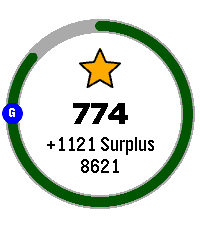
Health & FitnessHourly Steps mimics Fitbit's "Reminder to Move" functionality but with way more user control. Through App settings you can adjust: - What hour to start getting reminders - How many minutes before the end of the hour to get reminded to move - How many hours you want to be reminded to move - The minimum steps you want to be reminded to do each hour - What your daily step goal is - What days of the week you want to receive reminders - All the colors used in the app's visual appearance Hourly Steps will even help you reach your daily step goals by splitting that goal by your active hours and showing it as a stretch goal after hitting the minimum. For example: if you want to do 10,000 steps a day and be active for 10 hours a day, it'll show a stretch goal of 1,000 steps each hour after finishing the minimum steps. That stretch goal will automatically adjust if you get closer to that goal or fall behind, creating a "deficit" or "surplus" value that shows how on track you are. You'll even get a Fireworks show upon completion of daily steps. Please allow an hour after installing for the app to establish steps at the start of the next hour. It may show an incorrect hourly steps value until then. Note: Due to Pebble limitations around tracking steps within a specific time frame, this app uses a background worker to get steps at the start of each hour and determine when to open the app for reminders. You can optionally turn this off if you need the background worker for something else. This will cause Hourly Steps to use wakeup timers instead, however that has some limitations. Since there can only be one Foreground app at a time, it'll close down any other app you have open even if it doesn't need to remind you of steps. This will happen once at the start of an hour and once during active hours at the reminder minute you set (but not outside of active hours). It may also fail to use the timers entirely if another app has scheduled a wakeup for the same minute This should not happen with background worker active. Because of this I highly recommend keeping the background worker active. Fireworks code adapted from: https://apps.repebble.com/fireworks-particle-effects-glancing_5592dc3e53d39fc50500006b
 27
278 Ball Answers
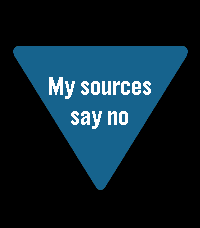
GamesThe classic fortune-telling toy, reborn on your wrist. Concentrate on your question, give your Pebble a shake, and the answer rises through the murk. All 20 canonical answers, faithfully preserved Two bonus answer packs: IT Diagnostics and Movie/TV Build your own answer list from your phone How to consult the ball: Shake your wrist (or press Select) to reveal an answer Ask another question and shake again Long-press Select the up/down to switch answer packs Open settings on your phone to add your own answers
 10
105/10/15
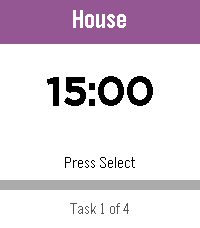
Daily5/10/15 is a highly configurable interval timer for Pebble. Starts with four ready-made lists — Work Loop, Long Loop, Quick Loop, and Morning Routine. Full add, delete, and edit support means build your own! The watch counts down and vibrates when it’s time to switch. Loop lists restart automatically; one-shot lists announce when you’re done. State persists across app exits, so you can check your watchface without losing your place. • Select — play/pause • Up/Down — skip tasks • Long Select — reset current task • Long Down — back to the List of Lists Named in tribute to the classic iPhone app 30/30.