 1
1Baby Watch Reborn XL
DailyAdds extra features to Baby Watch Reborn
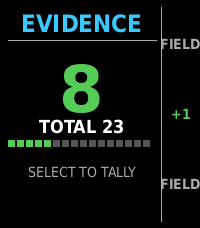 6
6TALLY
Tools & UtilitiesNever lose count, keep the score, export as needed.
 9
9Daily Poem
DailyEnjoy a daily poem from poetrydb.org! Query random poems, save poems and favorite poets, dictation-search for a poet, and find a random poem by your favorite poet!
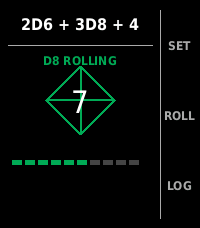 5
5ROLL
Tools & UtilitiesDice fiends beware...
 6
6PoketchCoinFlip+
Tools & UtilitiesA fork of GamerJrdn's recreation of the Poketch's coin flipping app for the Pebble with the goal of adding features centered around Pebble Time 2 . This is the first app that I've ever worked on for Pebble, and I'm not too experienced with C, so it may be a little buggy.
 2
2Pebble Imposter
GamesThe impostor word game now on pebble
 3
3OwnTone Remote
RemotesControl your OwnTone (owntone/owntone) music server from your Pebble watch. Browse results, play/pause, skip tracks, and adjust volume or outputs without touching your phone. Features - Search and browse results - Play, pause, next, previous - Adjust volume and switch outputs - Favorite items and quick access
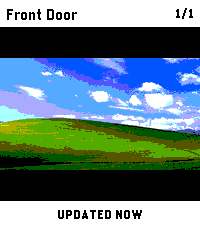 16
16PinHole
Tools & UtilitiesCheck security-camera snapshots from your Pebble Time 2. PinHole is built for fast wrist checks when you just want to know what is happening at the front door, garage, driveway, or any other configured camera. Use the hardware buttons to switch cameras, press SELECT to refresh, and keep the last good snapshot on screen while the next frame loads. Connect to go2rtc, Frigate, UniFi Protect, or direct HTTP(S) JPEG snapshot URLs. Snapshot requests are made by your paired phone directly to the endpoint you configure; PinHole does not operate a proxy or external service. The optional UniFi cloud connector is used only when you select and configure it. Features: - Quick camera checks without opening your phone - Button-first controls for easy one-handed use - Multiple configured cameras - Frigate account, HTTP Basic, Bearer-token, and X-API-Key authentication - Manual refresh with SELECT - Previous snapshot stays visible while refreshing - Clear setup, loading, retry, and error states Requires: - Pebble Time 2 - A supported camera service or direct JPEG snapshot URL reachable from your paired phone - go2rtc, Frigate, UniFi Protect, or a custom HTTP(S) endpoint - Any account, API key, or trusted HTTPS certificate required by that endpoint PinHole shows still snapshots only, not live video. Credentials are stored in PinHole's local app storage on the paired phone and are never sent to the watch or a PinHole server. HTTP does not encrypt credentials or images, so authenticated HTTP should be used only on a trusted network. Disclaimer: This app was developed with the assistance of AI.
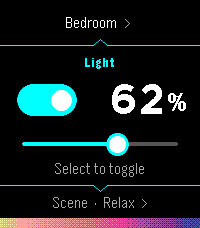 27
27Hueble
RemotesHueble is a focused, watch-first remote for Philips Hue. Open it directly into your last room, toggle its lights, adjust brightness, or activate a scene without reaching for your phone. Rooms and scenes are designed for quick repeat use: Hueble remembers where you were, shows scene previews derived from the colors reported by your bridge, and supports both hardware buttons and touch gestures. Pairing also happens from the watch, follow the directions and press the physical button on your bridge. There is no separate settings page. Hueble connects directly from PebbleKit JavaScript on the paired phone to a Hue Bridge on the same local network. It has no backend, accounts, advertising, analytics, or trackers. A Hue Bridge v2 (model BSB002) with local HTTP access enabled is required. Hue Bridge Pro (BSB003) and other HTTPS-only bridges are not supported because PebbleKit JavaScript cannot install Hue's private certificate authority. The watch and phone must be connected, and the phone must be able to reach the bridge over local Wi-Fi. Hueble is an independent companion and is not affiliated with or endorsed by Signify or Philips Hue.
 13
13Ask Pebble
Tools & UtilitiesAsk Pebble turns Pebble Dictation into a compact AI Q&A flow. Press Select, speak a question, and the app sends the recognized text from PebbleKit JS on your paired Android phone to the API endpoint selected in settings. The response is shortened for the watch screen. This is a BYOK app: you must enter an API key for OpenRouter, OpenAI API, or a custom OpenAI-compatible Chat Completions endpoint. Usage costs, credits, rate limits, and model access are handled by your account with that provider. Optional context features are available in settings. Time context is enabled by default. Location and health context are opt-in. Health context can include today's steps, active minutes, sleep minutes, and restful sleep minutes when available from Pebble Health. This app is experimental and Android only. iOS is not supported or tested.
 7
7METAR Aviation Weather
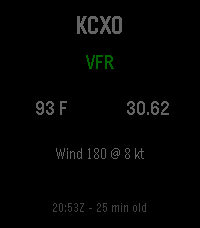
Tools & UtilitiesMini METAR brings current aviation weather directly to your Pebble smartwatch. View live METAR information for any ICAO airport, including flight category, temperature, wind, altimeter setting, and observation time. Configure your preferred airport, save up to 10 favorite airports for quick access, choose between Fahrenheit or Celsius and inHg or hPa, and refresh weather manually or automatically. Designed for pilots, aviation enthusiasts, and anyone who wants quick access to airport weather from their wrist. Compatible with Pebble and Rebble-supported devices, including Pebble Steel, Pebble Time, Pebble Time Steel, Pebble 2, Pebble Round, and other supported models.
 72
72Koishi - Japanese Kana Flashcards
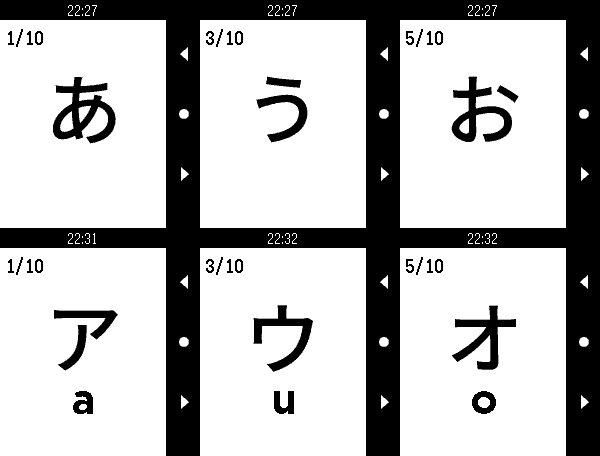
Tools & UtilitiesKoishi is a flashcard application that gives you a full set of Japanese Hiragana and Katakana flashcards right on your wrist! Study your kana recognition anytime, anywhere! - Support for all Pebble devices (OG, Time, Round, Duo, Time 2 and Round 2)! - Fully customizable deck options - Deck presets - 208 Hiragana & Katakana characters - Touch-enabled on supported devices. Navigate flashcards with taps and swipes! Can be disabled in settings. - Fully image based, no additional language pack required This was made to accompany my own Japanese study. This sort of thing seems perfect for Pebble, so I hope some of you find it useful!
 28
28BrewKinetics
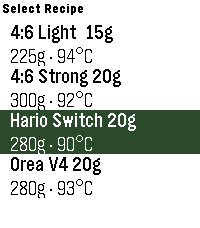
Tools & Utilities# BrewKinetics Step-by-step pour-over timer, right on your wrist. BrewKinetics guides you through specialty coffee brew methods with a hands-free countdown, haptic cues at each pour, and a visual progress indicator — no phone needed. # Features: - Create, edit, and delete your own recipes on the phone - New brew screen: runningpour weight, next-pour preview, timing checkpoints, and a last-5-second warning - Set any total water - every pour rescales to hit it exactly - Finished brews saved to your phone history - Built for Pebble Time 2
 3
3AdaTime
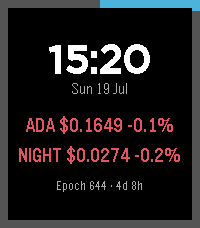
Tools & UtilitiesTrack live ADA (Cardano) and NIGHT (Midnight) prices on your wrist, plus the current Cardano epoch and block height. Auto-refreshes every minute with a manual refresh button. Color UI across Pebble Time 2, Core 2 Duo and Round 2.
 0
0MHD HK
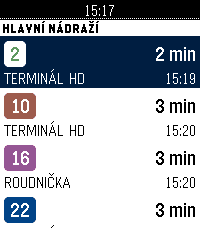
DailyOdjezdy hradecké MHD (DPMHK) přímo na hodinkách. Zvednete ruku, vidíte, za kolik minut vám to jede. CO UMÍ Odjezdy — nejbližší spoje ze zastávky: linka, směr a čas odjezdu. Odpočet do odjezdu se přepočítává průběžně. Oblíbené — až šest zastávek, které používáte denně. Nastavíte je v telefonu (našeptávač všech hradeckých zastávek) nebo přímo na hodinkách: dlouhým stiskem přidáte zastávku z okolí, dalším ji zase odeberete. Nejbližší — zastávky kolem vás podle GPS v telefonu, seřazené podle vzdálenosti. Trasa spoje — u vybraného odjezdu si zobrazíte zastávky, kterými pojede dál. Offline — poslední zobrazený odjezdový panel zůstává v hodinkách. Když je telefon mimo dosah nebo server neodpovídá, appka ukáže uložená data s poznámkou, kdy byla stažena, místo prázdné chybové hlášky. Celé rozhraní je česky, včetně diakritiky. Funguje na všech modelech Pebble včetně kulatých displejů. DATA Data pocházejí z api.dpmhk.cz, tedy ze stejného zdroje, který pohání vyhledávání spojení na dpmhk.cz. Aplikace není oficiálním produktem DPMHK a není s dopravcem nijak spojena. Otevřený zdrojový kód (MIT): https://github.com/ArzykDev/pebble-dpmhk --- Departures for Hradec Králové public transport, Czechia (DPMHK). Favourite stops, nearest stops by GPS, downstream route preview, and an offline fallback board. Czech UI.