 1
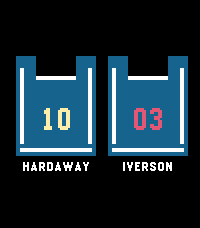
1Basketball Clock
DailyDisplay the time using your favorite basketball players' jerseys.
 18
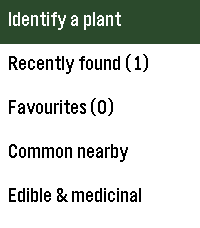
18Nature Noticed
Tools & UtilitiesThis app helps you identify plants, some in your area, some just based on the questions it asks you and will give small visuals to help you tell what a plant might be. There's even a section for edible plants and more to be added in the future.
 1
1Saboten-kun-WatchApp
Tools & Utilities時間帯によってさぼてんくんが表情を変える時計アプリです。
 7
7Sports Simplified
DailyA simple Pebble watchapp that pushes NHL game timeline pins for the Vancouver Canucks and Montreal Canadiens.
 32
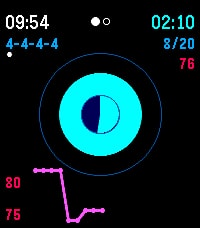
32Box Breathing
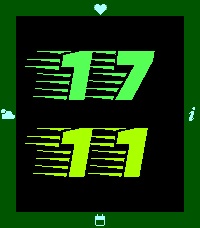
Health & FitnessBox Breathing (4-4-4-4, 4-7-8, and 5 more) techniques facilitation with optional visual guidance, heart rate chart and vibration feedback
 5
5FastAndSwipurious
DailyFastAndSwipurious is a watchapp for Pebble Time 2 (Emery) that behaves just like a watchface — built as an app because only apps can access the Emery's touch screen. SCREENS & NAVIGATION --------------------- Swipe in any direction to move between five screens: • Time — large digit display, optimized for at-a-glance readability • Date — weekday and date in your chosen language • Weather — current conditions with icon, temperature and description • Steps — step count and Bluetooth status • Health — heart rate and sleep duration from last night SETTINGS (extensively configurable via the Pebble app) ------------------------------------------------------- • Background color • Navigation bar color • Symbol / icon color • Hours color (large digit) • Minutes color (large digit) • Text color (date, weather, steps and health screens) • Language: German or English • Temperature unit: °C or °F • Backlight timeout: 3–9 seconds (must match the value in your Pebble system settings — see below) • Auto-return to time screen: on/off and delay (2–5 seconds) WEATHER ------- Weather data is fetched automatically using your GPS location (with IP fallback) via Open-Meteo. Language and unit (°C / °F) follow your chosen settings. The weather screen shows whether data was retrieved via GPS or IP, its age, and a reload button for manual refresh. BACKLIGHT --------- In normal Pebble apps, the display lights up on every touch and swipe — which drains the battery noticeably faster. FastAndSwipurious suppresses this completely: the backlight stays off by default. Instead, a double-tap (two quick taps) deliberately activates the backlight when you actually need it. The app uses the system timeout to determine how long the light stays on — which is why the backlight timeout in the app settings must be set to the same value as in your Pebble system settings, so the app knows when the light has turned off again. NOTE ---- The app must run as an "App" rather than a "Watchface" because Pebble only exposes the touch screen to apps. The behavior is identical to a watchface — the app stays permanently active and responds to swipe gestures. Vibecoded with Claude · Pebble Time 2 (Emery) only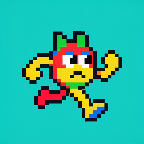 1
1Fluff
GamesEhh creature that dies if you dont move
 157
157PebGoBrrrr
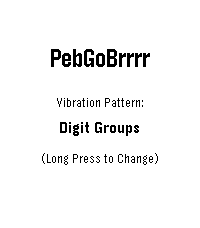
Tools & UtilitiesYou know that moment when you're half asleep, trying to decide whether you can get away with a little more sleep, but checking the time would wake you up completely? PebGoBrrrr is built for exactly that. Launch it with a button press and it vibrates the current time straight to your wrist. No bright screen, no squinting, no fully waking up just to find out it is 4:17. Pick your preferred vibration pattern, tweak the buzz timing, and let your Pebble whisper the time at you through pure brrrr. Source code now available on GitHub... please be kind 😬
 15
15PeBluelink
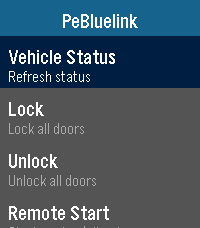
RemotesA remote for Hyundai Bluelink enabled vehicles that allows for communication with your car via your watch. Supports lock/unlock, remote start/stop, and more! Includes additional features for EVs that can be toggled off for ICE vehicles. Requires android companion app, which you can sideload through github for now. I need additional beta testers to get the app on the play store, so please contact me if you can help! https://github.com/Ender97/PeBluelink-Companion
 1
1PT 2
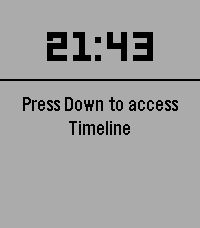
Health & FitnessPT Timer
 2
2Eight Pebbles
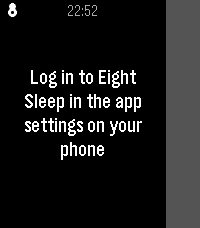
RemotesControl your Eight Sleep mattress from your wrist. Designed around one use case: nudging the bed temperature at 3am without reaching for your phone.
 2
2Peb Tautulli
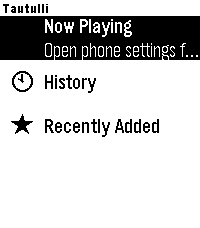
Tools & UtilitiesTautulli for Pebble Monitor your Plex media server from your wrist. Tautulli for Pebble connects to your Tautulli instance and gives you a live view of everything happening on your server — all without reaching for your phone. Now Playing See every active stream at a glance. Each card shows who's watching, what they're watching, playback progress, player name, bandwidth, video and audio codec with transcode decision, and the geographic location of the stream. Refreshes automatically every 30 seconds. History Browse your full watch history with user, stream location, percentage watched, and duration. Tap any item for a detail view showing player, start/stop times, and transcode decision. Scroll through as many entries as you need with seamless pagination. Recently Added Stay on top of new content as it lands in your library. Tap any title for rich metadata — summary, cast, studio, genres, content rating, and runtime. Full summary text is scrollable so nothing gets cut off. Features - Live stream monitoring with geolocation (City, State, Country) - Transcode vs direct play indicators for video and audio - Bandwidth usage per stream - Unlimited scroll pagination for History and Recently Added - Scrolling subtitles on long text - Configurable host, port, URL path prefix, and API key via in-app settings - Works with self-hosted Tautulli behind a reverse proxy (HTTPS supported) Setup Open the app settings from the Rebble phone app, enter your Tautulli server address and API key, and you're ready to go. Find your API key under Tautulli → Settings → Web Interface. Requires a running Tautulli instance. Compatible with Pebble Time 2.
 77
77Notes To Self
Tools & UtilitiesNotes To Self has a whole new main menu screen to view your notes or upcoming reminders. An updated version of Note To Self by Turner Yey. Places pins in the Pebble Timeline corresponding to a reminder or a note. Notes are the default, and will be pinned at the current time. For a reminder later in the timeline say, “remind me at (time)” or a similar phrase.
 5
5Next NASCAR Race
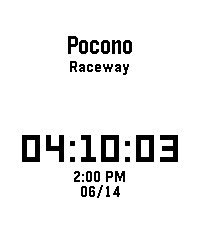
Tools & UtilitiesThis app shows you when and where the next NASCAR Cup Series race is in your local time. In addition, it also features a dd:hh:mm countdown until the next race. I made this app for myself because I wanted a super basic app that just shows the place, time, and date of the next NASCAR Cup Series race. Note: Race times and dates may change. Delays and schedule changes will not appear in the app.
 3
3Når går bussen
DailyFor eget bruk. Viser avganger fra et stopp i Bergen