 17
17Dictate
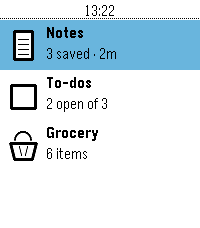
Tools & UtilitiesNote taking app built in the theme of the Pebble OS Stock weather app. Ability to store Note, To Do List, and a built in Grocery list.
 19
19Watch Tools
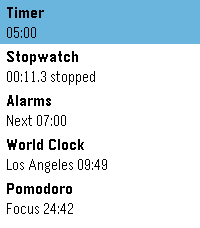
Tools & UtilitiesFive watch utilities in one place, wearing the same design as the weather app built into PebbleOS: a clean white card, one big number, and a ring that shows you where you are at a glance.
 5
5Pitch Pipe
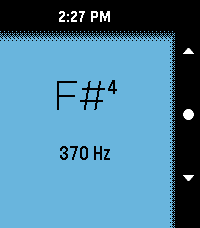
Tools & UtilitiesA colourful pitch pipe with lots of options. Spans 4 octaves and allows precise tuning.
 15
15DontPanic
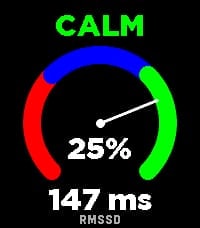
Health & FitnessDontPanic measures your Heart Rate Variability (HRV) right on your wrist to help you monitor your physical stress and autonomic nervous system balance. The app evaluates RMSSD (Root Mean Square of Successive Differences) - the gold standard time-domain metric for measuring parasympathetic activity and physical recovery. How to Measure: 1. Tighten your Pebble watchband comfortably above your wrist bone. 2. Lay down, relax, and keep your hand calm and still for 2 minutes. 3. A synchronized breathing visual and countdown guide you through the session. 4. You will feel a gentle vibration when the measurement is complete. Features: Dynamic Stress Gauge: Visualizes your stress percentage and status (CALM, NORMAL, or STRESS) across an analog arc gauge. Direct RMSSD Value: Accurate millisecond readout of your HRV. Personalized Calibration: Calibrates to your individual physiology over the first 7 days, continuously refining your baseline over time. History Trend Graph: Flip through with Up/Down buttons to track your latest 16 measurements and observe long-term trends. On-Wrist Guide: Press the middle (Select) button anytime to view tips for the most accurate readings. Screen & Backlight Control: Keeps the display legible throughout the measurement without turning off. Tip: For consistent results, take your measurement every day around the same time and in the same position (e.g., right after waking up). Want to track how your body recovers overnight based on HRV? Connect with Sleep as Android!
 6
6JW Daily Text
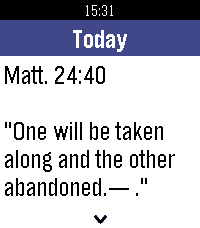
DailyRead today's Bible text and commentary on your Pebble. Works offline, preselects your watch language, with color UI, smooth day animations and touch scrolling.
 8
8Sports Desk
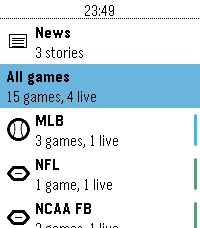
DailyLive scores, box scores and headlines from 93 leagues, on your wrist. This app is a attempt to make a Sports score app in the base theme of the Pebble OS, using the ESPN API.
 7
7Dicey Depths
GamesYou are a walking six-sided die on a game show. Every turn you roll your dice face up, and then decide how to spend them across the equipment you brought in. You always see the randomness BEFORE you commit, so a bad roll is a puzzle to solve rather than a punishment to absorb. Drag a die onto a card, tap one then the other, or play entirely with the buttons. Each card takes a die that matches its slot — any, odd, even, 4+, 3- or an exact number. A card fires once per turn, so a spare die is worth nothing without a card to put it in. Fussy cards pay better: one that only accepts a 1 hits far harder than one that takes anything, and is dead weight on the turn you don't roll one. Status effects attack your rolls, not your health. Frozen flattens your best die. Burn sets one alight and charges you 2 HP to put it out. Shocked takes a card offline until you spend a die clearing it. Every debuff is another puzzle. TWO CLASSES — The Warrior rolls dice and rerolls them. The Robot has no dice at all: it builds each number on a CPU meter, pushing for more and losing the lot if it goes past six. FIVE EPISODES — Each is a ruleset that rewrites the game rather than a difficulty step, and each ends in its own boss. Clear all five to unlock three Bonus Rounds. ENDLESS — No boss, no ceiling. Past floor four each floor throws one of the campaign rulesets at you. Your ten best runs are kept on the watch. Three difficulties. Easy is very hard to lose. Normal is the baseline. Hard adds a named curse to every floor. Lose a fight and the run is over. Built for the Pebble Time 2 and Pebble Round 2, with full touch support and a layout that follows the curve of the round display. No phone required. Inspired by Dicey Dungeons by Terry Cavanagh.
 7
7HA Trigger
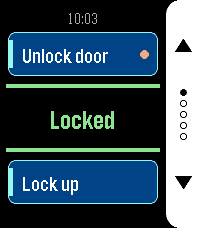
Tools & UtilitiesHA Trigger puts Home Assistant actions on your wrist and keeps the answer in front of you. Each screen carries two actions: the top button runs one, the bottom button the other. Between them sits the state of an entity of your choice, in large type and coloured by what it says: green when things are as they should be, amber while a lock is still turning, red when the entity is unavailable or Home Assistant did not answer. It refreshes by itself every 15 seconds while the app is open, so you can read it without pressing anything. Set up as many as five screens — front door, garage, lights — and flip through them with the middle button. Only screens with at least one action are shown, and dots on the button rail tell you where you are. The app reopens on the screen you left it on. Each action can ask before it fires. Turn the prompt on for anything you do not want to trigger from a pocket, and the watch shows a countdown ring: the middle button runs the action, any other button cancels, and doing nothing cancels it too. Actions with a prompt are marked with a dot on their card, so you can see which one is the careful one. Any service works — `lock.open`, `script.turn_on`, `switch.toggle`, `scene.turn_on`, `cover.open_cover`. Give it a target entity, or leave that empty for scripts that take no arguments. For the status line, a template sensor is worth setting up: whatever text it produces is what the watch shows. Your settings live on the watch as well as on the phone, and the two sync in both directions. Reinstall the phone app and the watch hands its configuration back; reinstall the watch app and the phone restores it. You should not have to type a long-lived token twice. Built for Pebble Time 2 and Pebble Round 2, with a layout drawn for each — a full-height button rail on the rectangular display, a rounded rail set inside the circle on the round one. Settings - HA URL — base URL of your Home Assistant, no path and no trailing slash. If you leave out `http://` or `https://` it is assumed to be `http://`. - Long-Lived Token — from Profile > Security in Home Assistant. Best created under a dedicated, non-administrative user. - Screens 1 to 5 — each with its own status entity and a top and bottom action. Leave both actions of a screen empty to hide it. - Status Entity — shown in the centre of the screen. Leave empty to use the top action's entity, or the bottom one's if the top is empty. A template sensor works well here. - Top / Bottom Action — a label, a service in `domain.service` form, an optional target entity, and whether to ask before running it. For a script, scene, automation or button you can name the entity alone and leave the action empty — the matching action is derived from it. Without a label the card shows the entity's name. - Color Scheme — Dark uses a white button rail on black, Light a black rail on white.
 8
8Flag Globe
GamesCan you identify a country by its flag and find it on the globe? Flag Globe turns world geography into a wrist-sized challenge. Study the flag, navigate through continents and regions, then select the correct country on the map. • 133 countries with detailed flags • Interactive globe and regional maps • No repeated countries during a game • High scores and persistent statistics • Works entirely offline • Supports square and round Pebble watches Try it free, then unlock the complete game with a one-time purchase.
 2
2Lapin Futé
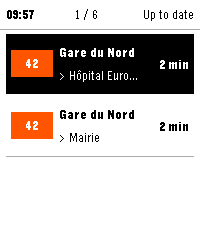
Tools & UtilitiesLapin Futé brings the next Île-de-France public transport arrivals to your Pebble. Save up to six favorite journeys across Métro, RER, Transilien, tram and bus services. Choose your departure stop, line and arrival stop, then check upcoming arrivals, see whether times are live or scheduled, and view available traffic information for each line. Data refreshes when the app opens, when you switch favorites or when you request it. Recent results are reused to limit network calls, with no periodic background polling. Watch controls: Favorites • Up / Down: move through favorites and the "Refresh all" row. • Select: open the highlighted favorite, or refresh every favorite when "Refresh all" is highlighted. Arrivals • Up / Down: switch favorite. • Select: open the traffic view. • Hold Select: force a refresh. Traffic • Up / Down: page through messages. On any screen • Back: return to the previous screen. Lapin Futé uses data from Île-de-France Mobilités' PRIM platform. A personal PRIM API key and a connected phone are required. Your key remains stored on your phone and is never sent to the watch or to a Lapin Futé server. Available in French and English. Supported watches: • Pebble Time 2 • Pebble Round 2, experimental support Lapin Futé is an independent project and is not affiliated with Île-de-France Mobilités, PRIM or Pebble.
 53
53Pebble Studio
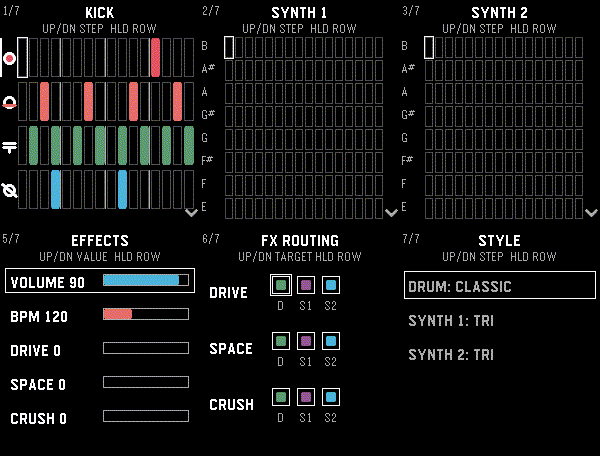
Tools & UtilitiesMake music on your Pebble! Pebble Studio is a playful 16-step sequencer with percussion, two polyphonic synthesizers, effects, and live controls. For speaker-equipped Pebble watches. Drum pads and chaos pads are included for Pebble watches with touch screens.
 6
6Wrist Trivia
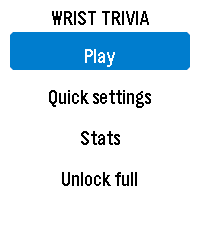
GamesPut a complete trivia game on your wrist! Wrist Trivia includes 352 questions across Science, Geography, Nature, History and General Knowledge. Choose your topics, difficulty, timer and round length. Take on the new Geo Challenge: identify countries from flags and map outlines, then answer questions about their capitals and currencies. One wrong answer ends the run! how many countries can you master? • 80 countries in the complete Geo Challenge • Flag, map outline, capital and currency questions • No repeated countries during a run • Play using watch buttons or touchscreen • Choose 5, 8, 10 or 20 trivia questions per round • Set a timer from 5 to 30 seconds, or play without a limit • Choose normal or large question text • Track high scores, completed rounds and accuracy • Haptic feedback for correct and incorrect answers • Support for square and round Pebble watches • All questions remain available offline Try 30 trivia questions and a 12-country Geo sample free. A one-time $0.99 purchase through KiezelPay unlocks all 352 trivia questions and the complete 80-country Geo Challenge.
 17
17GW2 Event Timers
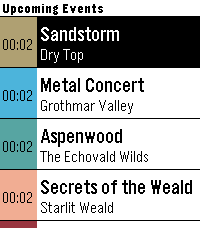
DailyPebble app that displays upcoming ingame events in Guild Wars 2.
 14
14Lovense Remote
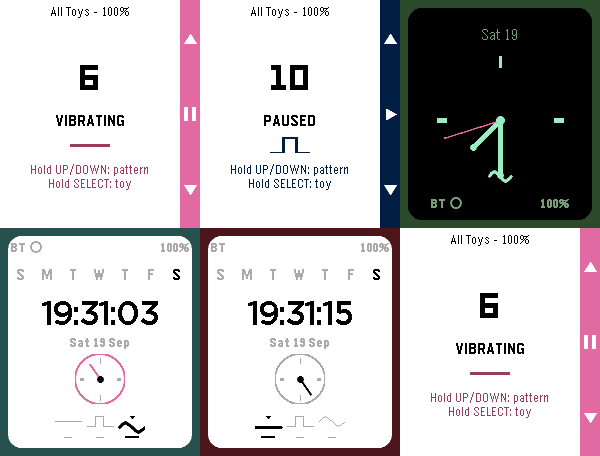
RemotesControl your Lovense toy discreetly from your wrist. Choose an open Basic remote-control face, or a Discrete face (Analog or Digital) that looks like an ordinary watch to everyone but you — vibration level and pattern are read entirely from hand position and color, never a number on screen. Fully customizable colors, with a Toy Settings screen for connection status and multi-toy groups. This app is created independently by its developer and is not affiliated with, endorsed by, or sponsored by Lovense or Pebble/Core Devices/Rebble. Built with the assistance of Claude (Claude Sonnet 5, Anthropic).
 12
12Pebble MAG Lab
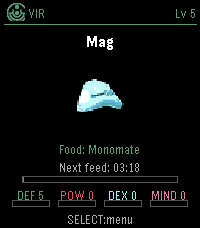
GamesPebble MAG Lab lets you raise a PSO-style MAG on your Pebble Time 2. Choose your Section ID, class, colour and feed item, then let your MAG grow over time using PSO-inspired feeding rules. Transfer MAGs between VMU Pro MAG Lab and Pebble MAG Lab using short PIN codes, including stats, colour, IQ, Synchro and Photon Blasts. Feed, evolve, export, and keep your MAG with you on your watch. You can raise a MAG on your wrist, export it to your VMU Pro, and use it in Phantasy Star Online Ver. 2. Please note: your PSO Ver. 2 save must be stored on your VMU Pro using the supported GameID folder naming system.