 48
48Phone Battery Monitor
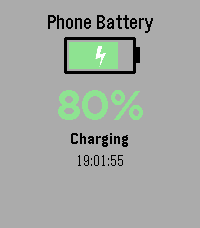
Tools & UtilitiesNever wonder about your phone's charge level again! Monitor your phone's battery directly from your Pebble watch - perfect for when your phone is charging in another room. Key Features: • Real-time battery level display with large, easy-to-read percentage • Visual battery indicator with color-coded status (green/yellow/red) • Animated charging indicator - see at a glance when your phone is plugged in • Instant updates when battery level or charging status changes • Manual refresh with SELECT button • Vibration alert when your phone reaches 100% charge • Current time display • Works on all Pebble models How It Works: Simply install the app and it will automatically connect to your phone. The watch face shows your phone's battery percentage, charging status, and a visual battery icon that fills up as your phone charges. The lightning bolt animation lets you know when charging is active. Perfect For: • Monitoring charging progress from another room • Keeping track of your phone's battery without checking it constantly • Getting notified when your phone is fully charged • Peace of mind when you can't see your phone Requirements: • Pebble watch (all models supported) • Smartphone with Battery Status API support (most modern iOS and Android devices) Stay connected and never miss a charge cycle again!
 18
18Penger 3D
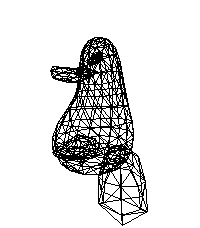
GamesIt's just a simple demo app based on Tsoding's "One Formula That Demystifies 3D Graphics" YouTube video for simple perspective-correct 3D rendering using wireframes and one really simple math formula. The video: https://youtu.be/qjWkNZ0SXfo
 13
13Better Tarot
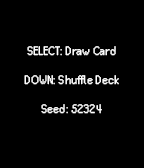
GamesA simple tarot card drawing app, for when you need a little magical insight. Draw cards with the middle button, shuffle the deck with Down to get a new random seed.
 46
46Punchclock
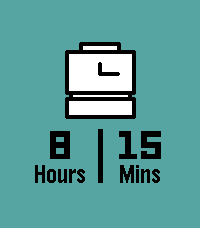
Tools & UtilitiesInstantly calculate how long you worked today with Punchclock! Input when you started, when you ended, and Punchclock calculates how many hours and minutes you worked, and pushes a pin to your past timeline for reference. Via settings on the phone, configure the default start and end times, and how much time to subtract for breaks. Settings are saved both on the phone (in case you like to switch watches), and saved to the watch (in case your phone isn't nearby).
 9
9ripple
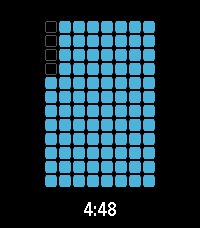
Tools & Utilitiesa timer application with a number of visualization options
 24
24Level
Tools & UtilitiesA simple Level measuring tool. - Simply tilt the watch to measure - At 0° Level is a subtle nudge vibration
 198
198Claude
DailyTalk to Claude AI directly from your Pebble smartwatch. Use your watch's built-in dictation to ask questions and get streaming responses from Claude. Good for quick queries when your phone isn't handy, or when you just want to use your Pebble for something it was never meant to do. What it does: - Voice input using Pebble's dictation - Your conversation stays in memory during the session - Built-in web search tool support - Remote MCPs - Configure system prompts to change how Claude responds - Advanced users can point it at custom API endpoints You'll need a Claude API key from Anthropic. Configure it once in the app settings using your Pebble app. This app is an independent third-party client and is not affiliated with, endorsed by, or officially connected to Anthropic. Claude is a trademark of Anthropic. You use this app with your own Anthropic API key and are responsible for any associated costs and usage.
 5
5Chronograph
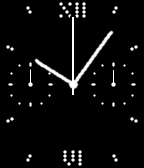
Tools & UtilitiesChronograph Stopwatch based on 'analogue dots' Watchface. --- - press 'down' for start/pause/resume - press 'up' for reset Display: - large hand for 'seconds - small left dial for 'subseconds' - small right dial for '12 minutes' - also displays current time in min/hrs Settings: - if Autostart is enabled, stopwatch will automatically start running when opening the app.
 56
56PebbleRail
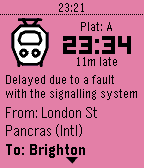
DailyView live UK train times from your Pebble! Features: * View departures from nearby stations * See upcoming and previous stops * Pin departure/arrival to the timeline Timeline icons by LCP Powered by National Rail Enquiries
 1.1K
1.1KNotes
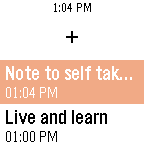
DailyThe quickest and simplest way to take a note. Just open the app, say what you want and come back to it later. See all your notes in your timeline right when they were created.
 89
89Weather
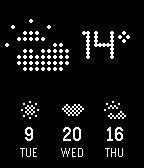
Tools & Utilities- Current temperature & condition - 3 day forecast Features: - Celsius & Fahrenheit option in settings - Live location or manual location in settings - Change Refresh Intervall in settings - Long Press Okay for manual refresh - Long Press Up/Down to close app
 573
573Voice Note
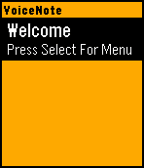
Tools & UtilitiesVoiceNote allows you to easily save notes to your watch with your voice. An easy to use menu makes it easy to navigate and select your desired option. To Create a Note: - Open the App - Click Select to go to Menu - Click Up to create a new note - Speak the Title - Speak the Subtitle To Expand a Note: - Highlight Note you want to Expand - Click Select to go to Menu - Click Expand Menu To Delete a Note: - Hold Select when the note you want to delete is highlighted. Many more features will be coming in a future updates. Please message me if you find any bugs or want to suggest a feature. If you like the app, please consider donating here http://bit.ly/VoiceNoteDonate
 14
14OpenMensa
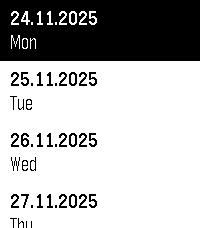
DailyYour local Mensa, right on your Pebble! Compatible with any Mensa on https://openmensa.org
 8
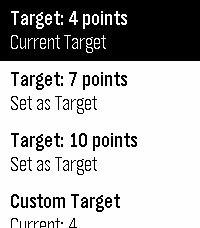
8Beyblade X Simple Score Keeper
GamesA simple score keeper for Beyblade X
 22
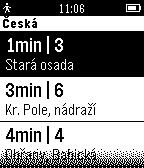
22Zastávka IDS-JMK
DailyZastávkové odjezdy pro MHD v rámci DPMB, IDS-JMK (integrovaného dopravního systému Jihomoravského kraje). Po spuštění najde v okolí zastávky, hned vybere tu nejbližší a zobrazí nejbližší odjezdy z jednotlivé zastávky podobně, jako je to občas vidět na svítících červených cedulích. Je-li v okolí více zastávek, můžete si je vybrat (pro vyšší rychlost a pohodlí samo skáče na nejbližší). Je-li pro danou zastávku více stanovišť v různých směrech, vyberete si požadovaný směr. Aplikace využívá informace systému Kordis IDS-JMK, který je na adrese www.idsjmk.cz/Map/Map.aspx