 16
16Mehbble
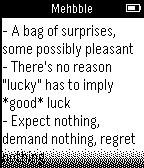
DailyUnofficial Meh.com app. Its pretty meh. Press select to see deal details. Want more features? Meh.
 16
16Tesla Control
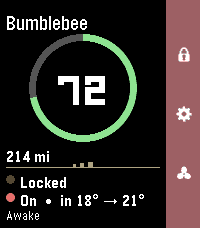
RemotesYour Tesla, on your wrist. Tesla Control turns your Pebble into a slim remote for your car. A clean status card shows your vehicle at a glance, and a right-side action bar maps the everyday controls to the buttons you already know. Status card - Your car's name and a bold battery ring with range - Doors (locked / unlocked) and climate (on, with inside → target temp) - Power state — Awake, Asleep, or Waiting for sleep — read live without waking the car - The accent color matches your car's paint (red, white, black, blue, silver, grey) on color watches Controls (action bar) - Up — Lock / Unlock (the padlock icon reflects the current state) - Down — Climate On / Off - Select — More Controls: Temperature ±1°, Open Frunk, Open Trunk, Charge Port, Refresh — plus a Wake option when the car's asleep Smart about sleep Tesla commands only work when the car is awake, so Tesla Control checks first and wakes the car for you ("Waking…") before sending a command — no failed taps. Temperature your way See and set cabin temperature in °C or °F. Works on Pebble color watches (Time / Time 2 / Time Round) and black-and-white models. Requirements - A Tessie account (with your vehicle linked and an active subscription) - Your Tessie API token and vehicle VIN, entered once in the Pebble phone app's Settings Privacy Your Tessie token and VIN are stored only in the Pebble phone app's local storage and sent directly to Tessie over HTTPS. The token is masked after you save it and is never shown again. Not affiliated with, endorsed by, or sponsored by Tesla, Inc. or Tessie. "Tesla" is a trademark of Tesla, Inc.; "Tessie" is a trademark of its respective owner. Requires a separate Tessie subscription.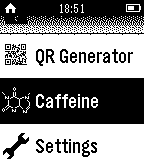 16
16Caffeine Counter
Tools & Utilities+++ Now supports German +++ English: Measure your daily caffeine consumption and calculate how much caffeine is in your blood. How-to: Increase/decrease caffeine intake with the up and down buttons. Press long to increase/decrease by 100. Long press select to reset. The caffeine amount is calculated automatically. FAQ Q: Do I have to keep the app open all the time? A: No, your caffeine count is saved in your Pebble's storage. Q: Does it work 100% correct? A: No, it's impossible to calculate it 100% correct, but this Watchapp is there to give you an idea of how much's in your blood. Don't use it for medical purposes. Q: Will this app help me to reduce my caffeine intake A: It should, but it can't. Deutsch: Überwache deinen alltäglichen Koffeinkonsum und berechne die in deinem Blut befindliche Dosis. How-to: Mit Hoch/Runter die eingenommene Menge Koffein erhöhen bzw. verringern. Länger gedrückt halten um gleich um 100mg zu erhöhen/verringern. Select lange gedrückt halten zum Zurücksetzen. Die Koffeinmenge wird automatisch berechnet. FAQ Q: Muss ich die App geöffnet lassen? A: Nein, die Koffeinmenge und Zeit wird in deiner Uhr gespeichert und beim erneuten Öffnen der App aktualisiert. Q: Funktioniert es 100% genau A: Nein, das ist unmöglich zu berechnen. Die App soll nur einen Eindruck vermitteln, wieviel Koffein sich ungefähr in deinem Körper befindet. Q: Hilft diese App dabei, den Koffeinkonsum zu verringern? A: Sollte sie, kann sie aber nicht.
 16
16Next Bus NL
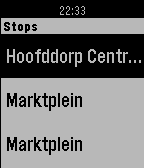
DailyShows live bus arrivals for the nearest stop of your choice. (The Netherlands) The application is in 'aplha' release.
 16
16Subnet Helper
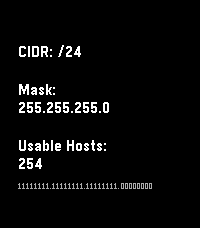
Tools & UtilitiesRemember subnets on your wrist, not in your head. Main purpose is translating between CIDR notation and traditional masks. Also shows some other useful info, especially on Chalk, Emery, and Gabbro.
 16
16Level for Pebble
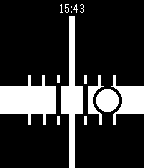
Tools & UtilitiesCarpentry level using your Pebble! Just choose vertical or horizontal mode using the top button and align the bubble track with the surface you want to level.
 16
16Magic Face
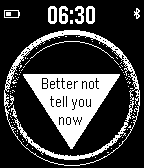
GamesMagic Face with a time, battery, bluetooth connection and small advice each time you look at it. TAP or SHAKE or SELECT to get a magic answer. Enjoy:) Available in versions as an App and a Watchface!
 16
16MotoGP Standings
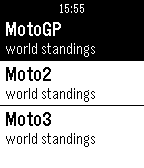
DailyCheck the MotoGP 2014 world standings on you Pebble. MotoGP - World Standings Moto2 - World Standings Moto3 - World Standings News Race Calendar This in a unofficial watchApp made by a motoGP fan. Source:MotoGp.com , crash.net
 16
16Pebble SoundBoard
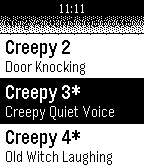
Tools & UtilitiesPrank or scare your family & friends with the Pebble SoundBoard! It features fart noises, burp noises, and scary sound effects. Just place your phone behind your victim and trigger the noises using your Pebble Smartwatch. Please make sure that Pebble SoundBoard companion app is running and that your phone is on full volume. Asterix (*) indicate that a sound is for PRO only, found on Google Play!
 16
16Coffee Timer
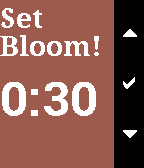
Tools & UtilitiesThis app lets you choose your bloom and brew time for pour-over coffee and helps you time everything as you go!
 16
16UK Rail
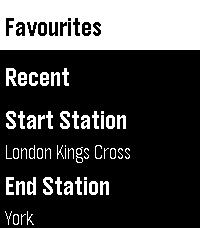
Tools & Utilities**New Version - This now works with no requirement to sign up for a National Rail Data account key, you can use the default UK Rail data source provided in settings to retrieve National Rail Data out of the box with no sign up needed** UK Rail puts National Rail live departure boards on your Pebble. Set your start and destination, then check your watch for the next trains between them with real-time status, platforms, and full calling points. Built for commuters this app allows you to save the journeys you make often, swap direction for the trip home, find your nearest station by GPS, text or CRS code and view all departures for a journey or from one station. Clean, high-contrast, and quick to read at a glance. Features - Live departures between your start and destination (National Rail Darwin / LDBWS) - Next-train-first, with expected times, on-time / delayed / cancelled status, and platform numbers - Tap a train for detail — its arrival time at your destination, every calling point, the operator, and any cancellation/delay reason - Rail replacement buses shown and clearly flagged - Three ways to pick a station — nearest by GPS, a 3-letter CRS code entry with live station-name lookup, or your recent stations - Save favourite journeys and reload them in a tap - Remembers your recent stations and recent journeys - Swap start and destination instantly - Works offline for station lookup (bundled database of ~2,600 stations) - Large-text mode for easier reading OPTIONAL: If you want to use a personal key then this can be added to the app as follows, but the app will now work without one. 1. Create an account at raildata.org.uk (Rail Data Marketplace) 2. Subscribe to the free "Live Departure Board (LDBWS)" product (approval can take ~24h) 3. Paste your key into the app's Settings If you like this app please heart it, and if you want to buy me a coffee on Ko-Fi you can say thanks here https://ko-fi.com/ben839721
 16
16Surge Check
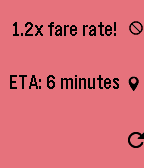
DailyUber Surge Check See at a glance if an Uber Surge Pricing is active for your current location. When increased fare rates are detected, the app checks for Uber Surge Pricing value and ETA every 2 minutes until you cancel it or the surge pricing ends. Please enable GPS / Location settings on your phone before using this app.
 16
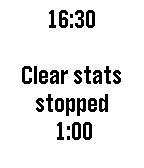
16Tracker
Tools & UtilitiesSimple time tracking program for up to five projects. You can edit the project names and times using "Settings" on the phone. It's ok to run a different application while a project is being tracked and it's ok to assign time to multiple projects at once. Resetting to zero can be done by holding down the middle button for 1 second. The program also tracks the bluetooth connection and displays a bluetooth symbol (with a buzz) when signal status changes.
 16
16Watchlight
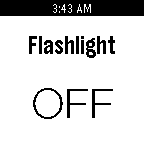
RemotesWatchlight controls your phone’s flashlight from your wrist! Requires companion mobile app. Use it to remotely light a room or control the light where the phone is in a hard to reach place. Lost your phone in your house? Use Watchlight to help find it! Features - Watchapp opens/closes automatically with the mobile app - Watchlight state is synced between watch and phone