 14
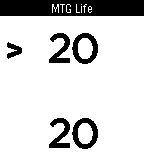
14MTG Life
Tools & UtilitiesA life counter for your Magic the Gathering match. Simple and objective, all you need to easily keep score of the game. Keeps your life points save even if you quit the app. Press the select button to change players, hold to reset the counter.
 14
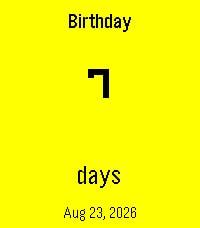
14Counting the Days
Tools & UtilitiesA simple Pebble countdown tracker for the dates that matter. Birthdays, anniversaries, holidays, trips, goals, or any event you want to keep in view — all in a swipeable card carousel right on your wrist. - Create events directly on your watch with dictation, buttons, or touch. - See a clean countdown in days, months & days, or years, months & days. - Recurring birthdays and anniversaries: set the original date once, and the app automatically shows the next occurrence every year along with the milestone — e.g. "7th Anniversary". - Companion phone settings page for quick edits and batch entry. - Optional Timeline pins so upcoming events appear on your Pebble Timeline. - Available in English, German, French, Spanish, Dutch, and Swedish. - Pick your date format: Jan 12 2027, 12 Jan 2027, 2027-01-12, 01/12/2027, 12/01/2027, or system default. - Ordinal styles for milestones: 1st, 1., 1e, 1:a. - Bold event date option for better readability on any background. Events stay on the watch. The countdown updates automatically, year after year.
 14
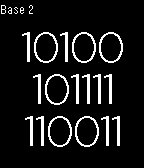
14Multibase Clock
DailyMultibase Clock displays time in bases 2-16. Switch bases with the up and down buttons. Click the center button to see an analog version.
 14
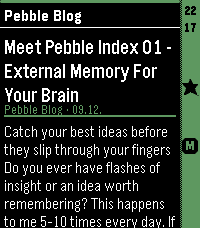
14HeadeRSS
DailyPull feed headings and summaries from any Google Reader-compatible API, such as FreshRSS, and enjoy a lightweight reading experience on your Pebble. - Show all articles either at folder level or per feed. - Mark articles as read or unread as you open them. - Mark articles as favorites. - Minimalistic settings. Designed as a companion reader for quickly browsing your feeds on Pebble, this app lets you discover and triage articles on the go, then read the full content later in your upstream RSS reader. Because it connects to a full-featured RSS backend, there is no built-in limit on the number of feeds you can use—the feed management stays where it belongs: in your RSS service.
 14
14CoinFlip
GamesShake your Pebble watch to flip the random heads or tails of CoinFlip.
 14
14SG Traffic Cameras
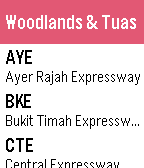
DailySG Cameras allows you to view the latest traffic conditions along expressways and key locations in Singapore. Features - Provides 78 cameras of all major expressways in Singapore - Realtime information - Optimized camera images for better viewing in Pebble Time Traffic information are provided by https://www.mytransport.sg/content/mytransport/home/dataMall.html
 14
14Meu Ponto
Tools & UtilitiesMeu Ponto é um aplicativo para controlar os seus horários de entrada e saída do trabalho e saldo total de horas. Meu Ponto para o Pebble permite que você registre os horários na sua conta do Meu Ponto, em tempo real, diretamente do seu Pebble. Você poderá editar e ajustar tudo através do Meu Ponto em seu browser caso necessário. Antes de usar o Meu Ponto para o Pebble, você precisa: - Registrar-se no Meu Ponto em: http://meu-ponto.appspot.com/ - Acessar o menu "Configurações" no website - Selecionar a opção "Integração" e confirmar - Copiar as informações fornecidas (User e Token) - Abrir "Settings" do Meu Ponto no Aplicativo Pebble do seu telefone - Inserir as informações copiadas e salvar Controles: Botão UP - clique curto: muda o tipo de registro - clique longo: envia um registro usando os dados da tela Botão SELECT - clique curto: volta 1 minuto - clique longo: muda para a hora/minuto atual Botão DOWN - clique curto: volta 1 dia - clique longo: muda para a data atual
 14
14HIT-TrainingHelper
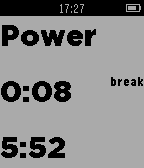
Health & FitnessThis app helps you while jogging or cycling. You can determine how long the power phases and the normal phase should be . You decide whether it should vibrate only at the beginning and end of the power phase or during the whole power phase ever . This App dosn't need the Phone
 14
14JokesTime
Dailytest
 14
14AI Assistant
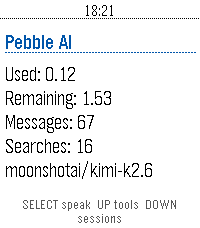
Tools & Utilities**THIS IS A VIBE CODED PROJECT, THERE IS BUGS AND ROUGH EDGES.** **THIS HAS ONLY BEEN TESTED ON THE Pebble Time 2, AND HAS BEEN OPENED ON THE Pebble Time.** # Info I would probably recommend you to just use Bobby or Wrist AI. Unless you have tried them and don't vibe with them. Also the code for this is on GitHub, if you want to modify or critique my (GPT-5.6-sol's) code. You are also free to contact me on either GitHub though and issue or by pressing the `CONTACT DEVELOPER` button at the bottom of this page. I may be a bit slow when it comes to answering, sorry in advance. If you want to know everything about the app and what tools it has, where data is send, stuff like that, head over to the GitHub (`SOURCE LINK` at the bottom of the page) and check out the README.md. # Controls ## Home Screen - SELECT: Start voice dictation. - UP: Open tool settings. - DOWN: Open saved sessions. - BACK: Exit the app. - Hold SELECT: Clear the current conversation. - Hold UP: Open tool settings from any screen except a choice prompt. - Hold DOWN: Open saved sessions from any screen except a choice prompt. ## Conversation Screen - UP / DOWN: Scroll through the conversation. - SELECT: Dictate another prompt. - BACK: Cancel an active request. If no request is active, return to the home screen. - Hold SELECT: Clear the conversation and start a new session. ## Tool Settings - UP / DOWN: Move between tools. - SELECT: Enable or disable the selected tool. - BACK: Return to the previous screen. ## Saved Sessions - UP / DOWN: Scroll through saved conversations. - SELECT: Start a new dictated prompt. - BACK: Return to the previous screen. ## Choice Prompts - UP / DOWN: Move between choices. - SELECT: Confirm the highlighted choice. - Select Say your own: Dictate a custom answer. - BACK: Cancel the choice prompt. ## Touchscreen Models - Swipe vertically: Scroll through the current screen. # Vibrations ## Short Pulse - When the first text of an assistant response arrives. - When you clear the current conversation. - When a tool setting is successfully toggled on or off. ## Double Pulse - When an assistant response finishes. - When the phone reports an error. - When a prompt, choice answer, cancellation, or other AppMessage fails to send. - When an incoming message is dropped during an active request. ## Normal (if things go well) 1. A short pulse when the answer begins arriving. (You can now begin reading) 2. A double pulse when the complete answer has arrived.
 14
14Chuck Norris Jokes
GamesA watchapp that loads random Chuck Norris jokes from chucknorris.io.
 14
14DateFact
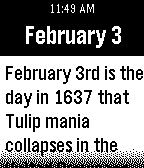
DailyDateFact shows a fact about an historical event that occurred on the current day in history. Look forward to learning about something new every day!
 14
14Vertrektijden
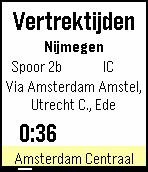
DailyVertrektijden Dutch: Een app gebruikt om de vertrektijden van alle Nederlandse stations te kunnen zien vanaf je pols! Up: Bekijk de volgende trein Select: Refresh (gebeurt ook automatisch elke 15 seconde) Down: Bekijk vorige trein Select lang ingedrukt: Selecteer station Voor vragen, suggesties, bugs of opmerkingen kunt u mij een email sturen op pebble.vertrektijden@gmail.com ! Deze app word mogelijk gemaakt door de API van rijdendetreinen.nl English: An app used to easily view the departure times of dutch trains, right on your wrist! Up: View next train Select: Refresh (also auto-refreshes every 15 seconds) Down: View previous train Long-press select: Select station If you have any questions, suggestions, bugs, or comments, please send me an email at pebble.vertrektijden@gmail.com ! This app is powered by the rijdendetreinen.nl API!
 14
14AI Alfroid - Your Personal Agent
Tools & UtilitiesAlfroid puts your personal AI assistant on your Pebble. Open the app and just speak — your question is answered by the Alfroid launcher on your phone, which runs a full AI agent with access to your calendar, contacts, notifications, web search, and your favorite MCP like home assistant. The answer arrives on your watch as concise, scrollable text. When the agent wants to take a real-world action — add a calendar event, turn off the lights — your watch vibrates and asks first: **Up** to accept, **Down** to reject, without ever touching your phone. Press **Select** to ask a follow-up, as often as you like. Requires the free Alfroid Android companion app with your own OpenRouter API key (you select your favorite LLM). Supports Pebble 2 Duo, Pebble 2 / 2 HR, Pebble Time / Time Steel, and Pebble Time 2. ---- If you like my app you can buy me a coffee with this link :D https://www.paypal.com/donate/?hosted_button_id=Y4PDJU84LC3N2
 14
14okotoba
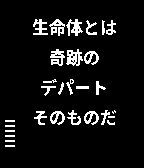
Gamesokotoba is a Japanese joke app which generate words in random. Japanese language pack is needed. how to use down button .. generate new words middle button .. change interval time of generation 10sec, 30sec, 1min, none up button .. change display time on and off Japanese 今日のお言葉、或は、哲学的時計 これは言葉遊びのアプリです。 ランダムに言葉を組み合わせ、意味ありげなお言葉を作り出します。 <操作方法> 上ボタン:時刻表示切替 on/off 中央ボタン:自動生成間隔変更 10秒/30秒/60秒/無し 下ボタン:手動生成 <日本語Language pack> このアプリの動作には日本語Language pack のインストールが必要です。 下記2種類の日本語Language pack で動作を確認しています。 日本語・中国語言語パック pblp_zhs_zht_ja_v5_bold_font_weight.pbl 日本語言語パック pbJapanese_j06.pbl 言語パックのインストール方法はネットで検索してください。