 12
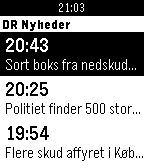
12DR Nyheder
DailyLatest news from DR Nyheder in danish.
 12
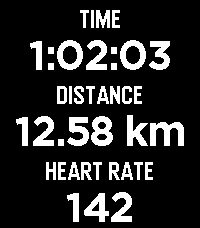
12FitoTrack Display
Health & FitnessFitoTrack Display shows the most important numbers of your current FitoTrack workout on your Pebble (Android only). Pebble support is available in FitoTrack since version 16.1. (Related pull request: https://codeberg.org/jannis/FitoTrack/pulls/669)
 12
12Box Office
GamesBox Office is a movie maker sim where you run a film studio from your wrist. Pick a genre, set a budget, hire your cast and crew, then watch your film hit cinemas in a real-time 3-minute box-office run. Every decision matters - wages, marketing, reshoots, release strategy - and every hit you ship grows the studio's reputation, signature genre, and roster of signed talent. Make a Masterpiece. Survive a flop. Build an empire one film at a time.
 12
12Next Transit
DailyShows the next available transit option to your favorite places on your cool pebble watch. The app is designed with a simpler interface on pebble and it doesn't require the user to open the Android App.
 12
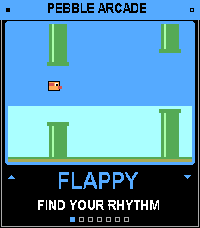
12Pebble Arcade
GamesSix retro arcade games in one app, playable with just your watch buttons. Pick a game from the menu, play a quick round, and hit SELECT to retry. Games Flappy: tap to flap through the pipes. Snake: turn left and right to grow the snake. Stack: time each drop to build the tallest tower. Pong: keep the ball alive against the wall. Breakout: smash the bricks, then clear each level. Helicopter: hold to rise, release to fall, and thread the cave.
 12
12FuchoMX
DailyResultados de Futbol en tiempo real de la liga Mexicana
 12
12Tennis Score Tracker
Health & FitnessNow track stroke statistics per match! Winners, errors, and serve stats are stored per match. Tracks game, set, and tie break scores in a simple to read format for an entire match up to 5 sets. [Up] increases game score for player 1, [Down] for player 2. [Select] once to update stats [Select] twice to reset current game score [Select] hold for two seconds to reset entire match and stats
 12
12The BetGent: EPL Live Scores
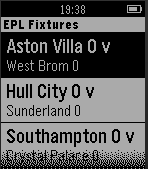
Tools & UtilitiesView Live scores of English Premier League Matches. Quick application for Final Year Project
![Social Bundle 2 [Pebble Rocker]](https://assets.repebble.com/screenshots/52f075eba0cb6a3454001a4b-2.png) 12
12Social Bundle 2 [Pebble Rocker]
DailyInclude the Events, Foursquare, and Twitter watch apps. IMPORTANT: This watch app requires the Pebble Rocker companion app available via the Google Play store.
 12
12Bilbikes 2.0
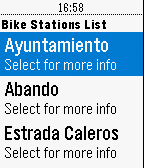
RemotesIt´s a service for Bilbao's cyclists community. The users can query the bike service available in real time.
 12
12Vibe Time
Tools & UtilitiesVibe Time lets you check you watch without looking by vibrating your watch the current hour and minute. Vibe Time sends the vibrations immediately when started and then quits. For example, you could set Vibe Time as one of your quick launch entries. That button then will send the vibes but immediately return you to the watch face. Times are sent as three groups of vibrations. The first is for the hour on a 12 hour clock. The second is the tens digit of the minute. The third is for the ones digit of the minute. Each vibe group uses as tally system. A short vibe is one. A long vibe is three. Zero is represented with four short vibes. The codes are thus a follows: 0 => sort short short shot 1 => short 2 => short 3 => long 4 => long short 5 => long short short 6 => long long 7 => long long short 8 => long long short short 9 => long long long 10 => long long long short 11 => long long long short short 12 => long long long long
 12
12HannaTimer
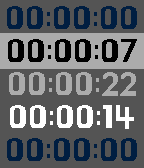
Tools & Utilities# HannaTimer simple stopwatch for time-flow event. this app has two mode, that remember previous mode. change mode `long up click` action. ## LAP TIMER - time with interval(gap) each stopwatch laps - retrieve past stopwatch point (marker) ## STOP TIMER - simply 5 stop timer ## Usage ### lap timer - up/down : move focus - select : mark time now - long select : remove this lap (short vibe feedback, very short vibe feedback if failed) - long down : clear all laps ### stop timer - up/down : move focus - select : start or pause - long select : reset this timer - long down : reset all timers
 12
12Shot Timer
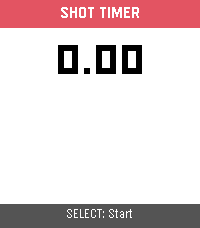
Tools & UtilitiesShot Timer is a shooting sports timer for the Pebble Time 2. Press SELECT to start a 3-second countdown, then shoot — the watch detects recoil via the accelerometer and automatically records each split time. When you're done, press DOWN to review your times: total time, per-shot timestamps, and splits between shots. Supports up to 50 shots per string. SELECT also works as a manual trigger for dry-fire practice or emulator testing.
 12
12SortFlip
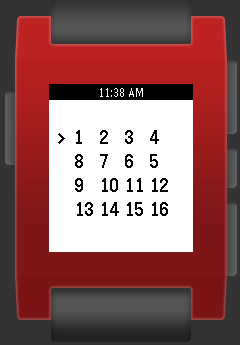
GamesA puzzle game that requires you to flip rows and columns to sort the grid 1-16. The game progressively gets harder, in fact it may get too hard. I can't get past level 5) 1234 flipped 4321 Use top and bottom buttons to move cursor. Use select to flip and to go to the next level. Long press select to return to level 1