 12
12Money Time
Tools & UtilitiesHow much do you earn? Watch it tick up as you sit comfortably on the toilet, or anywhere for that matter. Use up and down to set how much you earn an hour. Then select to start or pause the ticking. The app will display how much you have earned. To reset the earnings to 0 hold select.
 12
12Blue Card Jokes
DailyThis is a collection of the blue card jokes from Norm Macdonald Live and Norm Has A Show.
 12
12YHack 2014 Schedule
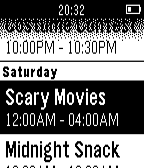
Tools & UtilitiesView the YHack main schedule on your Pebble!
 12
12Minesweeper Hex
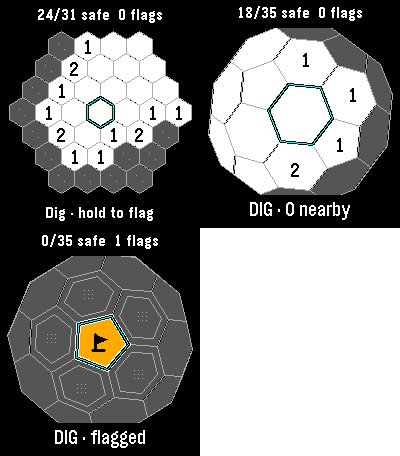
GamesClassic, Infinite and 3D minesweeper in one watch app. Each mode keeps its own board. Every launch offers a mode choice, then resumes that board where you left off. Classic has 37 cells and six mines: reveal all 31 safe cells to win. Hexsweeper 3D wraps 42 cells around a sphere, including twelve pentagons. Rotate it and uncover all 35 safe cells. Infinite lets you pan across a continuing hex field and build your safe-cell count, with no final board. Numbers count neighboring mines. Flag suspected mines, then select an open clue to chord when the neighboring flag count matches. Incorrect flags can lose the game. Your first dig and its neighbors are safe. Amber tiles and black pennants distinguish flags. Tap to aim; Select digs and hold Select flags. Drag pans Infinite or rotates 3D. Every mode also works with buttons. Infinite retains 64 explored 8-by-8 chunks; it warns when history is full and preserves existing discoveries. No account or connection required. For Pebble Time 2 and Round 2. Touch requires firmware 4.33.2; button controls remain available. By Luke Steuber.
 12
12NexaHome P
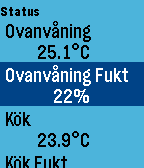
RemotesPebble app for connecting to NexaHome (Tellstick) server. Control your ligths and wallsockets from you watch. Long press on middle button will cycle dimmers 25% at a time. See github for use of buttons and configuration. Important requirement for NexaHome: In bshfilter.xml use the following setting in order to control devices from Pebble: <filter> <allow>*</allow> </filter>
 12
12navutm
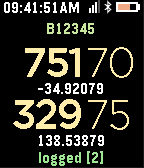
Tools & UtilitiesNAVUTM has been designed for quick and easy reading of UTM Grid reference data (used by emergency personnel) as well as logging GPS tracks for access by authorised users. Note: This is currently only in BETA
 12
12Wristcards
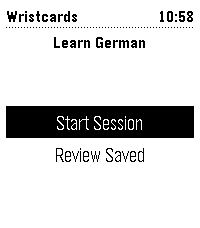
Tools & UtilitiesOne Pebble watchapp for vocabulary drills, with the deck chosen on the phone. Dutch, French, German, Italian and Spanish are ready-made; any text file of cards will do. Load the app and use settings to choose a premade deck or load your own. You can download examples a for single file or full deck (you need to self-host it).
 12
12TeaTime
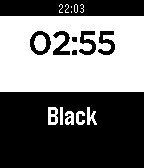
Tools & UtilitiesVery simple tee timer with few predefined times. MIDDLE button = start/stop, BOTTOM button = next tee, TOP button = add 15 seconds
 12
12Braille
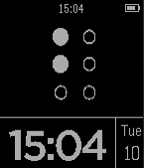
DailyTell time without looking at your Pebble. Great for vision impaired or those wanting to be discreet when wanting to know the time. UP button causes one vib/hour. DOWN button cause one vib/10 mins with doublevib if closer to next ten mins; providing 5 min resolution quickly. SELECT button lights the display if enabled. Alert vib and screen inverts on BT disconnect.
 12
12OS Grid
Tools & UtilitiesApp to show you your OS Grid reference, doesn't require a companion app. The current time is at the top of the screen, the bottom of the screen shows you the time the reference last updated. Due to iOS limitations, iOS connected Pebbles may show very low accuracy results. I do not recommend using this app with iOS devices.
 12
12RailBe
DailyAccédez rapidement à votre horaire de train SNCB / NMBS en temps réel. Obtenez rapidement les estimations de retards à la minute près. Cette application n’est pas supportée par la SNCB. Contactez @ChrisLefevre sur Twitter pour plus d'info.
 12
12roll dice
Tools & Utilitiesroll a dice. features at least 3x better than most competitors probably doesn't work on your watch made by a human somehow took me like half an hour pls heart
 12
12COLORPICK
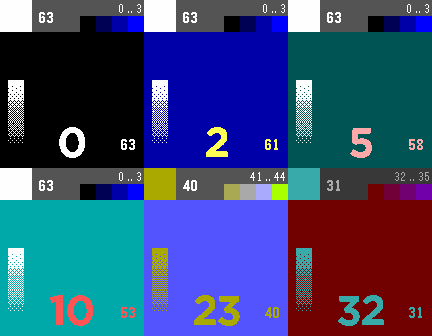
Tools & UtilitiesColorpick is a tool for Pebble Time developer. The tool helps you to decide which color match together. And it helps you to evaluate the differences beween color display on the computer screen and the Pebble Time display. Using: You can implement the shown color numbers in your app with this code: (GColor8){.argb=((uint8_t)(0xC0|number))} +UP-Button: increases number +DOWN-Button: decreases number +SELECT-Button: holds the actual color and the next four colors in the row on top in the info space +2x SELECT-Button: hold the complement and the next four colors in the row on top in the info space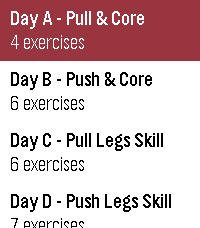 12
12Strength
Health & FitnessProgram strength workouts on the web and run them from your Pebble - guided sets, timed holds, and rest countdowns, fully usable mid-set. Your sets sync back to pebblestrength.app for volume, estimated 1-rep-max, and bodyweight charts. Includes automatic rep counting for push-ups will add more exercises soon.
 12
12Kiel Bus
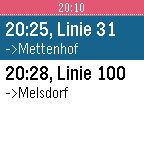
DailyBus-Informationen für Kiel um Umgebung: - zeigt die 6 nächsten Bus-Haltestellen nach aktueller GPS-Position - live-Daten abfahrender Busse - Übersicht über Haltestellen der Bus-Linie *Die Programmierung war zeitintensiv, weil ich alle Haltestellen- und Linien-Informationen in einer Datenbank organisieren musste. Fehler kann ich hierbei nicht ausschließen. Sollten also Haltestellen fehlen oder der Fahrplan einer Linie nicht stimmen, bitte ich um eine kurze Mail über 'contact developer' mit einer Beschreibung des Problems, damit ich den Datensatz verbessern kann. Vielen Dank! **die Livedaten kommen von der KVG ______________________ Bus-informationen for Kiel (Germany) and periphery: - displays 6 nearest bus-stops - live-data for upcoming connections - overview of bus-routes *The development of this app was quite time-intensive, because I had to create a database for all bus-stops and line-information by myself. I can't exclude, that there are errors in this dataset. If you discover any error regarding missing/wrong bus-stops or line-information, please write an email via 'contact developer' and describe the error so that I can optimize the dataset. Thanks! **livedata provided by KVG