 11
11Sphero Robot Controller
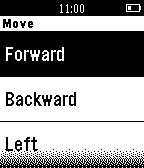
RemotesControl your Sphero Robot with your Pebble Watch, make your Sphero move around and change color, also you can make it quickly go to sleep. Android Companion App is available on Google Play. ( iOS Companion App can't release since Sphero don't accept new applications ) This App and developer are not associated with Orbotix, Inc.
 11
11MTL Bus Stop
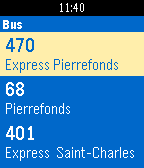
DailyThis application will allow you to see the bus schedule for the city of Montreal (in Canada, province of Quebec). You can search for bus and stops using your position or with your voice. This will allow you to see the buse numbers, the available directions, stops with their names and times of passages for these stops. You can set alerts for a passage, that way you will not arrive late because your watch will remind you at a selected interval. App available in EN and FR APP IN BETA I will add new features and improvements over time. This is my first app, so if you have any questions, suggestions, bugs, etc .. Send me a message! ** Please note that to work, your phone must have an internet connection - Cette application vous permettra de voir l'horaire des autobus de la ville de Montréal (au Canada, province de Québec). Vous pourrez chercher les autobus et arrêts à l'aide votre position ou encore par la voix. Ces recherches vous permettront de voir les numéros des autobus, les directions disponibles, les arrêts avec leur nom et les heures de passages pour ces arrêts. Vous pouvez mettre des alertes pour un passage, de cette façon vous n'arriverez pas en retard, car votre montre vous rappellera selon un intervalle choisi. APPLICATION EN BETA J'ajouterai des fonctionnalités et des améliorations avec le temps. Ceci est ma première application, donc si vous avez des questions, propositions, bogues, etc.. Envoyez-moi un message! **Veuillez noter que pour fonctionner, votre téléphone doit avoir une connexion internet STM | Société de transport de Montréal
 11
11ScoreCards
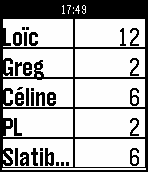
Tools & UtilitiesScoreCards is a simple score tracking application for your dice/cards or boardgames - Set and order players in settings - Activate/Deactivate players - Choose first player (long select in 'Set Players') - Display and update players score card sequentially - Up to increase score, long up to increment by 5, down to decrease, long down decrease by 5 - Select go to next player, or first player on the next round - Long select go back to previous player, or last player from previous round - Top player is displayed at bottom - Back to menu allows to display the score list, start a new game, display all players scores or resume the current game - Select on score list display round scores
 11
11Dungeon++
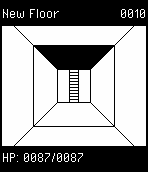
GamesThis is a bare-bones dungeon app. To play, press SELECT, and to autoplay, press DOWN.
 11
11Yonderu! DoujinSoft
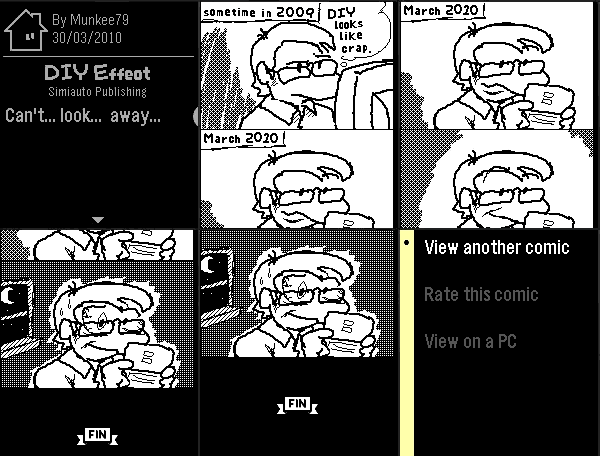
DailyA tiny 4-panel comic reader for Pebble! Access thousands of comics from the 2010 Nintendo DS game WarioWare DIY. Through the power of PebbleKit JS, get one curated B&W 4-panel comic from DoujinSoft's 40000+ collection every day by just opening up the app! You can also go beyond the daily curation and take a gamble on completely random comics from the archive. This app works best on Pebble Time 2, but smaller watches can also read along thanks to revolutionary accelerometer-powered scrolling! (aka, tilt the watch to scroll through the page)
 11
11Catholic Rosary
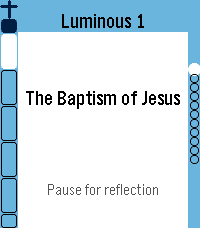
Tools & UtilitiesUPDATE: Now in English, Spanish, German, Italian and French. Quiet, reliable prayer companion. It walks you bead by bead through the entire Holy Rosary with gentle haptic feedback marking each bead as you go. Simple, reverent, and built to get out of your way — so you can focus on the prayer, not the app. ★ Full Rosary Tracker — a bead ring (round watches) or bead column & strip (rectangular watches) shows exactly where you are at a glance, with the current bead always highlighted. ★ Two Ways to Pray — Traditional mode advances one physical bead per button press, just like praying with beads in hand. Complete mode gives every single prayer its own screen — great for praying slowly, word by word, or learning the Rosary for the first time. ★ All Four Mysteries — Joyful, Sorrowful, Glorious, and Luminous, with "Today's Mystery" auto-selected by the day of the week, plus jump-to-section and resume support if you're interrupted. ★ Full Prayer Text — read every prayer right on your wrist, with adjustable text size and a scrollable reader that auto-advances as you finish each one. ★ Daily Mass Readings — today's readings (and up to a week ahead), fetched from Evangelizo straight to your watch. ★ Prayer Drawer — look up any Rosary prayer on demand, without starting a full Rosary. Note: on the original Pebble (Aplite), the Rosary Tracker runs fully; the prayer text reader, Daily Readings, and Prayer Drawer aren't available due to hardware limitations.
 11
11Core Temp Monitor
Tools & UtilitiesA simple app for tracking your computer's CPU temperature in real time. See the app website for installation and usage instructions.
 11
11Number Converter
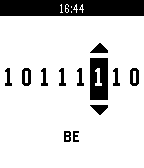
Tools & UtilitiesEasily convert between binary, decimal, and hexadecimal, all from the convenience of your wrist! This will save any programmer much needed time, so they can get on with more important things.
 11
112048
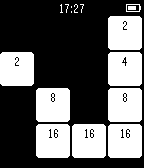
Games2048 with a slow and fast game mode functionality. FAST game mode can be accessed via the UP button and SLOW game mode with DOWN button on watch. While in the SLOW game mode, a random tile can be generated by pressing the SELECT button on the watch. On the other hand, the SELECT button will reset the board when in the fast game mode in case the board fills up too quickly. Move your wrist and the tiles will slide in the direction of gravity; tiles with the same value will merge into a single tile with a combined value.
 11
11InvestControl
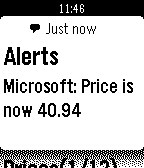
DailyThis app allows you to browse prices for stocks and other investments from InvestControl, the portfolio manager for Android which can be found on Google Play. You can see more data about the asset currently selected by pressing the middle button, or ask InvestControl to update prices by pressing and holding the same button for about 2 secs. The companion plugin must be installed on the phone.
 11
11Beehave
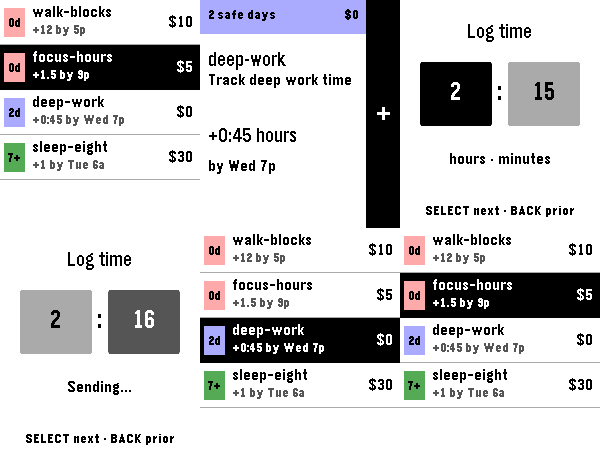
Tools & UtilitiesBeehave is an unofficial Beeminder client for Pebble Time 2. It lists goals in Beeminder urgency order. Open a goal to see its safety buffer, requirement, deadline, and pledge. For manual goals, log integer, decimal, or time values with the watch buttons. Beehave creates reminder times from your Beeminder Lead Days, Start Alerts, deadlines, and Zeno settings. The watch schedules these reminders locally. Beehave does not use Pebble Timeline or a separate server. Cached goals remain available when the phone is unavailable. Queued reminders can still open, and you can snooze them. A fresh sync and datapoint post require the phone and network. Beeminder remains authoritative. A logged datapoint does not mark a goal as safe or complete. A refresh gets the current goal state from Beeminder.
 11
11PilotWatch
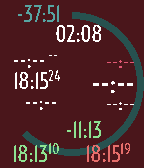
Tools & UtilitiesPilotWatch is a watchapp dedicated to pilots doing dead reckoning navigation. It requires no preparation. Just run the app when on board. It is the perfect companion for your navigation log. Set the flight duration directly on the watch then start your flight. PilotWatch records the start time. Set the estimated leg duration on the watch directly at each turning point. PilotWatch gives you instantly the estimated leg end time, the difference between the estimated and actual duration for the past leg. PilotWatch will always warn you if you're approaching the end of your flight or if you've exceeded your estimated leg duration. Finally end your flight. PilotWatch gives you the total actual flight time, the end time and the difference between the estimate and actual flight duration. All data is on the screen. No pages. Colors help you identify quickly the time data.
 11
11Bola 8
GamesJuego clásico de la Bola 8 en Español que da diferentes respuestas aleatorias cuando se agita el dispositivo.
 11
11Tilt 2 Type Beta
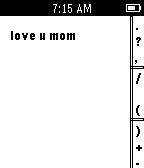
Tools & UtilitiesUsing a combination of Tilting and the side keys, you can now type with your pebble. Tilt your watch towards each of the corners to reveal a different set of letters and numbers, or hold the watch flat to use symbols or add a space.