 11
11Logo quiz
GamesLogo Quiz is a fun game based on the best-known logos. Choose the correct logo among the four proposed to increase your score...but be careful: you have only ONE chance!
 11
11Roon Remote for Pebble
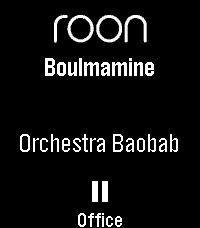
RemotesRoon Remote is a Pebble app that connects seamlessly to your Roon Core, letting you manage your audiophile endpoints without ever reaching for your phone. KEY FEATURES - Complete Playback Control: Play, pause, and skip tracks with ease. - Instant Volume Adjustments: Use your physical buttons to quickly dial in the perfect volume, complete with a sleek visual overlay and fixed-volume endpoint detection. - Zone Management: Seamlessly cycle through and control all of your active Roon audio zones on the fly. - Live Metadata: See the current track, artist, and zone name updating in real-time on your watchface. - Touch Enabled: Fully supports tap-to-play/pause, skip tracks, and adjust volume on modern capacitive touch screens (Pebble Time 2 / Pebble Round 2): Tap: play/pause Swipe Left/Right: change tracks Swipe Up/Down: change zone Hold-and-swipe Up/Down: adjust volume Tap-and-hold: pause all zones - Highly Customizable: Tweak font sizes, enable marquee or multi-line wrapping scrolling for long track names, and set smart battery-saving inactivity timeouts via the companion settings page. REQUIREMENTS (Companion App) To connect your watch to your Roon Core, this app requires a lightweight Node.js bridge extension running on your local network (easily deployed via Docker, a NAS, or a local PC). Detailed setup instructions and the open-source bridge code are available at the project's GitHub repository. Watchface version available as well, see the Roon Community posting for more details.
 11
11OI Shopping List
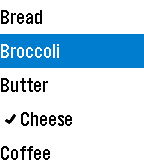
Tools & UtilitiesAn interface to the OpenIntents Shopping List on Android phones. View your shopping lists on your watch, check/uncheck items while you are shopping, and add items from your watch (experimental).
 11
11Oblique
Tools & UtilitiesBrian Eno and Peter Schmidt created these fantastic words of wisdom to help artists and musicians break free from writers block.. Shake your hand to display one at random!
 11
11DogeWatch
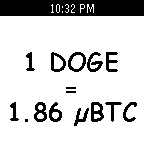
DailyGet the most up to date price of a DogeCoin, the worlds most friendly crypto-currency. Prices are displayed in microBitCoins for worldwide use.
 11
11Daily Quote
DailyA fun app that displays a random quote on your pebble. Press any button to refresh the quote. Quotes from: http://www.iheartquotes.com/
 11
11Flipcards
DailyFlashcards front-end to access Flipcards server.
 11
11Tasker Trigger 1
RemotesJust a simple app that does nothing except show up in the logcat on your phone so you can trigger Tasker tasks. The UUID is 07f97c4f-82a2-4ae2-9c74-c512cc4e8f61
 11
11CHUCK JOKES
DailyChuck Norris Jokes at your finger tips!
 11
11California Road Report
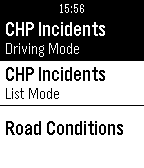
DailyWith California Road Report you can view CHP incidents and CalTrans road conditions. You can view a list of nearby incidents within 40 miles or enter driving mode to see the closest incident on the highway.
 11
11LOTR Quotes
DailyGet quotes from your favorite Lord of the Rings characters. Pick a character from the Fellowship or browse the top 20 most-quoted heroes (configurable in settings). Give your wrist a shake to get a new quote. Built using The One API and Luminari font from macOS. If the API becomes overloaded you can get a new API key from https://the-one-api.dev/ and override the shared key in settings. Icons generated from Peter J. Yost's Ring Render https://en.wikipedia.org/wiki/One_Ring#/media/File:One_Ring_Blender_Render.png
 11
11CU Pokedex Challenge
GamesExplore the Champaign-Urbana area while searching for Pokemon! Find all 151 Pokemon scattered throughout campus and the surrounding area. Requires GPS Only for Champaign-Urbana, Illinois, USA. Feel free to fork and modify the game for location from my Github: https://github.com/vgvbach95/UIUCPokedexChallenge Controls: Use "Select" to switch between the Pokedex the "Throw Pokeball" screen. Click "Down" to throw a Pokeball. Click "Down" after succeeding/failing to find a Pokemon to return to the Pokedex screen. Navigate the Pokedex using the up and down buttons. Credits: All assets are from shutdown27's original 'Pebble Pokedex'. No official relation to Nintentdo/Game Freak/Pokemon.
 11
11AGR DEPLOYMENT V2
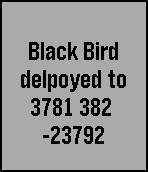
GamesAGR summon from call of duty black ops! select from 3 deployments: Press "up" to call in Black Bird Press "down" to call in RC XD Press "Middle" to summon AGR Works for all versions of pebble. This Version 3 contains more calls from cod. The reason i made this is so it can look cool to rather call in a AGR rather than Uber (Uber ready for deployment XD) So injoy this! If i can version 3 may come out where there are images that u can see! that will be fun to make! Hope you like this game and put a <3 if u download! Enjoy!
 11
11Robots 2
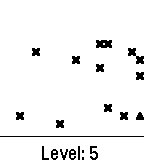
GamesUpdated version of Pebble Robots, now includes a high score showing the highest level achieved. Now starts easy and gets harder!
 11
11Rugby Referee Watch
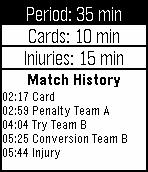
Tools & UtilitiesDescription A complete timer for Rugby referees. (*) Sections of code courtesy of Simon Taylor, Ambient Power Main Window (cycle through items with select button): - Period timer showing time elapsed and left. - Cards/Injuries timer (configurable duration): can store up to 10 cards/injuries and shows the next expiring ones. Injury timers run with real time, i.e. even when the match clock is paused. - Scores: you can scroll between the different score types (try/conv/pen/drop) to add a score and besides the total score the amounts of the single score types are shown as well (i.e. how many tries/convs/pens/drops). Undo last entry of a team with long press. - Information: shows information and instructions for a given mode. Settings screen (cycle through items with select button): - Can be accessed with select long-press and exited with back button. - Match period duration: you can increase/decrease by one minute. The value is persistently stored. - Card duration: same as above. - Injury duration: same as above. - History: here you can see a time-log of all events registered during the match (scores/cards/injuries/end-of-period). Only four are shown but you can scroll among them with the buttons. Clock still runs even upon exiting the app and automatically warns whenever a timer expires.