 216
216Sky Attack
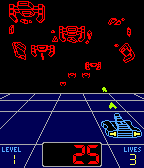
Games** BETA RELEASE for feedback** This is my fan remake of one of my all time favourite games from 1983 now ready to play on all Pebble watches (including Round). This is the first game I've ever coded for any platform. I've drawn all the graphics pixel by pixel and tried to make the gameplay as authentic as possible. What's working: Player moves & shoots Enemies move & shoot Collision detection Level/Enemy speed up every 100 points (20 enemies) Enemies explode Still to do: Menus / Game over (restart) Make middle enemies move sideways Enemy double shots Bonus level (4 fast moving enemies worth 50 points after each level) Extra life every 1000 points Possible future additions: Landscape mode Autofire (cos everyone that played the original always held fire down) Accuracy (display shot accuracy at game over when not using autofire)
 216
216Chess
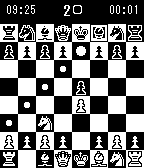
GamesThis is a public multiplayer beta, development is continuing. Pebble Chess is an entire chess board on your wrist. Play with your friends over wifi or data. Ponder what your next move will be while the board is always a glance away. Think deeply, or make a move.
 214
214Wristotle
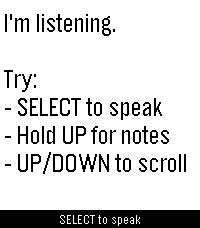
DailyWristotle turns your Pebble's dictation button into a voice command surface. Press the button, speak, and the Wristotle companion app on your Android phone handles it — calls, texts, reminders, alarms, music, notes, tasks, weather, sports, world clock, calculator, and an Ask-Agent path — then sends the answer back to your wrist. Replies arrive as chat bubbles, and lookup-style answers render as full-screen cards: a colored band shows the action and an icon shows the subject, so you can read the result at a glance. Highlights - Voice commands straight from the dictation button — no extra hardware - Full-screen reply cards for sports, weather, and meetings - Browse your notes and tasks right on the watch - Set and view alarms on the watch (phone / watch / both) - Optional spoken replies on supported watches (Pebble Time 2) - Configurable buttons — bind SELECT and long-press Up/Down to Dictation, Menu, Notes, or Tasks - Optional colour theme and chat bubbles Requires the free Wristotle companion app on your Android phone (works with microPebble or Core Devices). Everything runs on-device by default — no account, no tracking. AGPLv3. Companion app + setup guide: https://wristotle.codeberg.page/ Needs a Pebble with a mic (basalt, chalk, diorite, emery, flint, gabbro — not aplite).
 213
213Cookie Clicker
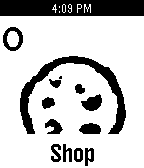
GamesOne of the most popular ridiculous games, now for Pebble! Select (click cookie) Down (open shop) Hold up for 5 seconds (clear cookies) Twitter: @AJazbec Strap Metrics
 213
213ZombieHop
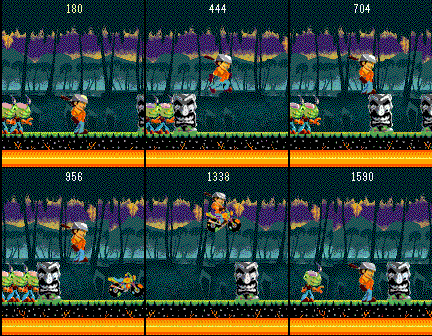
GamesA zombie apocalypse can be hard work. Even zombies need a break sometime. They decided to pack up their belongings (mostly brains), and head for sunny Hawaii for a vacation. The only problem is….so did you! Run for your life as the angry zombie masses try to make you pay for wrecking their vacation! Use everything in your path to escape; after all, not all zombies are slow! If you enjoy the app donate at www.atraydev.com/donate!
 213
213Pebble Meds
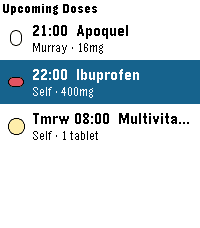
Health & FitnessNever miss a dose — for you, your family, or your pets. PebbleMeds delivers quiet, wrist-based medication reminders with simple one-button confirmations. It's designed for people managing multiple medications or schedules across multiple people (or animals) in a household. Features: - Up to 16 medications with flexible scheduling — fixed daily times (e.g. 8am and 10pm) or interval-based (e.g. every 8 or 12 hours) - Multiple takers — track medications for yourself, family members, or pets, all in one app - Take, skip, or snooze any reminder directly from your wrist — no phone required once configured - Colorful pill icons — choose from round, oval, oblong, drop, or shield shapes in your color of choice, so you can identify medications at a glance - Privacy mode — notifications and Timeline pins show "Medication Due" instead of the medication name, useful in public or shared spaces - Timeline integration — upcoming doses appear as pins so you can see your full schedule at a glance - Snooze control — if you miss a reminder, it re-alerts after a configurable delay (default 15 minutes); skipping a dose stops further reminders for that dose - Optimized for Pebble Round 2 and Time 2; fully compatible with all Pebble models including classic monochrome devices How It Works Configure your medications using the Pebble phone app. Your schedule syncs to the watch, which handles all reminders independently - no phone connection needed once synced. When a dose is due, your watch vibrates and displays the medication details. Press the middle button to confirm you took it, the bottom to skip it, or the top to snooze for a few minutes. Interval-based medications (like antibiotics taken every 8 hours) reset their timer when you mark a dose as Taken, so the next reminder is always spaced correctly from when you actually took it- not from a fixed clock time. Limitations - Requires the Pebble phone app to configure medications; the watch stores the schedule locally after the first sync - Up to 8 wakeup slots scheduled at a time due to a Pebble platform limit; the app self-reschedules automatically after each dose fires - Interval scheduling tracks the last-taken timestamp on the watch; if the watch is reset or the app is reinstalled, interval timers restart from the configured start time
 211
211Pixel Muncher v0.6 alpha
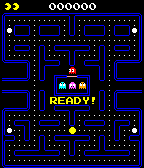
GamesPixel Muncher - Version 0.6 Alpha Controls: Up - Turn Left Down - Turn Right Select - Reverse Back - Pause (Back again to Exit) Not ready for release. Still much to do.
 209
209Pebble Endomondo
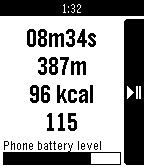
Health & FitnessFeatures: - Showing Endomondo workout status (duration, distance, calories, heart rate) - Control of pause/resume workout (Android 4.3+ only) - Showing phone battery level Disclamer: Pebble Endomondo is not affiliated with Endomondo company. Endomondo and all other Endomondo product names are trademarks or registered trademarks of Endomondo.
 208
208Series Timer
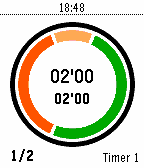
Health & FitnessColored circular countdown timer initially designed for fitness sessions. It's also customisable as a standard timer, interval timer, interval ttopwatch, Pomodoro clock, Tabata or Little HIIT sessions, and more. Up to 12 timer settings including: - preparation time (orange segment) - workout time (green segment) - harder workout time (purple segment) - rest time (red segment) - series count or stopwatch mode - interval segments and background color - intervals or round display mode - timer name - activity tracker data including step or distance Timers will vibrate at the end of each segment. The timer will stop at the end of the last serie in "series count" mode. Settings are persistent, the timer will wake up on completion if "Series-Timer" goes to the background. Activity tracker give you a score of movement intensity. You can read the total score on top left. The current serie score is on top right and last serie score on bottom left. It is a standalone watchapp, doesn't need smartphone connection. Toggle from round to interval views with long press on up button. You can change timer names and other settings using the parameter button from the pebble app on your phone. You can find manual and post comments on http://forums.getpebble.com/discussion/24153/watchapp-sdk3-series-timer-interval-pomodoro-tabata-hiit.
 207
207Drink Counter
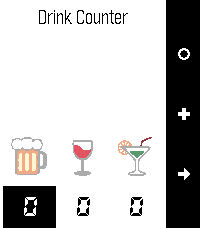
Tools & UtilitiesDrink Counter allows you to keep track of your alcohol, water and cigarette consumption. It even estimates the blood alcohol level based on your gender, weight and number of drinks. Remember: Never drive under the influence of alcohol! A long press on the middle button allows to set a price for the drink. A long press on the bottom button allows to move individual items.
 204
204Text Run
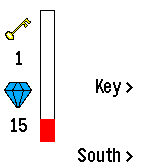
GamesThe Zork of endless runners - on your wrist! Insanely addictive high-speed retro text adventure. Exclusive to Pebble. Yours for free. Text Run, from Wearlynx. Play and play on.
 203
203Nyan Cat for Pebble
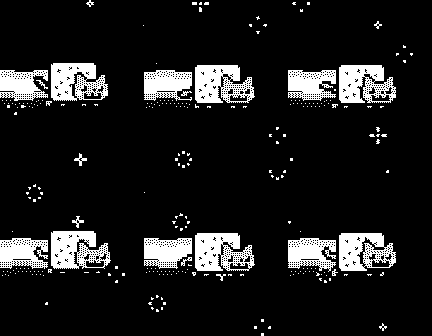
GamesWish you could have that tasty Nyan Cat animation from the Pebble Time video? Now you can! *Updated* • Press Up to slow down Nyan Cat • Press Select to turn on backlight • Hold Select to reset animation speed • Press Down to speed up Nyan Cat This update adds more incremental speed adjustments rather than the original 3 modes. Nyan Cat can now travel at insane speeds!
 201
201Watch The Slots
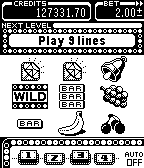
GamesEasy to understand, big wins and amazing bonuses! Features: - 3 different themes - Auto play - Level up to unlock more - Free Credits Follow us @ZingGames
 199
199Click Tiles
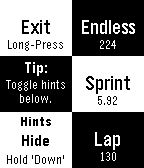
GamesDo you like tapping black tiles? Why not play it on your wrist?! Click Tiles is a simple reflex game. Click as many black tiles as you can while racing against the clock. Watch out for the white ones though, clicking one of them ends the game! Click Tiles includes 3 playing modes: > Endless - How many tiles? > Sprint - How fast to click 30 tiles? > Lap - How many tiles in 30 seconds?
 199
199Roku Remote
RemotesNo more scrambling for the remote. Ever. Control your Roku player from your watch!