 8
8Session Timer
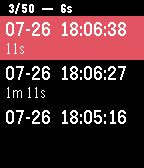
Health & FitnessTrack your surfing or swimming sessions and other activities while your smartphone is out of reach. The app lists and saves up to 50 timestamps with duration of each session (the time between two timestamps). The time duration since the latest timestamp is shown at the top and is updated every second. Simply press the select button to create a new timestamp. A long press will clear the list and start with a new timestamp. It is a standalone watchapp and doesn't need a smartphone connection. If you like Session Timer, please give it a heart! Additional features are not planned – if you would like to add some, just grab the sourcecode from GitHub and feel free to reuse it. Comments for code improvements or bugfixes are always appreciated.
 8
8Wrist Steam
DailyWrist Steam is a free, open-source application built to help bridge the gap between Pebble users and their Steam profiles. In development since mid-2014, Wrist Steam allows you to safely - and conveniently - link your Steam user profile to Wrist Steam via Steam's OpenID authentication service. As of right now, Wrist Steam allows you to view your own profile info, but more features are in the works, such as Friends Info (allowing you to see and track your friends activities within Steam), and (possibly) Wrist-TF2, a feature which could allow you to track your TF2 inventory on the go!
 8
8Golf Score
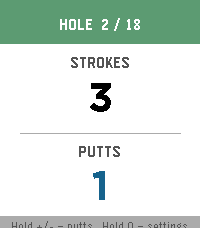
Health & FitnessAn app to track golf score (strokes and putts) Open source here: https://git.mikeeberlein.com/meberlein/PebbleGolfScore/src/branch/master
 8
8Allowance
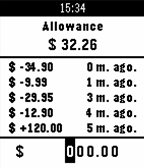
Tools & UtilitiesThis app keeps track of your allowance. The select button cycles through the numbers in the amount you wish to enter. When you cycle past the last number the amount you entered will be subtracted from your allowance. To add funds to your allowance simply hold down the select button at any time to add the amount you entered. To enter the settings menu press and hold the up button. There you can change various settings, including the currency used. To clear the allowance amount and history press and hold the down button. You will be asked to confirm your choice.
 8
8REMAINmobile
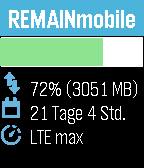
Tools & UtilitiesSupports - German. This app allows you to track your mobile data plan and usage on your wrist. At the Moment only the German Provider "Deutsche Telekom" and it's subsidiary "Congstar" are supported, because most of the providers I know don't have an API. Deutsch Diese App ermöglicht es es Ihnen ihren mobilen Datentarif und Verbrauch an ihrem Handgelenk zu verfolgen. Im Moment werden nur die deutschen Provider "Deutsche Telekom" und deren Tochterfirma "Congstar" unterstützt, weil die meisten Provider die ich kenne keine Schnittstelle haben.
 8
8Harvest Time Tracker
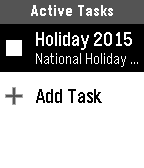
Tools & UtilitiesThis app will allow you to create time tracking entries, and to activate/deactivate them all from your watch.
 8
8M-Bus
DailyMbus lets you view arrival times for Blue Buses at University of Michigan!
 8
8Chesty
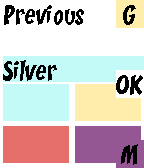
Tools & UtilitiesFan of Clash Royale? Enter your the chests you receive from battle and this watchapp will predict the type of your next chest.
 8
8Ham Locator
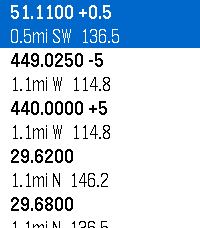
Tools & UtilitiesLocates repeaters within your area and gives you relevant data Uses data sourced from HearHam.com
 8
8PebbleCalc
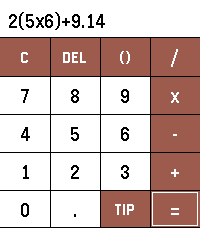
Tools & UtilitiesPebbleCalc brings a simple yet powerful calculator and a smart tip splitter directly to your Pebble watch. [FEATURES] - Full PEMDAS Math Engine: Evaluate standard arithmetic expressions with parentheses, operator precedence, decimals, and negative numbers. - Interactive One-Line Display: Touch anywhere along the equation or long-press UP/DOWN to move the cursor. - Touch & Button Navigation: Full support for touchscreen tapping alongside physical button controls. - Tip & Split Calculation: Use the TIP button to calculate gratuity and split bills. - Quick Tip Presets: Select 10%, 15%, or 20% presets, or press UP/DOWN to fine-tune custom percentages. - Bill Splits: Tap left/right half of the split pane or long-press UP/DOWN to adjust the party count. [REQUIREMENTS] No setup, companion app, or internet access required.
 8
8AeroDiver Metric
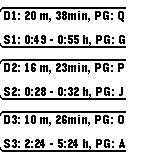
Tools & UtilitiesA simple dive planning reference tool. Based on PADI Recreational Dive Planner tables. This is the metric version, there is an imperial version available. Don't use this tool for actual dive planning, use for reference only!
 8
8N64 Price Hunter
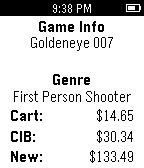
Tools & UtilitiesA simple tool for classic video game collectors that grabs the latest pricing information for NTSC N64 games! Uses PriceCharting.com for up-to-date pricing. Requires an active internet connection to retrieve pricing. ********************************** Version 0.3 * New Game information screen. * Fixed "First Person Shooter" genre not displaying correctly ********************************** Logos/Artwork by Gary McKelvy (http://vincentvangary.deviantart.com/) Note: This app is in no way affiliated with Nintendo.
 8
8Deploy AGR
GamesCall in your own agr from your pebble smart watch! This app gives the cool effect that you summoned an agr :D. COD Call of duty black ops
 8
8Sailing Timer
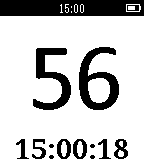
Tools & UtilitiesSailing Timer is a simple standalone start timer for racing. The app counts down from 5 minutes by default (this can be increased to 10 or 15 minutes with the up bottom). While counting down the down button syncs to the next minute. Once the race starts the app counts up.
 8
8FireFighterBuddy
Tools & UtilitiesA pebble app for firefighters to start a timer (and log specific time to help with reports) whenever a mobilization is accepted and fetch the intervention type, vehicle and address from the mobilization email to display them without having to manually check emails on the phone or check the station displays