 8
8Nothing Battery
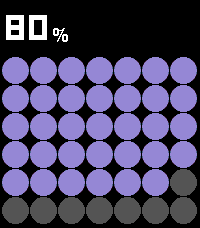
Tools & UtilitiesPebble Battery is a clean, glanceable battery app inspired by the Nothing Phone widget aesthetic. The main screen fills the display with a bold dot grid, purple on dark, red on light, where each circle represents a portion of your remaining charge. The current percentage is displayed prominently at the top using a dot-matrix LED-style font. Press UP or DOWN to open the summary view, which shows your estimated time remaining (or time until full when charging), drain rate in %/HR, and the last recorded delta. Press SELECT to toggle between dark mode (black background, purple dots) and light mode (white background, red dots, gray empty circles), your preference is remembered between sessions. When the battery drops below 20%, the percentage and dots turn red as a low-battery warning. When charging, an animated wave of dots sweeps across the grid.
 8
8newsWire
DailyRead stories with short abstracts. Click 'Select': move to next article Long click 'Select': move to last article Flick wrist: move to new feed
 8
8날씨
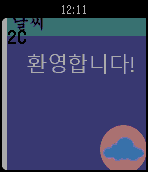
Daily세계최초 메터리얼 날씨앱. World's first material weather. 한글팩이 필요 없음. Don't have to download Korean pack. 아직 미완성임 Not yet finished 끝! End!
 8
8Indego
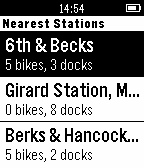
Tools & UtilitiesSimple Pebble.JS app for finding nearby bike stations in Philadelphia.
 8
8Vera Wiz
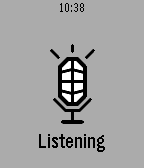
RemotesVera Home Automation Control [UI7 only] VOICE SUPPORT! * Configure Scenes and Devices that you want in Config * Currently supports Switch & Dimmer class. more to come... * Short press for toggle, long press to cycle dim (if supported) * Automatic switch between local or remote mode * Fast & efficient * Support voice dicatation. Still a bit rough....but it works. (back button) A working Vera Remote control app!! Nothing existing worked, so I wrote one. The latest Vera authentication is quite complex. This is why 3rd party apps are few and far between. After some hours of tinkering I got it to work!!! The voice part still needs some AI to really make it work well, and also needs some changes so that voice recognition happens fast with less button presses. LONG PRESS BACK TO EXIT!! Voice will eventually become a paid option. Free for now.
 8
8Compass
Tools & UtilitiesYour Android phone will send you compass data on your Pebble! Open source and in beta. Please see source link if interested :) Bug: Unfortunately your Android's screen needs to be on for data transfer to work.
 8
8FTC Match Timer
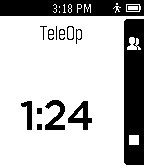
Tools & UtilitiesUse your wrist when doing match practice! This app, designed for the FIRST Tech Challenge robotics competition, is basically a countdown timer customized for running FTC Matches. Features: - Optional Autonomous 0:30 timer - Teleop 2:00 timer - Alert when End-Game begins - Alert with 10 seconds left - Countdown from 5 seconds Made by i²robotics, FTC team 6081
 8
8Shut the Box
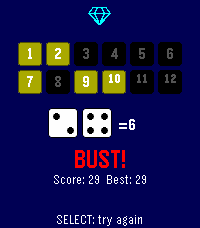
Games1-6 player Pass & Play. Score keeping solo mode and smart select tile options. Chose # of tiles, and scoring system and roll the dice! Try to 'close' all the numbers, or get as low as you can.
 8
8Psychic Boards
RemotesThis application is destined to magician artists and allows to receive written texts and drawings from a mobile electronic tactile slate called "Psychic Boards". This application is the perfect tool for any magician desiring to do unrehearsed Mentalism in a Close-up condition with his audience and in any type of place.
 8
8Zulu Timer
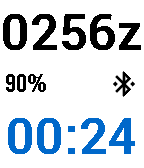
Tools & UtilitiesDesigned for pilots, the ZuluTimer provides UTC time (aka Zulu time) along with a countdown/countup timer. In countdown mode the timer vibrates in the last few seconds before zero, then starts counting up. On Pebble Time watches the color of the timer reflects down/up mode. Colors are configurable via the Pebble app. The countdown preset is adjusted by using the up and down buttons while the timer is stopped. Pressing the select button starts and stops the timer. Long press on the up button at any time reloads the preset time and starts counting down. Long press on the down button sets the timer to zero and starts counting up. If you navigate away, the app will continue to count in the background and will re-open and vibrate when the timer is about to expire.
 8
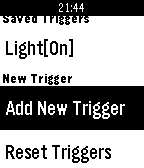
8IFLocation
RemotesIFLocation is an watch app allows you to send IFTTT Maker event on your waist. You need to connect your Maker channel, get the Maker key, then open the settings of this app on your phone. Features: * Set current location coordinate in IFTTT event. * Create a trigger just in Watch app. * The most used triggers shows first. * Shows History. * Predicting next trigger time, and wake up the watch app. Tap your watch to trigger event.
 8
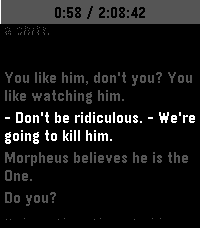
8Subtitles
Tools & UtilitiesThis is an app to see the subtitles of a movie or show on your watch :)
 8
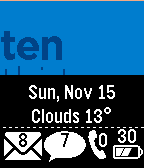
8Glance TextWatch
DailyGlance TextWatch with slide in data panel. Requires Premium. Does NOT include other watchfaces. Cannot accept custom faces
 7
7Simple Weather
DailyA simple weather app that uses your location to give accurate data.
 7
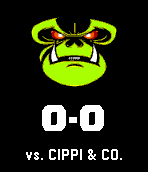
7SmashingMonkeys
DailySmashingMonkeys Pebble notification app. The Clash of Clans companion you've always wanted! War score notifications right to your wrist. No need to break out your phone! (companion app not necessary to retrieve scores. companion is necessary to receive alerts) NOTE: This app only works for the clan SmashingMonkeys