 7
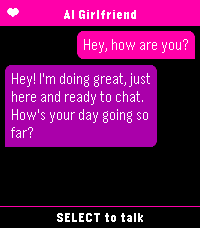
7AI Girlfriend
Tools & UtilitiesYou need a fast and easy way to talk to your favourite ai assistant? Look no further than AI Girlfriend. As soon as the app is launched it starts dictation so you can immediately start chatting. Supports openai compatible apis.
 7
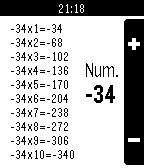
7Tabbles
Tools & UtilitiesTabbles is a little useful program to review multiplication tables with numbers up to 999 (and minus 999) right on your Pebble. Simple and useful.
 7
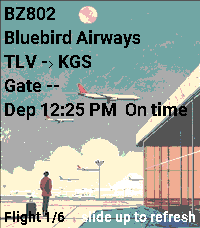
7Track your Flight
Tools & UtilitiesYou can track your flight by entering your flight code in the settings. To access full flight‑related data, register at https://aviationstack.com/dashboard and obtain a free API key (includes 100 requests per month). Copy that key into the app’s settings to enable all features. Press Select to view your boarding pass. To access it, open the pass in Apple Wallet, Google Wallet, or as a PDF. Retrieve the raw barcode text (it begins with M1). You can do this by: Using a barcode‑scanner app that displays the raw text, not just the image. Some airline apps let you copy or export pass data. Decoding the PDF417 or Aztec barcode from a PDF version of your boarding pass. Paste the full string into the Boarding Pass Barcode (BCBP) field in Settings. Example : M1DOE/JOHN EABC123 TLVJFKAA 0123 001A012B0001 100
 7
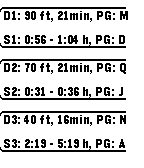
7AeroDiver Imperial
Tools & UtilitiesA simple dive planning reference tool. Based on PADI Recreational Dive Planner tables. This is the imperial version, there is a metric version available. Don't use this tool for actual dive planning, use it for reference only!
 7
7PebbleAI+
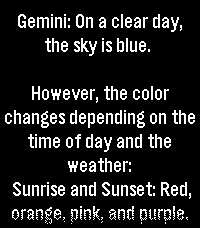
Tools & UtilitiesPress but, talk to the AI of your choice! PebbleAI-Plus is a resource-aware fork of PebbleAI. It keeps the same idea of the original PebbleAI, access to ChatGPT, Gemini, DeepSeek, Grok, or Claude on your Pebble but with a focus on smooth use under tight memory and battery limits. Speak a question on the watch and get a reply from the AI provider you choose. Requires an API key in Settings from your provider of choice: OpenAI: https://platform.openai.com/account/api-keys Claude: https://console.anthropic.com/dashboard Gemini: https://aistudio.google.com/app/apikey Grok: https://console.x.ai/ DeepSeek: https://platform.deepseek.com/api_keys
 7
7Micro Dose
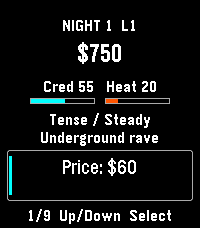
GamesRemember that drug game on your graphing calculator? ... that. A fictional calculator-era underworld economy. Read the night’s forecast, set price, quantity, quality and distribution, then run the night and see what happened. Climb six career levels from Runner to Empire. Earn profits, buy districts and fronts, and unlock new distribution routes. Career shows your next unfinished goal. Lay low reduces heat while your fronts still bring in income. Build the Empire by earning $60,000 net, owning all six districts and three fronts, and keeping heat below 60. You can keep playing afterward. Negative cash or heat at 100 ends the campaign. Up and Down browse; Select edits or acts. Progress saves automatically. For Pebble Time 2 and Round 2. Touch requires firmware 4.33.2; button controls remain available. By Luke Steuber.
 7
7Calendar for Office 365
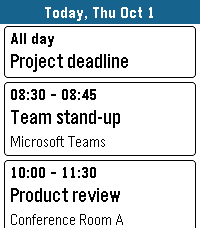
Tools & UtilitiesYour Microsoft 365 and Outlook.com calendar on your wrist. DAY VIEW See all events of a day as clear cards with time, title and location. Swipe left and right to change the day on Pebble Time 2, or long-press up/down on any Pebble. Open an event to see its details, including the description from Outlook. WORKS OFFLINE Today and tomorrow are stored on the watch, so your schedule is there even when your phone is not. DAILY BRIEFING Optional: the app opens at a time you choose, vibrates gently and shows your day. Pick the weekdays you want. MOVE EVENTS Optional: postpone your own events right from the watch – 1 hour, 1 day, 2 days, 1 week later or to next Monday. Turned off by default. MAKE IT YOURS Choose which calendars to show, accent, text and background colors, English or German, touch control, and whether past events are grayed out. The app closes itself after a few minutes without use to save battery. PRIVATE BY DESIGN No server, no tracking, no ads. Your calendar goes straight from Microsoft to your phone and your watch. The developer never sees your data or your sign-in. SIGNING IN Open the app on the watch. It shows a short code – enter it at microsoft.com/devicelogin on your phone or computer and sign in. Keep the app open until your events appear. Microsoft may show the app as "unverified"; this is normal for apps from independent developers. WHICH ACCOUNTS WORK Personal Microsoft accounts (outlook.com, hotmail.com, live.com) work. Work or school accounts usually work in small organizations. Many larger companies block third-party calendar apps or this sign-in method – then the app cannot be used with that account. Made for Pebble Time 2. Also runs on Pebble 2 Duo, Pebble Time, Pebble Time Steel and Pebble 2. Not affiliated with or endorsed by Microsoft. Microsoft 365, Office 365 and Outlook are trademarks of the Microsoft group of companies.
 7
7Color Picker
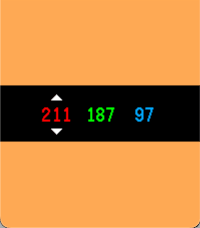
Tools & UtilitiesColor Picker turns your Pebble into a fast, tactile RGB playground. The screen fills with your current color, while bold red, green, and blue values sit centered on a clean black control bar. Start from a random color, tap SELECT to switch channels, and use UP or DOWN to fine-tune each value from 0 to 255. Hold a button to accelerate through values quickly and watch the full-screen preview update instantly as you dial in the exact shade you want.
 7
7Slow
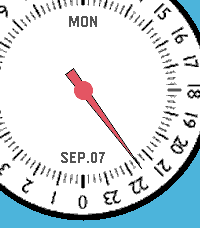
DailySlow - 24-Hour Single Hand Watchapp Experience time at a calm, natural pace with Slow, a minimal 24-hour single-hand watch application for Pebble inspired by classic 24-hour timepieces. Engineered with a custom finite state-machine architecture, Slow completely eliminates redundant screen redraws to deliver ultra-low battery consumption. KEY FEATURES • 24-Hour Single Hand Dial: Follow the full daily cycle with a single continuous hour hand across 4 distinct color styles. • 3D Angle-Aware Second Hand: Toggle a high-precision second hand on demand (Double UP). It tracks smoothly while you look directly at the watch and instantly disappears to freeze screen rendering the moment you turn your wrist away or rest it flat. • Blank (Deep Sleep) Mode: Enter a zero-power standby state with a single UP click, shutting down all timers and sensors for 100% MCU deep sleep while keeping a clean static dial. • Quick Pomodoro & Smart Alarm: Instantly launch a preset countdown timer with a long press on DOWN, or set customized alarms with auto-accelerating buttons and native system wakeup integration. • Auto-Respawn Keep-Alive: Exiting with a single BACK click automatically relaunches Slow via the Wakeup API, giving you full watchapp power with watchface-like accessibility. • Protection Alerts: Visual battery limit rings, Bluetooth disconnect vibration warnings, and flip-to-mute gesture support. BUTTON CONTROLS • UP (Long Press): Open full Settings Menu (Preferences) • UP (Double Click): Toggle angle-aware Second Hand mode • UP (Single Click): Enter Blank (Deep Sleep) Mode • SELECT (Single Click): Open interactive Alarm Setting • SELECT (Double Click): Toggle visual Battery Warning rings • SELECT (Long Press): Cancel all scheduled alarms • DOWN (Single Click): Toggle Day and Date display • DOWN (Double Click): Change dial face style (4 themes) • DOWN (Long Press): Start Quick Alarm (Pomodoro timer) • BACK (Single Click): Exit with Auto-Respawn (auto-relaunch) • BACK (Double Click): Quit application completely • Any Button (in Sleep): Wake up with smooth hand-winding animation For detailed guides, release notes, and configuration options, please visit: https://andrwj.com/pebble-slow-watchapp --- Slow watch for pebble, inspired by slow-watches.com Permission granted by Slow Watch to use design & the name 'Slow'
 7
7Dodge Needles!
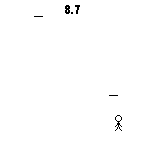
GamesUp: Reset game Center: Move up Down: Move down Enjoy!
 7
7Pokedex Tracker Gen 4 (HeartGold & SoulS
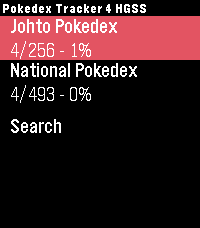
Tools & UtilitiesKeep track of your captured Pokémon from the Generation 4 games right from your wrist. Featuring the complete set of all 493 Pokémon from the HeartGold and SoulSilver versions. Track both the Johto region and the National Pokedex.
 7
7Space Salvage
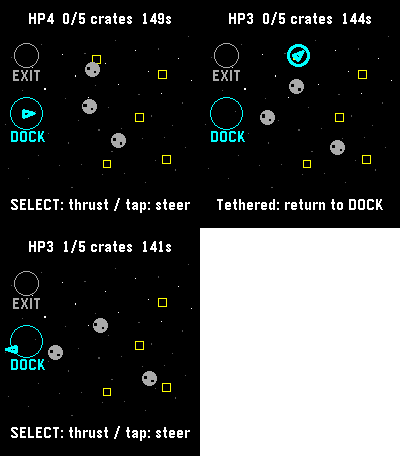
GamesFive crates. One battered tug. Bring the cargo home, then reach the exit before the clock or your hull runs out. Steer through drifting rocks, catch crates with your tether, and return them to the dock. Tap a destination or use the buttons to steer and thrust. A run has a 150-second limit. Save and exit to continue later. For Pebble Time 2 and Round 2. Touch requires firmware 4.33.2 or later; buttons remain available. By Luke Steuber.
 7
7Developer Info
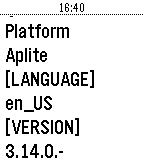
Tools & UtilitiesThis is a simple app written in Pebble.JS that should help developers with debugging their creations. It is capable of showing the complete WatchInfo and WatchToken / AccountToken. More functionality will follow.
 7
7igitimer-graphic-big
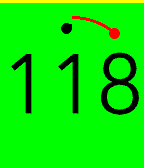
Tools & UtilitiesTimer with nice animations
 7
7WMATA Times
DailyView real-time WMATA prediction times for trains.