 6
6Aviation Fuel Prices
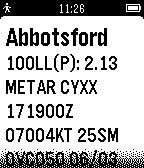
DailyThis app presents the closest 10 airports in CANADA with current fuel prices as reported on 100LL.ca. For airports with active METAR/TAF forecasts, those are displayed along with the fuel prices. Note this only includes CANADIAN airports.
 6
6Foothill Bell Schedule v1.2
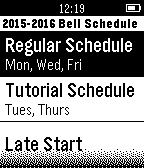
Tools & UtilitiesFirst release of Bell Schedule for Foothill High School
 6
6hello
Dailybildiğin hello
 6
6Market Watch
DailyDisplays latest Dow, NASDAQ and S&P 500 info.
 6
6PinIt
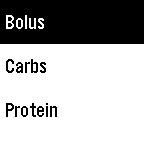
Tools & UtilitiesA Pebble watchapp to quickly record treatments locally and optionally update Nightscout. Up to 5 assignable treatments can be defined along with their initial value and increment value. Configure your Nightscout website/API secret and select IOB or COB for the treatment to be added to Nightscout. PinIt is designed to be assigned as a shortcut and will close once a reading is entered. The last 24 hours of treatments are saved locally. On the treatment input card, the following actions and displays are available :- - treatment history can be shown by a long press up or down, long press up shows all treatments, long press down shows treatments for the current type. A selected historic treatment can be deleted. - treatment time can be entered by a long press of select (normal press saves at current time) - treatments assigned as IOB will display the current IOB and last treatment.
 6
6donTiptoe
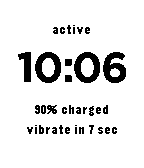
Tools & UtilitiesThis app will vibrate every minute when the wearer is active.
 6
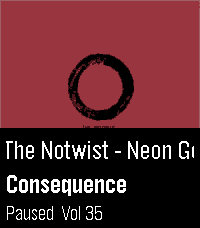
6Squeeze Lyrion LMS
RemotesLeave your phone in your pocket! A native, touch-first remote for Squeezebox, squeezelite, and Lyrion Music Server — the server formerly known as Logitech Media Server (LMS) or SlimServer — tailored for the Pebble Time 2 and Pebble Round 2. Browse your server's entire menu tree, start playback anywhere in your library, and control your Squeeze players right from your wrist without ever needing to unlock or pick up your smartphone. Works with all Squeeze endpoints: original Squeezebox hardware (Classic, Boom, Duet, Radio, Touch), squeezelite, WiiM, piCorePlayer, Max2Play, and LMS software players. ✨ KEY FEATURES: • Now Playing with Cover Art: Album sleeve rendered at full screen width for local files, streaming plugins (Spotify, Deezer, Tidal, Qobuz) and internet radio. • Full Artwork Mode: Hold the SELECT button anytime to view the complete album cover without UI overlays. • Intuitive Player Touch Controls: Tap to Play/Pause, Swipe left/right to skip tracks, Swipe up/down for volume — keeping all 4 physical buttons free for menu navigation! • Complete Server Menu: Browse My Music, Radio, Favourites and Plugins. Paginated so folders with 2,000+ albums stay ultra-fast. • Smart Path Memory: Reopening the menu returns straight to the folder you were browsing instead of resetting to root. • Marquee Scrolling: Long track, artist and folder names scroll smoothly instead of being cut off. • Multi-Player Support: Switch between all your Squeeze players right from the start screen. 🎮 CONTROLS: • Tap screen: Play / Pause • Swipe Left / Right: Previous / Next Track • Swipe Up / Down: Volume ±5 • Up / Down buttons: Volume ±5 (repeating) • Select button: Open Server Menu / Select Item • Hold Select: Full Album Sleeve (or jump back to player from menu) • Back button: Step back / Close ⚙️ SETUP: 1. Open the Pebble app on your phone. 2. Go to the app settings (Clay configuration). 3. Enter your LMS server's Hostname or IP address (e.g. 192.168.1.100) and Port (default: 9000). 4. Tap "Save Settings" — your player list will automatically appear on your watch! ☕ Support on Ko-fi: https://ko-fi.com/pagnotta34838 Open source under the MIT License.
 6
6PebbleChat
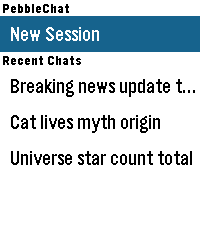
Tools & UtilitiesPebbleChat brings modern AI language models directly to your Pebble watch. Powered by OpenRouter, you can converse with leading models like Gemini, Claude, and GPT simply by speaking into your watch. [FEATURES] - Voice Input: Press SELECT and speak naturally using Pebble's built-in voice dictation to start new sessions or continue ongoing conversations. - Turn History: Long-press UP/DOWN to browse earlier conversation turns. - Session & Turn Rollback: Long-press SELECT in the menu to delete sessions, or inside chat to roll back exchanges up to the current turn. - Multiple Sessions: Save up to 5 recent chat sessions with automatic titles. - Touch & Button Navigation: Full support for touch-swipe scrolling alongside physical button controls. - Online Access: Enable or disable access to the web search tool offered by OpenRouter. - Configurable Settings: Customize models, system prompts, reasoning effort, output tokens, font sizes, and time/location context. [REQUIREMENTS] Requires an OpenRouter API key from openrouter.ai/keys.
 6
6DancePlus
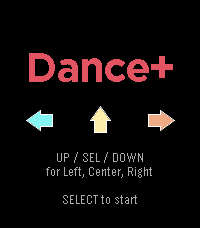
GamesAI is dumb, but it helped me make this homage to the dancing games of old. Plays music on the PT2!
 6
6CitiBike Compass
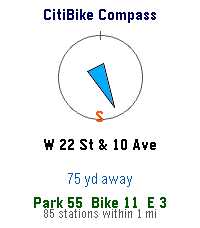
DailyFinds nearest CitiBike Locations
 6
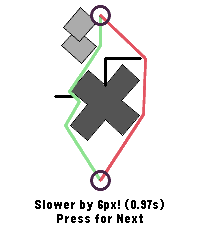
6Sprint orienteering game
GamesA game to train your skills in sprint orienteering. Choose the shorter route between left and right. Check your stats with middle button.
 6
6Omni Scorer 2
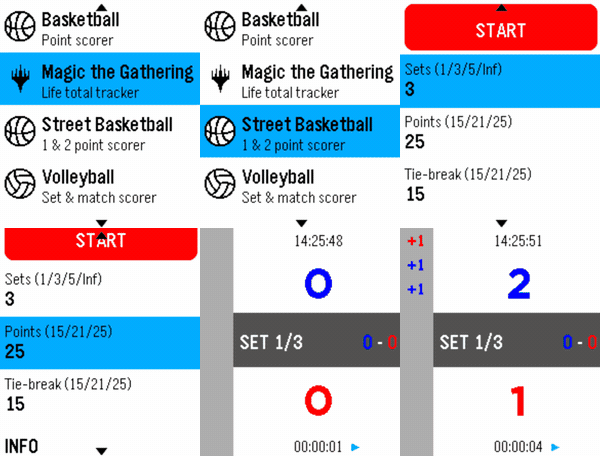
Tools & UtilitiesOmni Scorer 2 is a multi-sport scorekeeper built for Pebble smartwatches, designed to be fast and effortless to use during play — score a point with a single button press, without needing to stare at the screen. Currently supported activities: -Volleyball -Basketball -Street Basketball -Magic: The Gathering -Tennis -Padel Each scorer keeps a scrolling, color-coded history of the match so you can always check what just happened, and the app remembers exactly where you left off — it reopens on the same screen you last used. New sports and activities will keep being added over time. If there's a specific sport or scoring format you'd like to see supported, feel free to reach out — requests are welcome! Omni Scorer 2 is free to use. If you'd like to support its development: https://ko-fi.com/eh003
 6
6Auroras.live
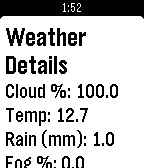
DailyAuroras.live provides up to date, at a glance information for aurora hunters. If you've ever wanted to view the northern or southern lights, auroras.live can give you the information you need. The auroras.live watch app takes this one step further and gives you this information on your wrist, showing you three day aurora forecasts on your timeline, weather for your current location updated every minute and a a probability that you'll see an aurora! The app makes use of the timeline, so you'll receive notifications on upcoming high-Kp periods half an hour before they happen, so you have time to grab your camera and go! If you want even more information, be sure to check out the Auroras.live apps for iOS, Android and desktop, available at : http://app.auroras.live
 6
6ReVolver
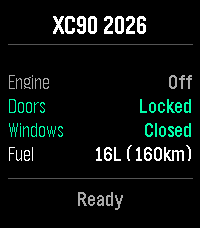
RemotesRemote control your Volvo car from your wrist. ReVolver — Remote Volvo controller. Also "volver" (Spanish): "to return/come back" to your car. Control your Volvo from your Pebble watch via the official Volvo Connected Vehicle API. Monitor: Engine, Doors, Windows, Fuel & Range Commands: Flash, Honk, Lock/Unlock, Engine Start/Stop, Climate Start/Stop Highlights: - Dynamic menu based on your car's capabilities - Confirmation for sensitive actions - Vibration feedback - Auto token refresh Setup: Enter VIN > Log in with Volvo ID > Done. Privacy: Tokens stay on your phone. Open-source auth proxy — no data stored server-side.
 6
6PagerDuty JS
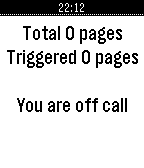
NotificationsReceive incidents and view them as cards on your Pebble Watch; Acknowledge an incident when you received it; Acknowledge all incidents; App will show you how long you are going to be on-call - and how many open incidents you have; Up Button: acknowledge incidents. Down Button: fetch incidents that are assigned to you. Before using you should configure Pebble.js Duty application from Pebble phone app: You require your pagerduty user-id - (e.g. PXYZ01) Subdomain (subdoman.pagerduty.com) API token - PagerDuty api key Integration API Your email or part of your email that will identify you (e.g. usernam@invalid.tld - username ).