 3
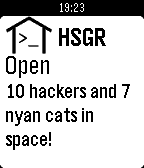
3Hackerspace.gr
Tools & UtilitiesSimple app to view Hackerspace.gr status
 3
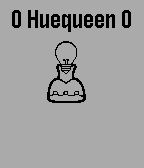
3HueQueen
RemotesApp to use the Pebble Accelerometer to dim your hue ligths. Please see hue developer pages on how to get your bridge-IP and an authorized-user-ID.
 3
3Tay Bridge Open?
DailyCheck the status of the Tay Road Bridge at a glance on your Pebble.
 3
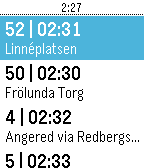
3NästaBuss
Tools & UtilitiesAutomatically fetch the next 20 buses departure at the nearest Stop. ONLY SUPPORT VÄSTTRAFIK. This is a very preliminary release. Since I could not find a pebble app that support the new api of västtrafik, I decided to make one for self-use. Then I thought why not share... I will try to add more features and custom UI in the future.
 3
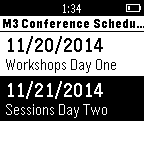
3IT Conferences App
DailyThis application will allow the user to see details for sessions for various IT conferences. Current release only shows upcoming M3 conference in Columbus. Details shown are times, titles, speaker and abstracts. App is V1.0
 3
3GradationViewer
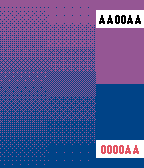
Tools & UtilitiesUse a gradient to the case that can not be represented in 64 colors. This app can make a combination of the 64x64. Up / Down button: Change the color Select button: swap the top and bottom of the change location
 3
3Roomer
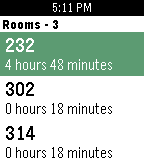
DailyWould you like to have a quiet place to study on campus? Do you find the libraries to be too crowded sometimes? If so, Roomer is the perfect app for you. Roomer lets you find an empty classroom on campus for studying, practicing presentations and meeting people. Roomer is built to be reliable, easy to use, and always one tap away. Currently roomer supports 3 schools: - McMaster University - Western University - University of Waterloo
 3
3Nearby
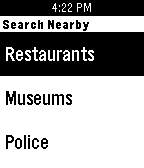
Tools & UtilitiesFind places within a radius. Please follow Google's instructions to get an API key: https://developers.google.com/places/web-service/get-api-key#if_you_are_using_the_standard_api_name_webservice_places
 3
3Ottawa weather
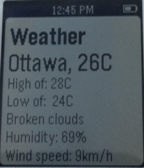
DailyWeather app for the city of Ottawa!
 3
3Fuel Radar
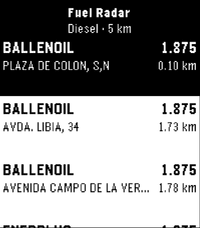
Tools & UtilitiesA lightweight nearby fuel station finder for Pebble with real-time price checks, powered by official government data. 🗺️ Countries: ES (coming soon – PT) Features: ⛽ Instant overview: Nearby fuel stations sorted by price or distance right on your wrist ⛽ Fuel selection: Choose your preferred fuel type (Gasoline 95, Diesel, etc.) via settings ⛽ Station details: View brand, updated pricing, distance, and full address on select ⛽ Glanceable UI: High-contrast, clean layout tailored specifically for Pebble e-paper screens ⛽ Low battery impact: Fast API queries routed via your phone's GPS connection 📍 Location provided by your phone's companion connection Feedback and suggestions are always welcome.
 3
3Dispatch
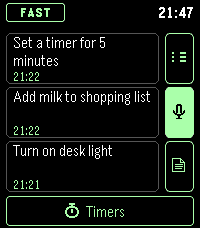
Tools & UtilitiesVoice commands, timers and stopwatches for Pebble Time 2. Commands use your own webhook.
 3
3Qibla Compass
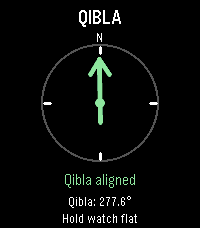
Tools & UtilitiesQibla Compass points you toward the Kaaba in Makkah from wherever you are, right on your wrist. Raise your watch, and an arrow shows which way to turn, with simple directions such as "Turn left 12°". When you face the Qibla, the arrow turns green, the screen reads "Qibla aligned", and your watch gives a short vibration, so you can find the direction without staring at the screen. The exact Qibla bearing for your location is shown too. For accuracy, the watch corrects its compass from magnetic north to true north using the World Magnetic Model (WMM-2025) for your location and today's date. If the compass needs calibrating, the app asks you to move your watch until it is ready. If your location or compass can't be read, tap the screen or press Select to try again. Designed for Pebble Time 2. Your paired phone provides your location, so allow location access for the Pebble app; no account or internet service is needed for the calculation itself. Like any compass, readings can be affected by nearby metal, magnets, or electronics, so hold your watch flat and away from them. Created by Ark-am. Discover our work and custom software development services at https://ark-am.com/
 3
3One and Only
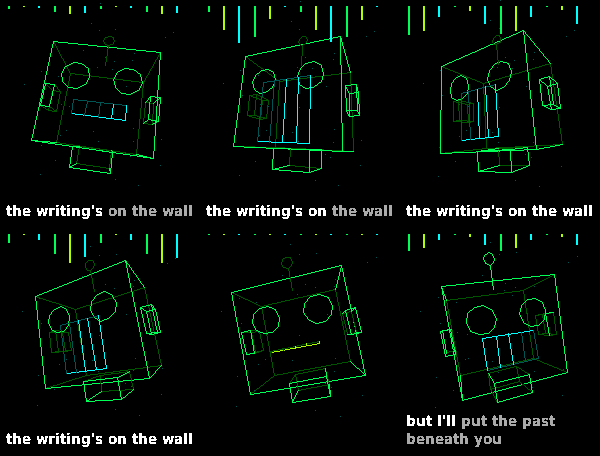
GamesSAM, the 1982 speech synthesizer, sings "One and Only" by rai1367, with a 3D wireframe music video. It's all made on the watch as it plays: SAM's voice (lead and harmony), the bass and the keys are synthesized live, and the drums are played from six tiny drum hits. Nothing is streamed from your phone. A 3D wireframe music video plays along, timed to the music: - Karaoke lyrics, word by word, as text or as 3D wireframe letters - Scenes that change with each part of the song, pulsing to the kick drum and bass - A robot that lip-syncs to SAM's singing - Effects set off by the lyrics, including a cameo from the Index 01 ring - A wireframe Pebble Time 2, made from Core Devices' own CAD models Controls: - The song starts when the app opens - UP / DOWN: volume, in 10% steps - SELECT: backlight on/off (after the song: play it again) - Hold SELECT: lyrics as text or 3D wireframe letters I didn't port over every note, I just got it sounding 'good enough'. Needs a watch with a speaker: Pebble Time 2 only. Original song by rai1367: https://www.youtube.com/watch?v=_llTsFK6GZI Sung by Software Automatic Mouth (S.A.M.). Created with Claude code Open source (MIT): https://github.com/CATEIN/one-and-only-time-2
 3
3Notes+
Tools & UtilitiesDirectly inspired by the Simple Notes app. It was just missing 2 features I really wanted. ① Ability to append to notes. ② (and this was the big one) getting the notes out of the watch so I could use them elsewhere. This was a quick 10 minute Claude Opus 5.5 implementation with the features desired. If you don't need or want these features, Simple Notes should be just fine. Aside from that, the feature list is the same, including the quick action behaviour.
 3
3Stechuhr
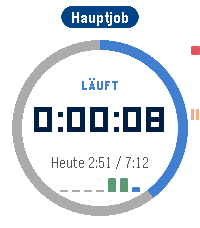
DailyBESCHREIBUNG ENGLISCH ---------------------------------------------------------------- Punch (Stechuhr) makes tracking your work hours on Pebble Time 2 effortless. Tap. Work. Done. - One button: Up starts and stops, Select pauses. A double buzz confirms the start, a long buzz the stop. - A calm watch face that comes alive: the progress ring fills up towards your daily target and turns green once you reach it. A mini bar chart shows your week. - The timer keeps running when you leave the app. The launcher shows "Running 1:23" at a glance. - Forgot to clock in? Add or edit entries on the watch with a scroll wheel - or much faster on your phone. - Projects as jobs: up to 8, each with its own daily target, break rule (none, fixed or German law) and optional hourly wage. - Light, dark or automatic theme. - Optional backup to our server (no IP, no name, deletable at any time). Full version (one-time purchase via KiezelPay): PDF timesheet for your boss, client or tax advisor - with daily totals, overtime per project, earnings and signature lines. Tracking, lists, phone page and backup are free forever. BESCHREIBUNG DEUTSCH ---------------------------------------------------------------- Die Stechuhr macht Arbeitszeiterfassung auf der Pebble Time 2 angenehm. Antippen. Arbeiten. Fertig. - Ein Knopf: HOCH startet und stoppt, AUSWAHL pausiert. Doppelt kurz vibrieren beim Start, lang beim Stopp. - Ein ruhiges Zifferblatt, das lebendig wird: Der Ring füllt sich bis zum Tagesziel und wird grün, wenn es erreicht ist. Kleine Balken zeigen die Woche. - Die Zeit läuft weiter, auch wenn du die App verlässt. In der App-Liste steht "Läuft 1:23". - Vergessen einzustempeln? Einträge auf der Uhr per Scrollrad nachtragen oder bearbeiten - oder viel schneller am Handy. - Projekte als Jobs: bis zu 8, jedes mit eigener Sollzeit, Pausenregel (keine, fest oder nach ArbZG) und Stundenlohn. - Hell, dunkel oder automatisch. - Optionale Sicherung auf unserem Server (keine IP, kein Name, jederzeit löschbar). Vollversion (einmaliger Kauf über KiezelPay): PDF-Arbeitszeitnachweis für Chef, Kunde oder Steuerberater - mit Tagessummen, Über- und Minusstunden je Projekt, Verdienst und Unterschriftszeilen. Erfassen, Listen, Handy-Seite und Sicherung bleiben dauerhaft kostenlos.